
Using AI to Validate Product Hypotheses Before Building Anything

Product teams often claim to be data-driven, yet many product decisions are still made based on opinions, assumptions, or stakeholder pressure. Features are approved because they “feel right,” not because they are proven to solve a real user problem. This is exactly where AI in product discovery creates real value. When used correctly, AI helps teams validate product hypotheses early, reduce bias, and avoid building the wrong features—before any code is written. Why Product Hypothesis Validation Fails in Practice A product hypothesis should connect a customer problem, a proposed solution, and a measurable outcome. In reality, most hypotheses fail because they are: Teams often skip validation because it appears slow. The truth is simple: building without validation is slower and far more expensive. AI helps teams validate assumptions faster without replacing real product thinking. How AI Supports Product Hypothesis Validation AI does not confirm whether a hypothesis is correct. What it does extremely well is challenge weak assumptions using large-scale data analysis. AI can: AI cannot replace user empathy, strategic judgment, or accountability. Its role is to strengthen discovery, not automate decisions. Practical Ways to Use AI Before Building Anything 1. Validate the Problem, Not the Solution AI can scan thousands of data points from: This helps answer a critical question:Is this problem frequent and meaningful, or just anecdotal? If the problem signal is weak, the hypothesis needs revision. 2. Expose Hidden Assumptions Most product hypotheses contain untested beliefs. AI can break a hypothesis into assumptions, identify bias, and reveal logical gaps. This prevents teams from validating solutions before fully understanding the problem. 3. Model Early Outcomes Using historical product data, AI can estimate: These insights help teams avoid obvious missteps before committing engineering effort. 4. Design Smarter Experiments AI can assist in creating: This enables faster, cheaper learning cycles. 5. Improve Stakeholder Alignment AI-supported evidence shifts conversations from opinions to facts. This reduces decision-making driven by seniority and increases alignment around outcomes. Common Pitfalls When Using AI in Product Discovery Many teams misuse AI by: AI should challenge your thinking, not confirm it. Conclusion AI will not replace product discovery. But it raises the standard for evidence-based decision-making. Teams that use AI to validate product hypotheses early will move faster, waste less, and build products users actually want. Because the biggest product failure isn’t slow development. It’s building the wrong thing efficiently.
Why the Idea That “AI Won’t Replace Scrum Masters” Is Misleading — But Ignoring AI Will Cost You Your Role

The phrase “AI won’t replace Scrum Masters” has become a comforting slogan in the Agile community. It sounds reassuring, even empowering. Unfortunately, it’s only half true—and that half-truth is dangerous. AI may not eliminate the Scrum Master role entirely, but Scrum Masters who refuse to adapt to AI absolutely risk becoming irrelevant. Not because AI is better at being human, but because it is far better at handling the repetitive, data-heavy work many Scrum Masters still rely on to justify their role. And organizations are noticing. The False Sense of Security in Agile Circles Scrum Masters often defend their role by pointing out what AI cannot do: build trust, facilitate conflict, or coach teams. That argument is valid—but incomplete. The real question isn’t whether Scrum Masters as a role will disappear. The real question is how many Scrum Masters are still adding value beyond what automation can already deliver. If most of your time is spent: Then your role is already being quietly downgraded. AI tools can do these tasks faster, cheaper, and without fatigue. Where AI Already Outperforms Many Scrum Masters AI excels at what humans are worst at: consistent analysis of large amounts of data. Today, AI can: When Scrum Masters manually prepare reports or rely purely on intuition, it’s not a sign of craftsmanship—it’s a signal of inefficiency. Organizations don’t pay premium salaries for work that software can automate. What AI Still Cannot Replace This is where strong Scrum Masters separate themselves from the rest. AI cannot: Scrum is fundamentally about human collaboration and systemic change. AI can provide insight, but it cannot own accountability or relationships. However, there’s an uncomfortable reality here: many Scrum Masters are not operating at this level. AI simply exposes that gap. The Real Threat Isn’t AI — It’s Role Compression Scrum Masters are unlikely to be replaced by chatbots overnight. What’s happening instead is more subtle and more dangerous: AI raises expectations. Those who can’t keep up get filtered out. How Effective Scrum Masters Use AI The smartest Scrum Masters don’t resist AI—they use it aggressively. They leverage AI to: This frees them to focus on what actually matters: leadership coaching, team dynamics, and organizational change. AI becomes a force multiplier, not a threat. The Hard Truth Most Don’t Want to Hear If your value depends on: Your role is not protected by being human.It’s endangered by being replaceable. Conclusion AI will not destroy the Scrum Master profession. Ignoring AI will. The future Scrum Master is more human, not less—but backed by AI to eliminate low-value work. Those who adapt will thrive. Those who cling to old ways will quietly disappear. Not because AI replaced them—but because better Scrum Masters did.
Scaling Agile with AI + SAFe / Large-Scale Scrum

Every large organization dreams of being “Agile at scale.” Frameworks like SAFe (Scaled Agile Framework) and LeSS (Large-Scale Scrum) promise coordination, faster feedback, and more alignment across teams. But anyone who has lived inside a large Agile transformation knows the truth — scaling isn’t just about syncing standups or adding more ceremonies. It’s about connecting strategy to execution across dozens of moving parts. That’s where AI is now stepping in. Artificial Intelligence can process sprint data from hundreds of teams, highlight risks, map dependencies, and even forecast delivery timelines with eerie accuracy. It sounds like the missing piece of the Agile puzzle — until you realize most organizations aren’t ready for the cultural and leadership shifts AI demands. The Promise: Clarity at Scale In SAFe and LeSS, visibility is the hardest thing to maintain. Leaders need to see patterns across multiple Agile Release Trains, not just isolated sprints. AI finally makes that possible. New enterprise platforms — like Jira Align, Rally Software, and Planview — now use AI to: Used well, these AI insights can help leaders act earlier, align strategy with delivery, and prevent last-minute chaos.Instead of spending hours gathering reports, leadership can finally focus on decisions that matter. The Trap: More Automation, Less Awareness But here’s the danger — when AI shows you more data, it also tempts you to stop thinking. Many enterprises start relying too heavily on dashboards and metrics. They forget that data without context is noise. AI may flag a risk, but it doesn’t understand the hidden cause — maybe a toxic dependency, unclear leadership, or an overworked team. When leaders take AI outputs as absolute truth, they start managing numbers instead of people. Teams stop questioning results because “the system already knows.” That’s how real agility quietly turns into bureaucracy — just with fancier charts. AI is a spotlight, not a steering wheel. It helps you see, but it doesn’t tell you where to go. The Real Transformation: Leadership Mindset To make AI work in scaled Agile systems, leadership must evolve — not just processes. When leaders understand this, AI becomes an amplifier of judgment — not a replacement for it. The Future of Scaled Agile with AI AI will keep transforming how large enterprises scale Agile. It will handle the data-heavy work — tracking dependencies, predicting risk, and connecting patterns that humans might miss. But leadership will still decide what those patterns mean. The difference between success and stagnation won’t come from technology — it’ll come from how wisely people use it. The next generation of Agile leaders will need not just technical awareness but epistemic humility — the wisdom to know when data reveals truth, and when it merely reflects bias.
The Dark Side of AI in Agile: Over-Reliance and Groupthink

AI is now everywhere in Agile. It helps with sprint planning, retros, backlog grooming, and even daily stand-ups. Teams like it because it saves time and feels efficient. But here’s the danger: leaning too much on AI can quietly destroy what makes Agile work. The issue isn’t the technology—it’s how teams use it. Instead of supporting collaboration, AI can make people dependent and push everyone to think the same way. The two biggest risks are over-reliance and groupthink. Over-Reliance: Depending Too Much on AI AI is great at spotting patterns, crunching numbers, and making suggestions. But many teams in 2025 are treating its output as unquestionable. The problem? People stop thinking critically. Instead of inspecting and adapting, teams just accept whatever the tool says. That’s not Agile—it’s autopilot. Groupthink: When Everyone Follows the Tool Agile works best when people bring different opinions and debate ideas. But AI often pushes everyone in the same direction. This is groupthink—when people stop questioning because they think the answer is already obvious. But real Agile needs disagreement, different angles, and open conversations. If AI becomes the loudest voice, teams lose that. The Hidden Cost The biggest cost of overusing AI is team disengagement. When people feel decisions are already made by a machine, they stop caring. Over time: That’s not Agile—it’s just automation pretending to be Agile. How to Use AI Without Losing Agile AI can be useful, but it should stay in a support role, not take charge. Here’s how to keep it in check: Final Word AI can make Agile faster and smarter, but it also has a dark side. Over-reliance makes teams passive. Groupthink kills creativity. If you don’t guard against it, you’ll lose the collaboration and ownership that Agile depends on. The future isn’t AI replacing Agile—it’s AI helping Agile. Use it for grunt work and insights, but don’t let it take over decision-making. Because once your team stops thinking for themselves, you’re not Agile anymore—you’re just following a bot.
Agile and AI: What’s Really Happening in 2025?

In 2025, everyone’s talking about Agile and AI. Some people claim AI will replace Scrum Masters, write user stories, or even make Agile pointless. Let’s cut the drama. Agile isn’t going anywhere. Teams still need collaboration, feedback, and adaptability. What’s changing is that AI is slipping into Agile workflows in specific, useful ways. Here’s what’s actually trending this year. 1. AI Helps, It Doesn’t Replace AI isn’t stealing jobs—it’s acting like a co-pilot. The pattern is clear: AI makes roles easier, but people still make the real decisions. 2. Backlog Management Gets Smarter Backlogs often become a dumping ground. AI now helps by: It doesn’t know your business better than you, but it cuts down on clutter so POs can focus on strategy. 3. Faster Sprint Planning Planning meetings used to drag. AI tools now handle: This means teams spend less time crunching numbers and more time making decisions together. 4. Better Retrospectives Instead of relying only on memory or sticky notes, AI tools track patterns across sprints. That way, teams can focus their retro talk on real problems—not vague guesses. 5. Real-Time Metrics Agile reporting is faster now. AI can auto-build: Scrum Masters don’t need to spend hours updating spreadsheets. They can use that time coaching and supporting the team. 6. The Danger of Overusing AI Some teams are going too far—letting AI write user stories, create retro actions, or even suggest sprint goals without checking. That’s lazy, and it weakens Agile. The top teams in 2025 keep a balance: AI handles the busywork, but humans handle judgment, decisions, and conversations. 7. People Still Come First Here’s the bottom line: AI can’t fix a broken culture. If a team avoids tough conversations or lacks trust, AI just makes the dysfunction faster. But if the culture is strong, AI helps it grow. Agile is still about people. AI just removes some friction. Final Word The trend in 2025 isn’t “AI replaces Agile.” It’s AI supports Agile. The best teams use AI to save time, find patterns, and bring data into the room—while keeping collaboration and trust at the center. So before chasing every new AI tool, ask: Will this help my team focus on teamwork and improvement? If yes, use it. If no, skip it. Agile and AI aren’t enemies—they’re strongest when they work side by side.
RetroAI++ and the Future of Sprint Planning & Retrospectives

Agile teams are always under pressure to work faster, deliver more, and keep improving. That’s where RetroAI++ comes in—an AI tool built to help with Sprint Planning and Retrospectives. It promises smarter insights, quicker prep, and better follow-ups. But the big question is: is RetroAI++ a real game-changer, or just another shiny tool? What Is RetroAI++? RetroAI++ uses AI to help Scrum teams with their key ceremonies. It can: Basically, it’s like an assistant that organizes data and throws out suggestions. Sounds helpful, especially for busy Scrum Masters. But let’s break down where it works—and where it doesn’t. Where RetroAI++ Helps 1. Sprint Planning Prep It can highlight top backlog items, flag dependencies, and suggest team capacity. That means the team spends less time warming up and more time deciding. 2. Retro Pattern Spotting Instead of digging through notes, RetroAI++ can find repeated issues—like delays, blockers, or morale dips—and bring them up quickly. 3. Action Item Tracking Too often, retro action items get forgotten. RetroAI++ can remind teams and check whether changes are actually happening. 4. Less Admin Work Scrum Masters often waste time setting up boards or writing summaries. RetroAI++ can handle that, letting them focus on coaching and people instead of paperwork. Where RetroAI++ Fails But let’s be real—AI can’t replace people talking honestly. Here’s the danger zone: What the Future Looks Like RetroAI++ is just the start. More AI tools will show up in Agile rituals—spotting patterns, writing summaries, and nudging teams. That’s fine, but let’s not fool ourselves. AI can say, “Your velocity is dropping.” But only people can say, “We’re tired and need to slow down.”AI can flag testing delays. But only people can decide, “Let’s cross-train and fix this together.” Agile is about people, not patterns. How to Use RetroAI++ the Right Way Final Word RetroAI++ is useful—it cuts busywork, finds trends, and keeps action items on track. But if you treat it like a replacement for real discussion, you’re missing the point of Scrum. The future of Sprint Planning and Retrospectives isn’t about AI running the show. It’s about AI clearing the noise so humans can do the hard, meaningful work: trusting each other, speaking openly, and always improving. So go ahead and use RetroAI++. Just remember: AI can support Agile—but only people make it Agile.
Use Cases for Agile AI Agents: Are They Tools or Replacements?
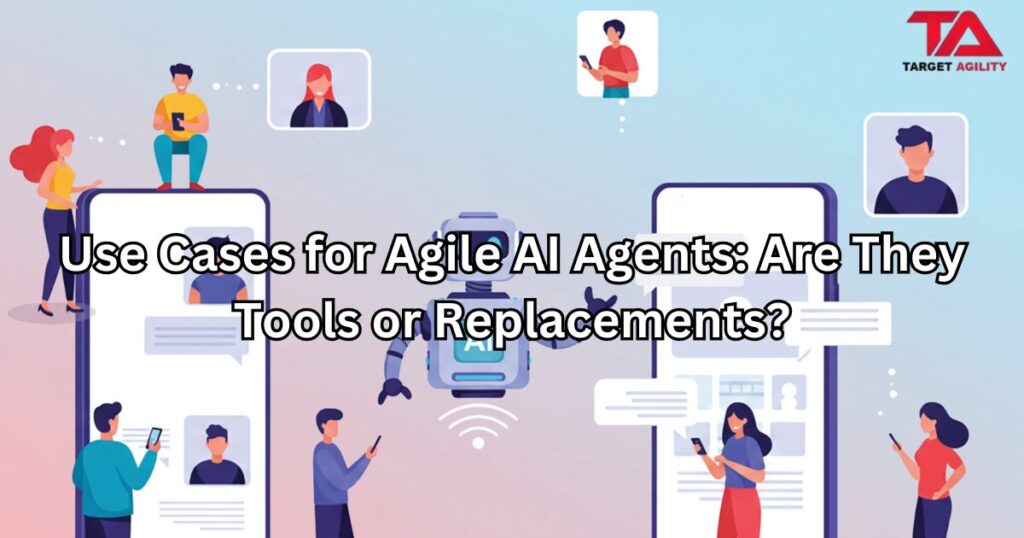
AI agents are the new buzz in Agile. They can write backlog items, check sprint metrics, and even suggest improvements. Sounds powerful, right? But here’s the big question: are these agents just helpful tools, or are we pretending they can replace real team members? What Are Agile AI Agents? Unlike normal chatbots, AI agents don’t just answer questions. They can take actions, connect to tools, and automate tasks. In Agile teams, they’re being used to: At first glance, it feels like Scrum Masters and Product Owners just got an upgrade. But the truth is, AI agents are useful in some areas—and risky in others. Where AI Agents Help 1. Tidying Up the Backlog AI can suggest clearer acceptance criteria, spot duplicates, and group related stories. This saves Product Owners time. But— only humans know the customer’s real problems and company goals. AI doesn’t have that context. 2. Looking at Sprint Data AI is good at flagging numbers: slowing velocity, recurring spillover, or missed goals. It’s like having an extra analyst. But— numbers don’t explain why. AI doesn’t know about sick days, broken builds, or last-minute requests. 3. Retrospective Insights AI can scan surveys and say things like, “Collaboration came up in 40% of responses.” That’s useful as a starting point. But— retros are about people being honest and owning problems. AI can’t replace that conversation. 4. Knowledge Sharing AI can summarize past sprints, pull links to related tickets, or give new teammates quick background. Handy for onboarding. But— summaries leave out nuance. They’re shortcuts, not replacements for real experience. Where AI Becomes Dangerous The risk? Teams hide behind AI decisions. When results go bad, no one is accountable. That kills Agile. Tools, Not Replacements Here’s the blunt truth: Agile AI agents are tools—nothing else. They’re great for grunt work like cleanup, summaries, or data crunching. But they can’t replace human vision, judgment, or responsibility. Scrum Masters, Product Owners, and developers aren’t going anywhere. If you think AI can take their role, you’ve misunderstood both Scrum and AI. How to Use AI Agents the Right Way Final Word AI agents can save time and reduce busywork. But they’re not teammates. Agile depends on trust, discussion, and adaptability—things AI simply doesn’t have. So yes, use AI agents. Let them do the boring stuff. But keep the important thinking, decisions, and accountability where they belong: with humans. Tools, not replacements. Always.
AI in Scrum: Help or Harm?

AI is showing up everywhere in Scrum and Agile teams right now. People use ChatGPT to write user stories, generate acceptance criteria, or even run retrospectives. At first glance, it feels smart and efficient. But here’s the truth: most of the time, you’re just letting a statistical parrot into your team—and it’s quietly messing things up. What’s a “Statistical Parrot”? Big AI tools like ChatGPT don’t actually think. They don’t understand your customer, your business, or your sprint goal. They just predict the next word in a sentence, based on patterns in data. In short: they repeat things that sound right but often miss the real meaning. Scrum, however, is built on thinking, learning, and adapting. If your team starts leaning on AI to make choices, you’re swapping real insight for random predictions. That’s not agility—it’s fake speed. How AI Goes Wrong in Scrum 1. Bad Backlogs, Quickly Made Product Owners often use AI to write user stories. The backlog looks full and professional, but it’s usually shallow, repetitive, and disconnected from real customer needs. A backlog full of AI fluff only creates confusion and wasted sprints. 2. Empty Retrospectives Some teams let AI summarize feedback or suggest action items. But retrospectives are supposed to be about honesty, teamwork, and tough conversations. If you let a bot decide what matters, the team avoids reflection—and the chance to actually improve. 3. Fast but Pointless Work AI helps you write tasks, test cases, and documents faster. But if you’re rushing in the wrong direction, speed is useless. Scrum isn’t about how fast you work—it’s about creating real value. 4. Losing Human Skills Negotiating priorities, handling conflict, and thinking creatively are human skills. If you outsource too much of that to AI, your team gets weaker. Over time, you’ll lose the ability to think critically and work through problems together. Where AI Can Help I’m not saying AI has no place in Scrum. It does—but as a helper, not as a team member. It can save time by drafting templates, analyzing data, or suggesting options. But the real decisions, discussions, and accountability must come from humans. The Scrum Guide makes it clear: Scrum Teams are made of people. AI can assist, but it cannot replace teamwork, trust, or judgment. What Teams Should Do Instead Here’s the no-BS advice: Don’t Let the Parrot Lead Scrum works because of teamwork, courage, and real learning. A statistical AI parrot can’t do any of that—it just repeats patterns. If your team starts letting AI replace tough conversations and clear thinking, you’re not becoming “AI-powered.” You’re just covering up weak agility with shiny tech. Use AI, sure—but keep it in its place. Humans lead. Parrots repeat. Don’t confuse the two.
Ethical and Practical Implications of AI in Agile Roles

AI isn’t just a future idea—it’s already here, working in Agile teams every day. From organizing backlogs to generating sprint reports, tools like ChatGPT, Jira automation, and AI analytics are making work faster and more data-driven. But there’s a common misunderstanding: If AI can do all this, do we still need Product Owners or Scrum Masters? The truth is, yes, we do. AI can process information faster than any person, but it can’t replace human creativity, empathy, or ethical judgment. These human skills are still essential for Agile leadership. AI is great at practical tasks. It can rank backlog items based on value and risk, predict team speed using past work, create automated progress updates, and spot risks early. This is useful because it removes repetitive work, allowing people to focus on strategy and relationships. But deciding why a feature should be built, how it should change with the market, or how to solve a conflict still needs human thinking. For Product Owners, the role is more than keeping a list of features. They are the voice of the customer and the vision for the product. AI can suggest features, predict returns, and even write user stories, but it cannot truly understand human needs, balance competing demands, or make moral decisions. For example, AI might suggest a feature that keeps users on an app longer but takes advantage of addictive behavior. A human Product Owner can reject it because it goes against company values—AI has no moral compass unless we design it, and even then, ethics depend on the situation. For Scrum Masters, their role isn’t just running meetings. They lead by serving the team, protecting their well-being, and helping them improve. AI can look at data from past sprints, suggest process changes, and track workloads. But it can’t see when someone is stressed but staying quiet, help solve personal disagreements, or change its style based on the team’s emotions. Agile is about people, and that human connection is something AI can’t copy. As AI becomes a normal part of Agile, ethical responsibility becomes more important. Product Owners and Scrum Masters need to check AI’s recommendations for bias, make sure decisions can be explained, and keep control in human hands. Without human oversight, Agile risks becoming a system that values speed over sustainability and profit over people. The future isn’t about AI replacing humans—it’s about working together. AI should handle repetitive, data-heavy tasks, while humans focus on creativity, vision, and ethical choices. Agile leaders should also understand how AI works, not to build it, but to challenge and guide its results. AI will change Agile, but it won’t replace the people who make it human. Product Owners and Scrum Masters are still the moral guide, the creative driver, and the emotional support for their teams. Remove them, and you risk building the wrong product for the wrong reasons in a way that damages trust. Keep them, supported by AI, and you get both speed and heart.
AI Can Prioritize Product Backlogs Better Than Humans – Prove Me Wrong

Let’s be honest — most product backlogs are a mess. They’re filled with random ideas, old tasks no one remembers, tech debt, and pressure from different stakeholders. And somehow, the Product Owner is expected to sort it all out and decide what comes next. It’s a tough job. But now, AI tools are stepping in and claiming they can do it better — faster, with less bias, and based on real data. So, the big question is: can AI really prioritize better than a human? In many cases, the answer looks like a strong “yes.” Why It’s Hard for Humans to Prioritize Well Product Owners don’t just pick features from a list. They’re constantly pulled in different directions: Even when you use frameworks like RICE or MoSCoW to rank ideas, it often comes down to opinions and politics. People are emotional. Bias creeps in. We give in to pressure. We guess. That’s where AI starts to shine. What AI Can Do That Humans Struggle With AI doesn’t guess. It uses real data to make suggestions. Here’s how it helps prioritize more accurately: So, Is AI Better Than a Product Owner? Not completely. AI doesn’t understand your company’s long-term goals or how important a customer relationship is. It doesn’t know timing or strategy. It can’t take a big risk based on instinct. But here’s the truth: most backlog decisions aren’t about long-term vision. They’re about choosing what to build next. And that’s where AI helps — by removing the noise and giving you clear, data-backed suggestions. Think of it like a smart assistant. You still make the final call. But you’re no longer flying blind. Why Humans Still Lead (For Now) We still value human judgment — and we should. Some decisions go beyond what data can explain. Sometimes you need to take a bold step even if the numbers don’t support it yet. But for everyday decisions — like which bug to fix next or which feature will help most — AI can save hours of guessing and debating. Conclusion: Work Smarter, Not Harder AI isn’t here to replace Product Owners — it’s here to make them better. If you’re trying to manage a long backlog full of noise and pressure, AI can help you cut through the chaos and focus on what really matters. So yes, in many cases, AI can prioritize better than humans — especially when the human is tired, overwhelmed, or guessing. Don’t see it as a threat. See it as your smartest teammate. Still not convinced? Prove me wrong.
Automated Standups: The End of Daily Scrum as We Know It?

Daily Scrum meetings have been part of Agile for years. The goal is simple: help the team stay aligned, spot issues early, and plan the day. But let’s be honest — in many teams, daily standups feel boring, repetitive, or like a waste of time. Now, with AI and automation tools, some teams are skipping live meetings and using bots instead. This raises an important question: Do we still need live Daily Scrums? Or is automation a better option? Why We Have Daily Scrums Originally, the Daily Scrum was created to: It’s meant to be short (15 minutes) and helpful — not a long meeting or a status update for the manager. But in real life, things often go off track. People talk too much. Some stay silent. Others just show up out of habit. What Are Automated Standups? Automated standups use tools like Geekbot, Standuply, or DailyBot to collect daily updates. Team members answer three questions in writing: The tool gathers all answers and posts them in a team chat, like Slack or Teams. Some tools can also spot patterns — like recurring issues or signs of frustration. Benefits of Automated Standups Downsides of Using Bots So, Are Daily Standups Going Away? Not exactly — but they are changing. Automated standups work well for mature, remote teams who know how to stay focused and responsible. These teams don’t need a live meeting to stay in sync. For them, automation saves time and keeps things simple. But for new teams, teams with communication problems, or teams still learning Agile, bots alone won’t cut it. These teams need real interaction to build trust and stay connected. Conclusion Automated standups aren’t killing the Daily Scrum — they’re just changing how it’s done. For some teams, bots are a great way to save time and stay on track. For others, they could lead to silence, confusion, or lack of connection. In the end, it doesn’t matter whether you meet in-person, on Zoom, or through a Slack bot. What matters is that the team stays aligned, solves problems fast, and works toward the same goal. Choose the method that helps your team do that best.
Will AI Replace the Scrum Master? Here’s What the Data Really Tells Us

With artificial intelligence growing fast, a lot of people are asking a tough question: Will AI take over roles like the Scrum Master? It’s a fair concern. After all, many tasks that once needed humans are now done faster and cheaper by machines. But when it comes to Agile teams, things aren’t so simple. To understand the risk, we first need to get clear on what a Scrum Master actually does. This role isn’t just about running meetings or updating Jira boards. A good Scrum Master helps the team stick to Agile practices, guides daily standups, sprint planning, and retrospectives, clears roadblocks that slow progress, protects the team from distractions, and constantly looks for ways to improve how the team works. Some of these tasks are repetitive, structured, and easy to automate — which is exactly where AI is already stepping in. In today’s Agile teams, AI tools are doing a decent job handling things like automated standups, reporting, and backlog suggestions. Tools like Geekbot or Standuply can collect daily updates from team members and point out common blockers. ChatGPT-like systems can write summaries of retrospectives, generate reports, and even help rewrite vague user stories with clearer language and acceptance criteria. That’s not science fiction — it’s already happening. AI is absolutely reducing the manual workload for Scrum Masters. But that doesn’t mean the role is dead. There are still critical things AI can’t do — and probably won’t be able to for a long time. For example, AI can’t resolve team conflicts in a real, human way. It doesn’t understand workplace politics or team emotions. It won’t notice when your developers are burned out but hiding it. And it certainly won’t know how to coach a team that’s just going through the motions without real Agile mindset. If your team is 100% remote, doing repetitive work, and already well-organized, AI might reduce the need for a full-time Scrum Master. But remove the human element altogether? That’s not realistic — unless your Scrum Master is already just checking boxes. Let’s look at the numbers. A 2024 report from Gartner says that AI could handle 30% of Agile documentation and reporting by 2026. That’s a chunk, but it still leaves 70% of the job in human hands. A 2023 Scrum.org survey found that while 80% of Scrum Masters believe AI can help them, only 12% feel it threatens their job. Most see AI as a tool, not a threat. So what’s the real answer? No, AI won’t fully replace the Scrum Master. But yes — it will force Scrum Masters to level up. If all you do is run meetings and push updates, AI can and should replace you. But if you’re someone who leads, mentors, and drives change in your team, AI will actually make you more effective. Conclusion:AI is changing the game, but it’s not removing the players — at least not the ones who bring real value. The Scrum Master role is evolving, and only those who adapt will stay in the game. Learn to use AI, sharpen your people skills, and focus on the parts of the job no machine can do. If you don’t, it won’t be AI that replaces you — it’ll be someone who did both better.
Real-World Scrum Master Interview Questions

In 2025, companies expect Scrum Masters to do more than just follow the Scrum Guide. They want someone who can handle real challenges, guide teams through tough situations, and make Agile work in practice — not just theory. Here are 10 Scrum Master interview questions based on real-world situations. Each one tests how you think, how you act, and how you support your team in everyday work. 1. Your team always finishes sprints on time, but quality is poor. What would you do? This checks whether you focus on speed or quality. A good answer would explain how you encourage the team to improve quality by setting a clear Definition of Done, introducing automated testing, and using retrospectives to find and fix quality issues early. It’s not just about finishing tasks — it’s about doing them well. 2. The Product Owner wants to add a new task mid-sprint, and the team agrees. What’s your role? This tests how well you protect the team’s focus. Your answer should show that you respect team collaboration but remind them that the sprint goal shouldn’t constantly change. Suggest handling the new request in the next sprint unless it’s urgent — and explain how to discuss it during planning or review sessions. 3. One team member talks a lot in meetings while others stay quiet. How do you handle it? This checks your facilitation skills and how you create a safe environment. Talk about using structured methods like going around the room for input, silent brainstorming, or timeboxing speakers. Explain how you coach the team to be more balanced and respectful of everyone’s voice. 4. The team meets sprint goals, but stakeholders are still not happy. What would you do? Here, the focus is on value over output. Your answer should explain how you’d bring stakeholders into the process earlier, through planning, reviews, or backlog discussions. You want to make sure the work meets real customer needs, not just internal goals. 5. The team regularly misses their sprint commitments. How would you help? This question looks at how you support improvement. A good answer includes using retrospectives to find the root causes, adjusting sprint planning techniques, limiting work-in-progress, and improving estimations based on real data. The goal is learning and growing, not blaming. 6. A manager wants daily updates from the team. How would you respond? This checks how you handle pressure from traditional management styles. Explain that Agile provides transparency through tools like dashboards or burndown charts, and that managers can join sprint reviews or stand-ups. Suggest a better way to stay informed without interrupting the team’s flow. 7. The team says retrospectives are a waste of time. What do you do? This shows how you coach teams to find value in continuous improvement. Talk about making retrospectives more engaging, tracking action items, and celebrating what gets better over time. Sometimes all it takes is a new format or fresh perspective to make them useful again. 8. Two teams are working on the same product but aren’t aligned. How would you fix it? This tests how you handle coordination across teams. Share how you’d introduce things like a Scrum of Scrums, shared planning sessions, or cross-team reviews. If you’re familiar with frameworks like SAFe or Nexus, mention how they help align multiple teams. 9. A team member doesn’t follow Scrum practices and refuses to change. How would you handle it? Here, the interviewer wants to see how you manage conflict. A good approach would be to talk privately with the person to understand their concerns. Use one-on-one coaching and bring in team working agreements to rebuild shared expectations. 10. You join a team with a history of failed Agile efforts. What’s your first step? This checks your leadership and change management skills. Talk about observing first, listening to the team, building trust, and identifying small wins. The idea is not to force change, but to guide the team toward improvement at their pace. Want more similar questions ? 👉 Click Here Wrapping Up These interview questions go beyond textbook Scrum. They test how well you deal with real situations — conflicts, confusion, change, and pressure. To stand out in interviews, focus on your own experiences. Share real examples, explain what you did, what happened, and what you learned. Show that you’re not just a facilitator, but a coach, a listener, and a guide who helps teams get better every day.
SAFe in Government and Regulated Industries

Agile practices like Scrum are becoming more common in government offices and highly regulated industries like healthcare, banking, and defense. But many people still think Agile can’t work in these areas because of strict rules, documentation, and long approval processes. That’s where SAFe (Scaled Agile Framework) helps. SAFe lets large organizations use Agile while still meeting compliance needs, delivering high-quality products, and keeping everyone aligned. In 2025, more and more regulated businesses are realizing that Agile and compliance can work together. Why These Industries Need SAFe Government and regulated industries often rely on old ways of working—long planning cycles, strict approvals, and fixed budgets. This slows down delivery and increases the chance of delivering outdated or low-value solutions. SAFe helps by offering: SAFe modernizes the system without removing control. SAFe Practices That Work Well in Regulated Fields Common Problems and How to Solve Them Problem: “Agile = No Control” Some think Agile means chaos. But SAFe has clear plans, roles, and responsibilities. In fact, it improves visibility for leaders. ✅ Tip: Use SAFe roles like Product Manager or Release Train Engineer to track work and report updates. Use Lean Portfolio Management (LPM) for managing funding and approvals. Problem: “We Need Documentation” Agile avoids over-documenting, but regulated industries must keep records. ✅ Tip: Use Agile tools like Jira Align to keep digital records of everything—requirements, changes, tests, and decisions. This meets documentation rules without wasting time. Problem: “Our People Don’t Want to Change” Government teams and large enterprises may be used to top-down control and fixed plans. ✅ Tip: Start small with a pilot Agile Release Train (ART), show the results, and train leaders. Change becomes easier when people see the benefits. Real-Life Example A national health department wanted to upgrade its tech systems while meeting strict health data laws. Using SAFe, they delivered working updates every 8 weeks instead of waiting a full year. Compliance was tracked in real time using Agile tools, and feedback was gathered early. This saved time, reduced risk, and met legal needs—all while delivering faster. Tips for Success in Regulated Settings Final Thoughts SAFe helps regulated industries become faster and more flexible while still following the rules. It gives teams the tools they need to build, test, and deliver valuable work without skipping important steps like compliance, audit, and reporting. With the right setup, even government and tightly regulated industries can become Agile—not by ignoring the rules, but by working smarter within them.
Decoding SAFe Roles: RTE, STE, and ART

As companies grow and use Agile across multiple teams, they often turn to the Scaled Agile Framework (SAFe) to stay organized. SAFe introduces some new roles and structures, including the Release Train Engineer (RTE), Solution Train Engineer (STE), and the Agile Release Train (ART). These roles help large teams deliver value more effectively. Let’s take a closer look at what these roles mean, what they’re responsible for, and what they look like in real life. What is an Agile Release Train (ART)? An Agile Release Train, or ART, is a group of Agile teams (usually 5 to 12 teams, or about 50 to 125 people) that work together to deliver value. All the teams in an ART are aligned to a shared product goal and work on the same timeline. Main responsibilities: In the real world, ARTs can be tricky to manage. Teams might work at different speeds, use different tools, or have different priorities. The challenge is keeping everyone aligned and moving forward together. What does a Release Train Engineer (RTE) do? The Release Train Engineer, or RTE, acts like the lead Scrum Master for the ART. Their job is to help teams work together, remove obstacles, and keep everything running smoothly. Main responsibilities: In reality, many RTEs are pulled into project management tasks—like tracking deadlines and managing expectations. While that’s part of the role, the best RTEs focus on supporting teams and guiding them to work better, not just faster. What does a Solution Train Engineer (STE) do? The Solution Train Engineer, or STE, supports several ARTs that are working on a bigger solution—such as a large software system or platform. Main responsibilities: In real life, this role can be challenging. It requires a mix of technical understanding, leadership skills, and the ability to keep lots of moving parts aligned. STEs often deal with more strategic decisions and must balance business needs, customer expectations, and technical complexity. Tips for Working in These SAFe Roles Conclusion The roles of RTE, STE, and ART are key parts of SAFe and are essential for scaling Agile across large organizations. While the framework gives a solid structure, success comes from how these roles are used in practice. It’s not just about following steps—it’s about collaboration, clear communication, and staying focused on delivering value. Whether you are stepping into one of these roles or working closely with someone who is, understanding both the responsibilities and the day-to-day realities will help you succeed in a scaled Agile environment.
SAFe 6.0 Updates in 2025 – What’s New and What’s Old

The Scaled Agile Framework (SAFe) helps large companies manage their agile practices across many teams. In 2025, SAFe 6.0 has been updated with new ideas to match today’s fast-changing world. With AI, changing markets, and remote work, SAFe has made some big changes. Let’s look at what’s new and what’s no longer recommended. ✅ What’s New in SAFe 6.0 (2025) 1. Using AI to Help Make Decisions SAFe now supports using artificial intelligence (AI) and data tools to make better and faster decisions. This includes things like automatically prioritizing work and predicting delays. What this means: Teams can use tools like dashboards and AI to plan more effectively. 2. More Focus on the Customer SAFe is encouraging teams to stay closer to their customers. This includes using design thinking, empathy mapping, and gathering feedback regularly. What this means: Product Owners and team leads should spend more time talking to customers and understanding their needs. 3. Teams Make More Decisions SAFe now promotes team-level decision-making, instead of waiting for approvals from top management. What this means: Agile Release Trains (ARTs) can make faster decisions and respond more quickly to change. 4. Flexible Budgets Instead of setting a yearly budget, SAFe supports dynamic funding. This means money can be moved based on progress and changing needs. What this means: Leaders need to be ready to adjust funding regularly instead of sticking to a fixed plan. 5. New Skill: Agile Resilience A new skill called Agile Resilience has been added. This focuses on helping teams stay strong and flexible during tough times or big changes. What this means: Leaders should now support both productivity and emotional well-being. 🗑️ What’s Outdated or Less Useful Now ❌ 1. Too Many Fixed Roles Earlier versions of SAFe gave strict definitions to roles like Scrum Master or RTE. Now, SAFe says it’s better to adjust roles to fit your company’s needs. Why this changed: Too many rigid roles slowed teams down and caused confusion. ❌ 2. Strict Portfolio Control Older SAFe versions required tight control at the top levels. The 2025 update supports lean governance, where teams are trusted to make decisions. Why this changed: Too much control reduced speed and team motivation. ❌ 3. Annual Planning Events SAFe is moving away from once-a-year PI planning. Instead, it encourages shorter and more frequent planning, sometimes done online or in small sessions. Why this changed: In today’s fast-paced world, yearly plans become outdated quickly. 👉 What Should You Do Now? If you’re using SAFe in your organization, this is a good time to: SAFe 6.0 in 2025 is more than a framework. It’s a guide to running modern, flexible, and customer-focused organizations. Conclusion Agile isn’t just a set of steps anymore—it’s a mindset. The 2025 updates to SAFe 6.0 push companies to be more flexible, customer-focused, and tech-savvy. The teams that adapt to these changes will lead the way in their industries.
Agile Coaching vs Scrum Mastering – Simple Roles, Big Impact

In Agile teams, two roles are often talked about a lot: the Scrum Master and the Agile Coach. Both help teams work better, deliver value faster, and improve over time. But they do different things, and understanding how they work can really help your team and company succeed. Let’s look at what each role does, how they are different, and how they can work together to create real change. What is a Scrum Master? A Scrum Master helps a team follow the Scrum process. They make sure the team understands Agile values and uses Scrum the right way. Here’s what a Scrum Master usually does: The Scrum Master doesn’t “boss” the team around. Instead, they serve the team — helping them grow, solve problems, and deliver better work. That’s why this role is called a servant leader. What is an Agile Coach? An Agile Coach works at a bigger level. Instead of helping just one team, they help many teams or even the whole company. Agile Coaches: Agile Coaches are like mentors or guides who help a company truly become Agile—not just follow the rules, but change how they think and work. Key Differences Area Scrum Master Agile Coach Focus One team Many teams or whole company Goal Help the team follow Scrum Help the company become more Agile Type of Leader Servant leader Change leader Main Job Day-to-day team support Coaching, training, and big-picture guidance Tools Scrum events and team help Workshops, training, coaching leaders When Should You Use Each? Sometimes, Scrum Masters grow into Agile Coaches as they gain more experience and start working with more teams. How They Work Together The best results come when Scrum Masters and Agile Coaches work as a team. Together, they bring both strong teamwork and big-picture change to the organization. Conclusion Scrum Masters and Agile Coaches are both important. They don’t replace each other — they support each other. Scrum Masters focus on helping teams work better. Agile Coaches focus on helping the whole organization grow and adapt. Both roles help create a work culture where teams can learn, improve, and succeed. By understanding their roles and working together, companies can go beyond just “doing Agile” — and start truly living Agile every day.
The Role of Leadership in Agile Adoption (Made Simple)

Agile is more than just a process or a set of meetings. It’s a way of thinking and working that helps teams deliver better results, faster. But for Agile to really work, it needs support from the top. That’s why leadership plays such an important role in Agile adoption. In this blog, let’s look at how leaders help teams succeed with Agile — and what can go wrong if leadership isn’t involved. Why Leaders Are Important in Agile When a company decides to “go Agile,” it usually means changing how teams work. But these changes don’t just happen on their own. Teams need support, guidance, and encouragement. That’s where leaders come in. Without strong leadership, Agile can easily turn into just a buzzword. Teams may go through the motions, like holding stand-up meetings, but never truly see the benefits of Agile — such as faster feedback, better teamwork, or happier customers. What Great Agile Leaders Do 1. Share a Clear Goal Good leaders explain why the company is adopting Agile. Is it to deliver faster? Improve quality? Respond quickly to market changes? When teams understand the purpose, they feel more motivated and focused. 2. Show Agile Behaviors Themselves Leaders must lead by example. That means: When leaders act this way, teams are more likely to follow and build trust. 3. Make Teams Feel Safe Agile teams need to feel safe to try new things, ask questions, and make mistakes. Great leaders create a safe environment where learning is more important than blame. This helps teams grow and improve. 4. Remove Problems That Block Progress Sometimes, teams want to work in an Agile way but face issues — like outdated rules, long approval processes, or too many meetings. Agile leaders step in and help solve these problems. They don’t just tell teams to go faster — they remove the things slowing them down. 5. Support Learning and Growth Agile is a journey. Teams need time, training, and support to get better. Good leaders: When leaders invest in people, teams become stronger and more confident. What Happens If Leadership Is Missing? When leaders don’t support Agile properly, a lot can go wrong: In short, without leadership, Agile doesn’t last. Conclusion Adopting Agile isn’t just a team-level change — it’s an organization-wide shift. And that shift has to start with leadership. Leaders must do more than just say, “Let’s be Agile.” They must act in Agile ways, support their teams, remove barriers, and create a culture where learning and improvement are welcome. When leaders take an active role, Agile has a much better chance of working — and teams can truly thrive. If you’re a leader thinking about Agile, remember: you don’t need to know everything. But you do need to care, support your teams, and keep learning along the way.
Building Psychological Safety in Scrum Teams

In Scrum teams, success isn’t just about using the right tools or following the right steps. It’s also about making sure everyone on the team feels safe to share their thoughts, ideas, and even their mistakes. This feeling of safety is called psychological safety. When a team has it, everyone can do their best work. So, how can you build psychological safety in your Scrum team? Let’s break it down. What is Psychological Safety? Psychological safety means that team members feel okay speaking up. They don’t worry about being blamed, judged, or embarrassed if they share their opinions or if they make a mistake. This is really important for Scrum teams because Scrum is all about teamwork, talking openly, and learning from mistakes. If people feel unsafe to speak up, problems go unnoticed, and great ideas stay hidden. Why It’s Important in Scrum Scrum teams need to adapt and work together fast. Here’s why psychological safety helps: ✅ Better teamwork: Everyone can share what they know, so the team makes smarter choices.✅ Learning faster: Mistakes are seen as lessons, not failures.✅ More ownership: When people feel safe, they care more about the team’s success.✅ Happier teams: A safe, supportive environment makes people feel good about their work. Steps to Build Psychological Safety Here are simple things you can do to make your team feel safe: 1️⃣ Be a Role Model If you’re a Scrum Master, Product Owner, or team lead, show that it’s okay to not have all the answers. If you make a mistake or don’t know something, say so! This shows everyone that it’s normal to be honest and open. 2️⃣ Encourage Everyone to Speak In Scrum meetings like Sprint Planning, Daily Stand-ups, Reviews, and Retrospectives, make sure everyone has a chance to talk. Ask: This shows that everyone’s input matters. 3️⃣ Be Curious, Not Critical When someone shares an idea or concern, don’t jump in to judge or shut it down. Instead, ask questions to learn more: This way, people feel safe to keep sharing. 4️⃣ Celebrate Ideas and Learn from Mistakes Thank people when they share ideas, even if they’re small. Celebrate little successes, too. And if there’s a mistake, talk about what you learned from it—not who’s to blame. For example, in Retrospectives, ask “What can we learn from this?” instead of “Who made the mistake?” 5️⃣ Keep Checking In Psychological safety doesn’t happen overnight—it’s something to keep working on. Scrum Masters can ask in Retrospectives: This helps you keep improving as a team. The Scrum Master’s Job The Scrum Master has a big role in building psychological safety. They help protect the team from outside pressure, guide everyone to work together, and make sure all voices are heard. By showing kindness and curiosity, the Scrum Master helps build trust in the team. Conclusion Psychological safety isn’t just something nice—it’s needed for Scrum teams to succeed. When people feel safe to share, they come up with better ideas, help each other out, and make the team stronger. By leading by example, making sure everyone’s voice is heard, and talking about how the team can keep improving, you can build a safe and supportive Scrum team. And when your team feels safe, they’ll be ready to do their best work—together.
How to Move from Traditional Project Management to Agile

For years, project managers have used traditional methods—also known as Waterfall—to plan and run projects. These methods focus on following a step-by-step plan, with everything mapped out in advance. But today, businesses change quickly. That’s why Agile project management, which is more flexible and customer-focused, is becoming so popular. If you’re thinking about making the switch from traditional to Agile, here’s how to do it. 1. Understand the Differences First, it helps to see how the two approaches differ: The main change isn’t just in how you work—it’s in how you think. 2. Adopt an Agile Mindset Agile is more than a set of rules—it’s a new way of thinking: 3. Train Your Team A successful switch to Agile depends on everyone understanding how it works: 4. Start with a Small Project You don’t have to switch everything to Agile at once. Begin with a pilot project: 5. Use the Right Tools Agile uses different tools than traditional methods: 6. Keep Improving Agile isn’t a one-time change—it’s about always looking for ways to do better: 7. Involve Stakeholders Early In traditional projects, you might only talk to stakeholders at big milestones. Agile involves them more often: Conclusion Switching from traditional project management to Agile isn’t something you do overnight. It’s a journey of learning, adapting, and working together in new ways. By starting small, keeping things simple, and staying open to change, you’ll see how Agile can help you deliver better results, faster. In today’s world, that flexibility and focus on the customer can make all the difference.
The Future of Agile in Large Organizations

Agile started as a way for small software teams to move faster and create better products. But now, big companies with thousands of employees are trying to use Agile, too. This isn’t always easy—large organizations have lots of teams, managers, and processes that can slow things down. So, what does the future look like for Agile in these big companies? Let’s take a look. The Challenges of Doing Agile at Scale In smaller teams, Agile can work well because everyone is close and decisions happen quickly. But in big companies, there are many levels of managers and different departments. This can make it harder to bring Agile to life. One challenge is that people don’t always like change. Some managers are used to telling people exactly what to do. Agile, though, is about letting teams organize themselves and work together. This change can feel uncomfortable. That’s why making Agile work in large companies takes more than just new rules—it needs a new way of thinking. Scaling Frameworks: SAFe, LeSS, and More To help big companies use Agile, there are special frameworks designed for large teams: These frameworks can help, but they’re not magic. Each company has to adapt them to fit their own ways of working. Beyond IT: Agile for Everyone Agile isn’t just for software teams anymore. Big companies are using Agile in other departments, too—like marketing and HR. This helps everyone work together better and focus on customers. In the future, we’ll see Agile ideas—like working in small steps and getting feedback fast—spread throughout big companies. This can make the whole company faster and more flexible. Using Data and Technology New technology is also shaping the future of Agile. Tools like Jira or Trello help teams track their work and stay organized. But soon, data will play an even bigger role. For example, teams can look at data about how fast they’re working or where they’re getting stuck. This helps them improve and make better decisions. AI and automation might also help by handling boring tasks and showing where teams can speed up. Changing How Leaders Lead For Agile to really work in big companies, leaders need to change, too. In the past, leaders mostly told people what to do. Now, they need to focus on helping teams succeed—by removing obstacles and building trust. This new style of leadership is called servant leadership. Leaders who do this support their teams and help them do their best work. What’s Next? The future of Agile in big companies isn’t about using one single framework or tool. It’s about creating a culture where teams are always improving and thinking about what customers need. It’s about helping teams work well on their own and making sure everyone is moving in the same direction. Big companies that can truly embrace Agile will be able to move faster, make better products, and stay ahead of the competition. Conclusion Agile’s future in big companies looks promising—but it takes effort. Using the right frameworks, embracing data and technology, and focusing on teamwork and trust will make a real difference. When done well, Agile can become more than a process. It can become part of how the whole company works and grows.
Scrum Master Mistakes to Avoid: Common Anti-Patterns

Being a Scrum Master isn’t always easy. Even experienced Scrum Masters can fall into habits that seem helpful but actually hold the team back. These habits are called anti-patterns—they go against the purpose of Scrum. Let’s take a look at some common Scrum Master mistakes and how you can avoid them. 1. Being the Team’s Secretary What Happens:You end up scheduling meetings, writing notes, and updating task boards—all the time. Why It’s a Problem:The team becomes dependent on you and doesn’t learn to manage themselves. What to Do Instead:Let the team take ownership. Encourage them to update Jira and run parts of meetings. You’re there to guide, not to do everything. 2. Talking Too Much in Meetings What Happens:You lead every meeting, answer all questions, and fill every pause with your own input. Why It’s a Problem:Team members stop sharing ideas or speaking up. What to Do Instead:Ask open questions and let others lead. Stay quiet sometimes—give space for the team to think and talk. 3. Not Protecting the Team What Happens:Stakeholders interrupt the team, or urgent work gets pushed into the sprint at the last minute. Why It’s a Problem:The team loses focus and trust in the sprint plan. What to Do Instead:Say no to interruptions. Help the Product Owner push work to the next sprint. Explain why focus matters. 4. Micromanaging Like a Project Manager What Happens:You assign tasks or track who’s doing what. Why It’s a Problem:The team stops taking responsibility and starts waiting for direction. What to Do Instead:Let the team choose how to do their work. You support them by removing blockers and improving the process. 5. Ignoring Company-Wide Problems What Happens:You only focus on your team and don’t try to fix bigger issues. Why It’s a Problem:Bigger blockers like poor tools or cross-team delays slow down progress. What to Do Instead:Help fix problems beyond the team. Connect with other teams, raise issues, and push for system improvements. 6. Skipping Retrospectives What Happens:You cancel or rush retrospectives when the team is busy. Why It’s a Problem:The team misses chances to improve. What to Do Instead:Make retrospectives a priority. Use them to reflect, learn, and plan real changes—even small ones. 7. Staying the Same While the Team Grows What Happens:You do the same things each sprint, even when the team doesn’t need as much help. Why It’s a Problem:You stop adding value, and the team might outgrow your support. What to Do Instead:Adapt your role. Focus on coaching, mentoring, and helping other teams or the wider organization. Final Thoughts The Scrum Master’s job is to help the team grow, improve, and deliver value. But sometimes, doing too much—or not enough—can slow things down. By avoiding these common mistakes, you’ll become a better guide, coach, and leader. Keep learning, stay curious, and most importantly—listen to your team.
Agile and Sustainability: A Smarter Way to Work

These days, more companies are thinking about how their work affects the planet. That’s where sustainability comes in. But did you know Agile can help with that too? Agile is not just about moving fast—it’s also about working smart. By focusing on small, valuable tasks and reducing waste, Agile naturally supports more eco-friendly ways of working. Here’s how Agile can help teams support their sustainability goals—and how to take it even further. How Agile Helps the Environment Agile teams often work in short sprints, focusing on delivering only what’s needed. This reduces wasted time, energy, and resources. It also helps teams stay flexible, which means they don’t spend months building things that might not be needed later. Let’s break down some key ways Agile supports sustainability. 1. Leaner Work = Less Waste Agile delivery cycles are short and focused. Instead of building everything at once, teams build small parts, test them, and improve as they go. This helps avoid overbuilding features that users won’t use. It also means less time running heavy systems or long testing processes—which saves energy and reduces carbon emissions. 2. Smarter Planning Agile teams plan only what’s needed in the near future. This avoids wasting time on detailed plans that might change. With better planning, there’s less chance of throwing away code or restarting projects, which saves time and effort. 3. Remote Work = Lower Carbon Footprint Many Agile practices like stand-ups, retrospectives, and planning meetings can be done online. This reduces the need for travel, office space, and commuting, helping lower the team’s environmental impact. Adding Sustainability to Agile Workflows While Agile already helps in some ways, teams can go further by adding sustainability goals directly into their Agile process. Here’s how to do it. 1. Add Eco Goals to Your Backlog Just like user stories, teams can add tasks that help the environment. For example: This makes sure sustainability is part of everyday work—not something extra. 2. Track Sustainability Metrics Along with tracking speed and quality, teams can track environmental impact. Some examples include: Sharing these in sprint reviews helps everyone stay aware of their impact. 3. Talk About It in Retrospectives Agile retrospectives are a great time to reflect and improve. Add a few simple questions: These small questions can lead to big improvements. Why It Matters When teams care about sustainability, they: Conclusion Agile isn’t just about being fast—it’s about doing the right things in the right way. By including sustainability in your Agile process, your team can build great products and do something good for the planet. Start with one small change. Add a sustainability task to your backlog. Bring it up in your next retro. Track a simple eco-metric. These small actions can lead to meaningful, long-term impact.
Creating a Learning Culture in Agile Teams

In today’s fast-moving world, learning should never stop—especially in tech and agile environments. The best teams are always growing, trying new things, and learning from each other. A strong learning culture helps teams stay up-to-date, motivated, and ready for whatever comes next. Let’s look at how teams are making learning a regular part of their work—and why it matters. 1. Learning Sprints: Quick and Focused Learning Agile teams are now setting aside time for short “learning sprints.” These are planned sessions where the whole team focuses on learning a new tool, skill, or concept together. Instead of waiting for formal training, teams learn what they need right away—whether it’s a coding language, a new design pattern, or a DevOps tool. Why it works: 2. Tech Radar Meetings: Tracking What’s New Many teams now hold regular tech radar meetings. This is where they look at new tools, technologies, or trends and decide whether to try, adopt, or avoid them. It’s a smart way to stay informed, avoid tech debt, and make better technology choices. Why it works: 3. Internal Conferences and Demos Big companies often host their own internal conferences, lightning talks, or demo days. These events are a chance for team members to share what they’ve learned, show cool projects, or teach others something new. It’s like having your own tech event—right inside the company. Why it works: 4. Creating the Right Environment: Safety and Trust A learning culture only works when people feel safe and respected. Team members should feel free to ask questions, share ideas, or admit they don’t know something—without fear of being judged. That’s called psychological safety, and it’s key to helping people grow. Also, when teams have autonomy, they can choose how and what they learn. This gives them ownership and makes learning more fun and meaningful. Why it works: Why Learning Culture Matters When teams keep learning, the whole company benefits: Conclusion Creating a learning culture doesn’t need to be complex. Start small—add learning sprints, host tech talks, and make time to explore new ideas. Give your team the freedom and safety to learn, and you’ll build a workplace where growth never stops.
Self-Study vs. Formal Training for Scrum Certifications

In today’s job market, getting a Scrum certification can really boost your career in project management and Agile methods. Whether you’re aiming for a PSPO (Professional Scrum Product Owner), CSPO (Certified Scrum Product Owner), or PSM (Professional Scrum Master) certification, it’s important to know the concepts well. One big question is whether to study on your own or invest in formal coaching. While self-study gives you flexibility, formal training has some big advantages that are hard to ignore. Why Self-Study Is Popular Self-study is appealing because it’s flexible. You can study whenever and wherever you want, using online resources like Scrum guides, videos, and practice tests. It’s also a cost-effective way to learn and get certified. However, self-study has its challenges. It can be tough to stay motivated and keep up with a consistent schedule. Plus, it’s easy to get confused when tackling complex ideas alone. Without guidance from an expert, understanding how to apply what you learn to real-world situations can be tricky. The Benefits of Formal Training Formal training, on the other hand, gives you a clear, structured way to learn. Certified trainers share their real-world experience and guide you through Scrum concepts step by step. This makes it much easier to grasp the practical side of things, not just the theory. One of the biggest perks of formal coaching is hands-on practice. You get to participate in group activities, role-plays, and discussions that make the concepts stick. These interactive sessions also build your confidence, as you learn to put theory into practice. A coach can also answer your specific questions and give you tips on tricky exam topics. This personalized help makes a big difference, especially when you’re preparing for challenging certification exams. Connecting Theory with Real-Life Use A common problem with self-study is that it often focuses too much on theory. Formal training helps bridge this gap by showing how Scrum practices work in real-life situations. Through case studies and practical examples, you get a full picture of how to use Scrum in different industries. Building Your Professional Network Taking a formal training course also means meeting other professionals who share your goals. You get to build connections, share experiences, and learn from others. Many training programs also give you access to additional learning resources and communities that support you long after the course is over. Is It Worth the Investment? While self-study might save you money, formal training offers long-term value. Not only do you increase your chances of passing the exam, but you also build skills that employers really value. Many companies prefer candidates who have completed formal training since it shows dedication and a deep understanding of Agile methods. Final Thoughts Between self-study and formal training for Scrum certifications, formal training clearly has the edge. Self-study works for some, but it lacks the structure, support, and hands-on experience that coaching provides. Investing in a good training program means more than just passing an exam—it’s about setting yourself up for a successful career in Agile and Scrum you can check our training program by clicking here.
A Simple Guide to RTE Engineering: What It Is and Why It Matters

In today’s fast-changing tech world, RTE Engineering plays a key role in making sure that complex systems work smoothly and efficiently. Whether in telecommunications, software, or robotics, RTE Engineering is essential for providing reliable, high-quality, and scalable solutions. But what exactly is RTE Engineering, and why is it so important? In this blog, we’ll explain what RTE Engineering is, how it works, and why it’s vital in various industries. What is RTE Engineering? RTE stands for Real-Time Engineering, which focuses on designing systems that can process and respond to data instantly, without delay. In simple terms, RTE Engineering ensures that systems can complete tasks right when they are needed, which is crucial for applications where timing matters. Real-time systems are used in many areas where delays could cause serious problems. Examples include systems used in medical devices, cars, telecommunications, aviation, and robotics. In these areas, real-time processing is needed because a delay could lead to critical issues or failure. Key Parts of RTE Engineering Several important components make RTE Engineering work: Where is RTE Engineering Used? RTE Engineering is applied in many different industries that need fast, real-time responses. Some common areas where RTE Engineering is used include: Want to learn RTE Engineering? Join our course now on our website! Why RTE Engineering Matters RTE Engineering is important because it makes sure that critical systems work without delays, which is essential for safety and performance. In many industries, delays or failures in real-time responses could lead to serious consequences. For example, in medical systems, a delay could lead to incorrect diagnoses or harm to patients. In self-driving cars, a delay could cause accidents. As more industries rely on interconnected systems, the importance of real-time processing will only grow. With the rise of Internet of Things (IoT) and smart technologies, RTE Engineering will continue to be essential for making sure that these systems work as expected, without lag or failure. Conclusion RTE Engineering plays a vital role in industries where timing is critical. From telecommunications to healthcare, RTE Engineering ensures that systems respond instantly to changes, helping to prevent failures and improve performance. As technology advances, the need for real-time systems will continue to increase, making RTE Engineering a key part of modern technology. Understanding how RTE Engineering works helps us appreciate the complexity behind the systems we rely on every day.
Scrum Master 2.0: Evolving Role & New Skill Sets
The Shift from a Traditional Scrum Master to an Agile Coach The role of a Scrum Master has undergone a significant transformation over the years. Traditionally, a Scrum Master was primarily responsible for facilitating Scrum ceremonies, removing impediments, and ensuring the team followed Agile principles. However, with the growing complexity of Agile environments and the increasing adoption of Agile beyond IT, the Scrum Master role has evolved into something much more dynamic—an Agile Coach. From Facilitator to Change Agent Scrum Masters today are expected to move beyond mere facilitation and act as change agents within organizations. This shift requires them to foster a culture of continuous improvement, drive Agile maturity, and enable organizational transformation at scale. While traditional Scrum Masters focused on guiding teams, Agile Coaches work across teams, leadership, and even entire enterprises to embed an Agile mindset. The Expanding Responsibilities of a Scrum Master 2.0 Essential Skills for Scrum Masters in 2024 As the role expands, Scrum Masters need to develop new skills that go beyond traditional Scrum facilitation. Here are some of the most crucial skills for Scrum Masters in 2024: 1. Advanced Coaching & Mentoring The ability to coach individuals and teams is critical. Modern Scrum Masters should be proficient in Professional Coaching techniques (e.g., active listening, powerful questioning, and Socratic methods) to help teams unlock their potential. Certifications such as ICP-ACC (ICAgile Certified Professional in Agile Coaching) can be beneficial. 2. Agile & Lean Portfolio Management Organizations are increasingly aligning Agile practices with business strategy through Lean Portfolio Management (LPM). A Scrum Master should understand OKRs (Objectives & Key Results), value stream mapping, and funding models to guide Agile transformations at scale. 3. Psychological Safety & Emotional Intelligence (EQ) High-performing Agile teams thrive in environments of trust and psychological safety. Scrum Masters must cultivate an atmosphere where team members feel safe to experiment, fail, and innovate. Strong emotional intelligence enables them to navigate team conflicts, handle resistance, and foster inclusivity. 4. AI & Agile Automation Knowledge Read our detailed blog here With AI-powered Agile tools becoming mainstream, Scrum Masters should stay updated on platforms like JIRA, Azure DevOps, and Rally and understand how AI-driven insights can improve Agile workflows. Additionally, understanding test automation and CI/CD pipelines can help them align Agile practices with DevOps. 5. Systems Thinking & Organizational Change Management Scrum Masters now need a holistic understanding of how Agile fits into the broader organizational ecosystem. Applying systems thinking helps in identifying bottlenecks beyond just the Scrum team. Change management frameworks like ADKAR (Awareness, Desire, Knowledge, Ability, Reinforcement) can assist in driving Agile adoption across the enterprise. 6. Conflict Resolution & Negotiation Skills Agile transformations often face resistance, whether from leadership, middle management, or teams accustomed to traditional project management. Scrum Masters must develop strong negotiation and conflict resolution skills to align stakeholders and drive change effectively. 7. Value-Driven Mindset & Business Agility A Scrum Master 2.0 must focus on delivering customer value rather than just executing Agile rituals. Understanding Lean Startup principles, Design Thinking, and Agile product ownership can help Scrum Masters contribute to business agility. Conclusion: The Future of Scrum Masters The evolution from a traditional Scrum Master to an Agile Coach marks a significant shift in the Agile landscape. Today’s Scrum Masters are no longer just facilitators; they are organizational catalysts, cultural influencers, and strategic enablers. To stay relevant in 2024 and beyond, Scrum Masters must embrace continuous learning, acquire new skills, and adapt to the ever-changing Agile ecosystem. Whether you’re an aspiring Scrum Master or a seasoned professional, the key to success lies in expanding your skill set, developing a coaching mindset, and driving Agile transformation beyond just the team level. The future of Agile is dynamic, and Scrum Masters 2.0 are at the forefront of shaping it! 📌 Are you ready to upgrade your Scrum Master skills? Let us know in the comments what challenges you face in your Agile journey or the skills you’re focusing on in 2024!
Why Scrum Masters Need Technical Skills

Scrum Masters are no longer just facilitators of meetings and Agile processes. Today, they are expected to have a basic understanding of software development to help teams work more efficiently. Knowing technical concepts allows them to better communicate with developers, solve problems faster, and promote good coding practices. Why Technical Knowledge is Important Scrum Masters used to focus only on teamwork and Agile principles. However, as software development becomes more complex, understanding technical aspects helps them: The Importance of Clean Code Scrum Masters can play a key role in ensuring that teams follow clean code principles. Clean code is easy to read, understand, and maintain. Some best practices include: When teams follow these principles, they reduce technical debt and improve software quality over time. Understanding Test-Driven Development (TDD) Test-Driven Development (TDD) is a coding method where developers write tests before writing the actual code. This ensures the code meets the required specifications and reduces errors. Benefits of TDD: A Scrum Master familiar with TDD can encourage teams to follow this approach, leading to higher-quality software. Connecting Business and Technology A technical Scrum Master can act as a bridge between business goals and software development. They can help product owners understand technical challenges and assist developers in prioritizing work effectively. For example, when new features are planned, a Scrum Master with technical knowledge can: This helps teams make better decisions and deliver valuable software efficiently. How Scrum Masters Can Improve Their Technical Skills If you’re a Scrum Master looking to strengthen your technical knowledge, try these steps: Conclusion The role of a Scrum Master is expanding beyond process facilitation. While they don’t need to be expert coders, having basic technical knowledge helps them support their teams better. By understanding clean code, TDD, and software engineering practices, Scrum Masters can bridge the gap between Agile processes and quality software development. In today’s fast-paced tech world, technical skills are no longer just a bonus for Scrum Masters—they are essential.
Focus on sustainability and social responsibility in agile teams

Why Sustainability and Social Responsibility Matter In today’s world, businesses need to think about more than just profits. They must also consider how their work impacts the environment and society. Agile teams, known for their flexibility and efficiency, are now integrating sustainability and social responsibility into their workflows. This blog explores how Agile methods can support these values, the challenges teams may face, and best practices to create a positive impact. Why Sustainability and Social Responsibility Are Important Sustainability means meeting today’s needs without harming future generations. Social responsibility involves making ethical choices that benefit society. Climate change, pollution, and social inequality are growing concerns, making it necessary for businesses to step up. Agile teams work in short cycles, making them well-suited to adopt sustainable and ethical practices. By doing so, they help protect the environment, improve workplace ethics, and contribute to corporate social responsibility (CSR). How Agile Teams Support Sustainability and Social Responsibility 1. Improving Practices Over Time Agile is all about continuous improvement. Teams can gradually add sustainable practices, evaluating their impact at every stage. For example, software teams can write energy-efficient code to lower the carbon footprint of digital products. 2. Minimizing Waste Scrum, Kanban, and other Agile methods focus on efficiency and reducing waste. By cutting down on unnecessary documentation, optimizing resources, and eliminating excess meetings, Agile teams can operate more sustainably. 3. Remote Work Reduces Carbon Footprint Many Agile teams work remotely, reducing pollution from commuting and office energy use. Digital collaboration tools help maintain productivity while lessening the environmental impact. 4. Making Ethical Choices Agile teams can factor ethics into their decisions, ensuring products and services benefit society. This can mean developing accessible software, promoting diversity, or working with ethical suppliers. 5. Aligning with Stakeholders for a Greater Impact Close collaboration with customers and partners allows Agile teams to align their work with sustainability goals. This could involve creating eco-friendly products or supporting fair trade initiatives. Challenges of Implementing Sustainable Agile Practices Despite the benefits, Agile teams may face challenges: Best Practices for Agile Teams To successfully integrate sustainability and social responsibility, Agile teams can follow these steps: Conclusion Sustainability and social responsibility are becoming essential for long-term business success. Agile teams, with their ability to adapt and improve, are in a great position to lead the way. By minimizing waste, making ethical decisions, and promoting sustainability, Agile teams can contribute to a better world while still delivering high-quality products and services. As businesses recognize the importance of these values, Agile methods will continue evolving to make a positive impact on society and the planet.
Understanding Flow Metrics in Agile

Agile teams aim to work efficiently and deliver value quickly. Traditional metrics like velocity only measure the speed of work, but they don’t highlight inefficiencies in the workflow. This is where flow metrics come in. Flow metrics track how work moves through a process, helping teams spot delays and improve productivity. Three key flow metrics—Flow Efficiency, Cycle Time, and Throughput—help teams understand and optimize their workflow. Using these, Agile teams can work smarter, remove bottlenecks, and improve delivery speed. What Are Flow Metrics? Flow metrics measure how smoothly work progresses, revealing hidden delays and inefficiencies. Unlike traditional Agile metrics, which focus on estimated progress, flow metrics provide real-time insights into work completion. 1. Flow Efficiency Flow efficiency shows how much time is spent actively working on a task versus waiting. It is calculated as: Flow Efficiency=(Active Work TimeTotal Cycle Time)×100\text{Flow Efficiency} = \left( \frac{\text{Active Work Time}}{\text{Total Cycle Time}} \right) \times 100 A low percentage means too much time is wasted waiting, while a higher number shows a more efficient workflow. 2. Cycle Time Cycle time measures how long it takes to complete a task from the moment work starts. Cycle Time=Completion Date−Start Date\text{Cycle Time} = \text{Completion Date} – \text{Start Date} A shorter cycle time means tasks are completed faster. If cycle time increases, it signals delays in the workflow. 3. Throughput Throughput measures how many tasks are completed in a given timeframe. Throughput=Total Work Items Completed in a Given Time Frame\text{Throughput} = \text{Total Work Items Completed in a Given Time Frame} Consistently high throughput indicates a well-optimized process, while fluctuations may show workflow issues. Why Flow Metrics Matter in Agile Traditional Agile metrics don’t always reveal the reasons behind delays. Flow metrics help teams: How to Improve Agile Workflows with Flow Metrics Conclusion Flow metrics—Flow Efficiency, Cycle Time, and Throughput—help Agile teams work more effectively. By focusing on real-time workflow data instead of just speed, teams can identify and fix inefficiencies, making their processes smoother and more predictable. By applying these metrics, organizations can build a stronger Agile foundation, improving team performance and delivering value to customers faster.
Scrum Masters Transitioning into Agile Coaches

The role of Scrum Masters is evolving. They are no longer just responsible for managing Scrum events and team workflows. Instead, they are taking on broader responsibilities, becoming Agile Coaches who help entire organizations embrace Agile principles. This shift is happening because businesses need Agile thinking not just in development teams but across leadership and different departments. As a result, the demand for Agile Coaches is increasing, making it a great opportunity for Scrum Masters to expand their influence. Understanding the Role of a Scrum Master Scrum Masters have traditionally worked with teams to implement Scrum effectively, facilitating sprint planning, daily stand-ups, sprint reviews, and retrospectives. Their main job is to remove obstacles and improve teamwork. However, as Agile adoption grows, organizations need a more strategic approach, which is where Agile Coaches come in. The Shift from Scrum Master to Agile Coach Agile Coaches operate on a larger scale. While Scrum Masters focus on individual teams, Agile Coaches work across an entire organization, helping leadership and different departments adopt Agile ways of working. This shift is not just about managing multiple teams but about fostering a cultural change within the company. Key Differences Between a Scrum Master and an Agile Coach Why Businesses Need Agile Coaches As organizations grow, Agile adoption must go beyond individual teams. Agile Coaches help: How to Transition from Scrum Master to Agile Coach If you’re a Scrum Master looking to become an Agile Coach, here are some key steps to take: The Future of Agile Coaching As Agile expands beyond software development into areas like marketing, finance, and HR, the role of Agile Coaches will continue to grow. Companies need Agile Coaches to guide them through this transformation, embedding Agile principles into their culture. This creates an exciting career path for Scrum Masters who want to expand their influence. Conclusion The role of Scrum Masters is changing, and Agile Coaching is the next step. Companies need Agile leadership at all levels, making this transition an excellent opportunity. By developing the right skills, Scrum Masters can take on a more strategic role and help organizations fully embrace Agile. Becoming an Agile Coach means not just helping teams follow Agile, but helping businesses truly live it.
The Power of Scrum and Kanban in Agile

Agile methods have changed how teams work, making projects more flexible and efficient. Among the many Agile frameworks, Scrum and Kanban stand out as the most popular. Recent data shows that 87% of organizations use Scrum, while 56% use Kanban to improve workflow and efficiency. These two methods play a major role in modern business success. Why Scrum is the Most Popular Scrum is widely used because it provides a structured yet adaptable way to manage projects. It helps teams develop and deliver products effectively using short work cycles called sprints, usually lasting two to four weeks. Here’s why Scrum is so effective: Scrum works best for teams handling complex projects with changing needs, such as software development and marketing. Why Kanban is Gaining Popularity Kanban focuses on improving workflow and efficiency. Unlike Scrum, which works in set sprints, Kanban allows for continuous work without fixed deadlines. It’s especially useful for teams handling ongoing tasks like customer support and IT services. Key features include: Kanban is ideal for teams needing flexibility and a steady workflow. Scrum vs. Kanban: Which One to Choose? While both methods aim to improve productivity, choosing between Scrum and Kanban depends on your team’s needs: Some teams use a mix of both, called Scrumban, to get the best of both worlds. The Future of Agile: Scrum and Kanban Leading the Way As businesses become more Agile, Scrum and Kanban will continue to be key players. Companies use these methods to work faster, collaborate better, and improve efficiency. While Scrum remains the most used, Kanban’s flexibility makes it increasingly popular. No matter which method a team chooses, the goal is always the same: continuous improvement and adaptability. Using Scrum, Kanban, or a mix of both helps businesses stay competitive in today’s fast-changing world.
How to Create a Product Roadmap with Scrum Principles

A product roadmap is a simple plan that shows the vision, goals, and priorities for a product over time. It helps teams stay on track and keeps stakeholders informed about the product’s development. By using Scrum principles, your roadmap becomes flexible and responsive to changes while focusing on delivering value to customers. Here’s a straightforward guide to creating a product roadmap with Scrum principles: 1. Define the Product Vision Start by clarifying the product vision. This is the big-picture idea of what you want to achieve with the product. Work with stakeholders, like customers and business leaders, to make sure the vision matches market needs and company goals. 2. Set Key Objectives Break down the product vision into major goals. These objectives outline what you want to achieve and provide direction for the features and tasks in the roadmap. 3. Work with Stakeholders Scrum values teamwork, so involve stakeholders when building the roadmap. Hold meetings to gather input, prioritize goals, and spot potential issues early. This helps create a roadmap that everyone supports. 4. Use the Product Backlog The product backlog is a list of features, improvements, and tasks. Use it as the main source for your roadmap. Prioritize the items based on their value to customers and alignment with your objectives. Scrum’s flexible approach allows you to adjust priorities as things change. 5. Set Timeframes Scrum uses sprints, which are short work cycles (usually 2-4 weeks). For a roadmap, create broader timeframes, like monthly or quarterly periods, to keep planning flexible but structured. 6. Group Items into Epics and Themes Organize roadmap items into epics and themes. Epics are big tasks that span multiple sprints, while themes group related work. This makes it easier to communicate the roadmap without getting into too many details. 7. Create a Visual Roadmap A visual roadmap is easier to understand and share. Use tools like Gantt charts, Kanban boards, or roadmap software to display key milestones, goals, and timeframes clearly. 8. Review and Update Regularly Scrum encourages continuous improvement. Review and update the roadmap regularly to reflect new priorities, market changes, and customer feedback. Schedule reviews during sprint meetings or dedicated roadmap sessions. 9. Be Transparent Scrum values transparency. Share the roadmap with the entire team and other stakeholders to keep everyone aligned. Encourage open communication and feedback to create a sense of ownership. 10. Link the Roadmap to Sprint Goals Make sure the roadmap guides sprint planning and goal setting. The roadmap provides a big-picture view, while sprint goals focus on short-term tasks. This connection helps teams see how their work contributes to long-term success. Conclusion Creating a product roadmap with Scrum principles is a simple way to balance long-term planning with agile execution. By focusing on teamwork, prioritization, and regular updates, you can deliver products that meet customer needs and business goals. Remember, the roadmap is a living document—embrace changes and use them as opportunities to improve.
Make Daily Stand-Ups Engaging: Tips for Agile Teams
Daily stand-up meetings are an important part of Agile teams, helping members communicate and work better together. But if not managed well, these meetings can become long and boring. Here are some simple tips to keep your stand-ups short, interesting, and useful. 1. Focus on Three Simple Questions Keep the meeting on track by having everyone answer these three questions: This format keeps the meeting focused and organized. 2. Set a Time Limit Keep the stand-up under 15 minutes. Assign someone to be the timekeeper to remind people to keep their updates brief. 3. Stand Up Physically Standing during the meeting helps keep it short. People are less likely to go on long tangents when they’re not sitting comfortably. 4. Use a Visual Board A Kanban board or task board helps people quickly see the status of tasks, reducing the need for long explanations. 5. Rotate the Leader Let different team members take turns leading the meeting. This keeps it fresh and allows everyone to practice leadership. 6. Handle Blockers After the Meeting If someone has a challenge, acknowledge it briefly and schedule a follow-up to discuss it in detail after the stand-up. 7. Focus on the Team The stand-up is for the team, not for managers. Keep the focus on helping team members work better together. 8. Avoid Problem-Solving Don’t try to solve problems during the stand-up. Save those discussions for a separate meeting. 9. Encourage Listening Make sure everyone pays attention and stays engaged. Discourage multitasking during the meeting. 10. Adjust to Fit Your Team If the standard format doesn’t work, try different formats or add new agenda items to meet your team’s needs. 11. Keep It Positive Create a friendly and supportive atmosphere. Celebrate successes and encourage teamwork. 12. Review and Improve Ask for feedback on the stand-ups and make changes if needed to keep them effective. Conclusion Daily stand-ups are a great way to keep your team aligned and productive. By keeping them short and engaging, you can make the most of these meetings and help your team work better together.
Agile and Sustainability: How to Build Green Products Using Scrum

Sustainability is becoming a necessity for businesses today. Companies are looking for ways to reduce their environmental impact while still meeting customer needs. Agile methods, especially Scrum, can help create eco-friendly products. This blog explains how Scrum can support green product development. How Agile and Sustainability Connect Agile focuses on being flexible, working together, and delivering value step by step. Sustainability is similar—it aims for continuous improvement, reducing waste, and creating long-lasting solutions. By combining these ideas, teams can build green products that meet market and environmental needs. Why Use Scrum for Green Product Development? Scrum provides a flexible and structured way to develop products. Its step-by-step approach helps teams adapt and improve as they work. Key benefits: Steps to Build Green Products with Scrum 1. Set a Sustainability Vision Start by defining clear environmental goals for your product. Ask yourself: 2. Add Sustainability to the Product Backlog Include tasks related to sustainability, such as: Balance these tasks with customer-focused features to deliver value and protect the environment. 3. Involve Stakeholders for Green Goals Work with customers, suppliers, and experts to set green goals and gather ideas. Tips: 4. Track Sustainability Metrics Define and monitor metrics to measure environmental impact. Examples: Review these metrics regularly to assess your progress. 5. Focus on Continuous Improvement Encourage the team to find ways to reduce their environmental footprint. Scrum retrospective meetings are perfect for discussing improvements. Ask during retrospectives: 6. Use Cross-Functional Teams Scrum encourages diverse teams, which is vital for sustainable product development. Involve experts from design, manufacturing, and supply chain to create well-rounded solutions. Tips for Green Product Development with Scrum Conclusion Building green products is not only good for the planet—it’s good for business. Consumers are increasingly choosing eco-friendly options, and companies that focus on sustainability have a competitive edge. Using Scrum can help teams create products that are both innovative and environmentally responsible. By setting a clear vision, involving stakeholders, and continuously improving, Agile and sustainability can work together for a greener future.
Simple Guide to Scaling Agile for Large Teams and Complex Projects

As companies grow and handle bigger projects, scaling Agile becomes essential. While Agile works great for small teams, larger organizations face challenges in staying coordinated, aligned, and productive. Frameworks like Scrum of Scrums help multiple teams work together while staying aligned with company goals. Let’s explore key strategies and benefits of scaling Agile practices. Why Scale Agile Practices? Agile was designed for small teams, but as projects and organizations grow, challenges arise. Some common challenges include: Scaling frameworks help overcome these challenges by improving communication and aligning goals. Popular Frameworks for Scaling Agile There are several ways to scale Agile effectively. Here are three popular frameworks: 1. Scrum of Scrums (SoS) Scrum of Scrums extends the traditional Scrum framework to coordinate multiple teams. Key Features: How It Works: 2. SAFe (Scaled Agile Framework) SAFe provides a structured way to scale Agile across large companies. Key Features: 3. LeSS (Large-Scale Scrum) LeSS keeps Scrum simple while applying it to bigger teams. Key Features: Benefits of Scaling Agile Scaling Agile offers many benefits for organizations: Best Practices for Scaling Agile To successfully scale Agile, follow these best practices: Conclusion Scaling Agile frameworks like Scrum of Scrums, SAFe, and LeSS help organizations stay flexible and efficient, even as they grow. By focusing on collaboration, goal alignment, and best practices, companies can navigate the challenges of scaling Agile and achieve long-term success.
Simple Agile Best Practices for Better Project Management

Agile is a popular way to manage projects because it helps teams adapt quickly, collaborate better, and deliver results faster. But just following Agile isn’t enough—using the right best practices is essential for success. Here are some simple and effective tips to help Agile teams work smarter, produce better products, and stay on track. 1. Work as a Team: Developers and Testers Together In the past, developers and testers worked separately, which caused delays and communication problems. Agile encourages them to collaborate from the start. Tips: This teamwork approach helps finish tasks faster and with fewer mistakes. 2. Focus on Quality from the Beginning Quality isn’t just the job of the QA (Quality Assurance) team; it’s everyone’s responsibility. Waiting until the end to test products causes delays and problems. Tips: These practices help teams deliver better products without slowing down. 3. Use Continuous Integration and Delivery (CI/CD) CI/CD means constantly integrating code changes and delivering updates to users quickly. This approach reduces risks and makes it easier to fix problems. Tips: CI/CD makes it easier for teams to deliver features and fixes faster. 4. Plan Sprints and Refine Backlogs Regularly Good planning keeps Agile teams focused and productive. Sprint planning and backlog refinement are key for clear priorities. Tips: These practices help teams stay organized and aligned with business goals. 5. Keep Improving Agile teams need to keep learning and improving through regular feedback. Tips: Continuous improvement helps teams stay competitive and effective. Conclusion Following these simple Agile best practices can help teams work better, deliver high-quality products, and meet goals efficiently. By focusing on teamwork, quality, automation, planning, and improvement, organizations can unlock the full benefits of Agile and achieve long-term success.
Top Scrum Roles Explained: Scrum Master, Product Owner, and Developers

Scrum is one of the most popular Agile frameworks used by teams to deliver high-quality products efficiently. It promotes collaboration, flexibility, and continuous improvement. For Scrum to function effectively, specific roles are clearly defined: the Scrum Master, Product Owner, and Developers. Understanding these roles is essential for any team adopting Scrum. In this blog, we break down the key responsibilities and contributions of each role. 1. Scrum Master: The Guide and Facilitator The Scrum Master is often seen as the team’s coach. Their primary responsibility is to ensure that the Scrum process runs smoothly and that the team adheres to Scrum principles. Key Responsibilities: Why the Role Matters: A strong Scrum Master fosters a productive environment where teams can work efficiently and stay aligned with the Scrum framework. They help build a culture of collaboration and adaptability. 2. Product Owner: The Visionary and Decision-Maker The Product Owner (PO) is responsible for maximizing the value of the product by managing the product backlog and making strategic decisions. Key Responsibilities: Why the Role Matters: The Product Owner ensures that the team is building the right product by keeping customer and business priorities in focus. They make critical decisions to balance stakeholder expectations and development constraints. 3. Developers: The Builders and Innovators Developers (or the Development Team) are the people who design, build, and deliver the product increment during each sprint. Key Responsibilities: Why the Role Matters: Developers are the backbone of the Scrum team. Their ability to collaborate and deliver high-quality increments directly impacts the product’s success. How These Roles Work Together The success of Scrum depends on the seamless collaboration between the Scrum Master, Product Owner, and Developers: Effective communication and collaboration between these roles are crucial for delivering value to customers and maintaining team productivity. Conclusion Understanding the key roles in Scrum is essential for building a successful Agile team. The Scrum Master, Product Owner, and Developers each bring unique contributions to the process. When these roles work together in harmony, they create a dynamic and productive environment that delivers valuable products to customers. By fostering clear communication, shared goals, and mutual respect, Scrum teams can achieve great success in an ever-changing market.
Creating a Product Roadmap Using Scrum Principles

In today’s fast-moving world, having a clear product roadmap is essential for success. A good roadmap gives direction, keeps everyone on the same page, and helps teams focus on what matters most. By using Scrum principles, you can create a roadmap that’s flexible, clear, and focused on customer needs. Here’s how to do it. What Is a Product Roadmap? A product roadmap is a plan that shows the vision, goals, and progress of a product over time. It’s a tool to communicate priorities and milestones with everyone involved. Unlike traditional roadmaps, Scrum-based roadmaps are flexible and adapt to changes quickly. Why Use Scrum for Product Roadmaps? Scrum principles focus on adaptability, teamwork, and continuous improvement. By using Scrum for your roadmap, you can: Steps to Create a Product Roadmap Using Scrum Principles 1. Define the Product Vision Start with a clear product vision that explains what you want to achieve. This vision guides your roadmap and helps make decisions. Ask yourself: Share this vision with your team to ensure alignment. 2. Get Input from Stakeholders Talk to stakeholders to understand customer needs, business goals, and market trends. This information will help you prioritize. Use methods like: Early involvement of stakeholders builds trust and ensures you’re on the right track. 3. Build a Product Backlog The product backlog is a list of features, improvements, and fixes that align with your vision. To make it effective: The backlog is the core of your roadmap, keeping it organized and focused. 4. Group Items into Themes Organize backlog items into themes or goals like “improving user experience” or “expanding to new markets.” Themes help structure your roadmap and make it easier to communicate. Set measurable goals for each theme to track progress. 5. Prioritize Tasks Using Scrum Methods Scrum offers methods like MoSCoW (Must-Have, Should-Have, Could-Have, Won’t-Have) or WSJF (Weighted Shortest Job First) to decide what to do first. Involve the Scrum team to get different perspectives. 6. Use Timeframes for the Roadmap Scrum works in short cycles called sprints. Apply this idea to your roadmap by breaking it into sprints or quarters. This keeps the plan flexible and encourages regular reviews. 7. Make the Roadmap Visual Create a simple and visual roadmap using tools like Trello, Jira, or ProductPlan. Include: A clear visual roadmap makes it easy for everyone to understand. 8. Keep Refining and Sharing A Scrum-based roadmap is a living document. Review and update it regularly based on feedback and progress. Use sprint reviews or quarterly meetings to: Best Practices for Scrum-Based Roadmaps Conclusion Using Scrum principles for your product roadmap makes it flexible, value-driven, and collaborative. By starting with a clear vision, gathering input, and continuously refining your plan, you can create a roadmap that aligns your team and meets customer needs. In a constantly changing world, a Scrum-based roadmap helps you stay ahead and deliver results.
Remote Agile Teams: Making Scrum Work in a Distributed Environment

Remote work has become common in today’s global world. While Agile focuses on teamwork, flexibility, and regular communication, it can be tricky to do Scrum with a remote team. But with the right approach, Scrum can still work well for distributed teams. Let’s see how to make it happen. Challenges of Remote Scrum Doing Scrum remotely comes with its own set of challenges: Tips to Make It Work Here are some ways to overcome these challenges and make remote Scrum successful: 1. Use the Right Tools Good tools are essential for remote teams. Some useful ones include: Make sure everyone knows how to use these tools to avoid confusion. 2. Use Asynchronous Communication When team members are in different time zones, asynchronous communication is key. You can: 3. Adapt Scrum Meetings Scrum ceremonies are important for teamwork. Here’s how to adjust them: 4. Build Team Culture To keep the team connected and motivated, try these: 5. Focus on Transparency Being open about work is crucial for remote teams. You can: Tips for Remote Scrum Masters Scrum Masters play a key role in keeping the team aligned. Here’s what they can do: Leadership Support for Remote Teams Leaders play a big part in helping remote Scrum teams succeed. They should: Conclusion Remote work is here to stay, and Agile teams can adapt to this new reality. By using the right tools, building strong team connections, and keeping communication clear, Scrum can work just as well for remote teams. The key is to stay flexible, be transparent, and keep improving. With these principles, remote Scrum teams can achieve great results, no matter where their members are.
Continuous Learning and Development for Scrum Practitioners

Scrum and Agile methods are always changing, which means Scrum practitioners need to keep learning to stay effective. As markets and technology evolve, staying updated with new practices and tools is crucial for success. Let’s explore why continuous learning is important, the benefits it offers, and how Scrum practitioners can keep growing. Why Continuous Learning is Important Scrum is more than just a framework; it’s a mindset. Staying open to learning helps Scrum practitioners: What to Focus on for Growth To grow, Scrum practitioners can focus on several key areas: Ways to Keep Learning There are many ways Scrum practitioners can keep improving: How Organizations Can Help Organizations play a big role in helping their teams grow. They can: Benefits of Continuous Learning For Scrum practitioners and organizations, continuous learning brings many benefits: Conclusion Continuous learning is essential for Scrum practitioners. By taking certifications, exploring new tools, and staying curious, practitioners can stay ahead in their field. Organizations that support their teams’ growth also gain long-term benefits. Keep learning, and success will follow! Ready to take your Scrum skills to the next level? Explore our recommended courses and resources today!
Simplifying Scaling: How Scrum Powers Large Organizations

As companies grow, managing multiple teams working on shared goals becomes more complex. Scaling Scrum helps organizations maintain agility while handling bigger projects. Frameworks like Nexus make it easier to coordinate teams, manage dependencies, and ensure consistent quality. Let’s look at how scaling Scrum works and why it’s so beneficial. Why Scale Scrum? Scrum works great for small teams of 5-9 people, but larger organizations face new challenges, such as: Scaling Scrum solves these problems by adapting agile principles for bigger setups while staying true to Scrum’s core values. Frameworks for Scaling Scrum Several frameworks are designed to help scale Scrum effectively: Each framework has its own strengths. Organizations should choose based on their needs and size. Challenges in Scaling Scrum Scaling Scrum can be tough. Common challenges include: Overcoming these challenges takes strong leadership, clear communication, and a commitment to continuous improvement. Tips for Successful Scaling To scale Scrum effectively, follow these best practices: Benefits of Scaling Scrum Scaling Scrum offers many advantages: Conclusion Scaling Scrum helps large organizations stay agile and deliver value across multiple teams. Frameworks like Nexus, SAFe, and LeSS provide the structure needed to handle complex projects while keeping Scrum’s core values intact. With strong leadership, the right tools, and a commitment to improvement, companies can successfully scale Scrum and achieve their goals efficiently.
How AI is transforming Scrum Teams

Artificial Intelligence (AI) is transforming the way Scrum teams work on software projects. By using tools like Large Language Models (LLMs) and AI agents, teams are finding new ways to improve productivity, teamwork, and decision-making. This blog explains how AI is making a difference in Scrum and the benefits it brings. Improving Communication and Teamwork Good communication is key for any Scrum team. AI tools like LLMs make it easier for teams to stay connected, even if members are in different locations. Here’s how AI helps: By improving communication, AI ensures that daily stand-ups, sprint reviews, and retrospectives run more smoothly. Automating Repetitive Tasks AI is great at handling boring, repetitive tasks, giving team members more time to focus on creative work. Here’s how AI helps Scrum teams: By automating these tasks, AI reduces stress and makes the team more efficient. Helping Teams Make Better Decisions Scrum teams often need to analyze a lot of information to make decisions. AI simplifies this by providing helpful insights. For example: These tools help teams make smarter decisions faster, which is crucial in fast-paced projects. Benefits of Using AI in Scrum AI offers many advantages for Scrum teams: Challenges of Using AI While AI is helpful, it comes with some challenges: Overcoming these challenges requires training, clear communication, and focusing on how AI supports, not replaces, people. The Future of AI in Scrum As AI gets better, it will play an even bigger role in Scrum. New tools, like predictive analytics and advanced language processing, will help teams collaborate and deliver projects more effectively. By embracing these changes, Scrum teams can stay competitive and innovative. In conclusion, using AI in Scrum is more than just a technical upgrade. It’s a new way of working that helps teams communicate better, make smarter decisions, and deliver higher-quality work. Companies that use AI well can unlock new levels of success in today’s fast-changing world.
Challenges in Scrum Implementation: How to Solve Them

Scrum is a popular Agile framework that helps teams manage complex projects. But using Scrum successfully isn’t always easy. Many organizations face challenges that can slow them down or cause confusion. Let’s look at some common problems in Scrum and simple ways to fix them. Common Problems in Scrum Easy Fixes for Scrum Challenges Real-Life Stories Conclusion Scrum can bring great results, but it comes with challenges. By addressing common issues like poor communication, resistance to change, and unclear roles, teams can unlock Scrum’s full potential. Success with Scrum requires training, teamwork, and a willingness to adapt. With these steps, organizations can make Scrum work for them and achieve their goals.Scrum is a popular Agile framework that helps teams manage complex projects. But using Scrum successfully isn’t always easy. Many organizations face challenges that can slow them down or cause confusion. Let’s look at some common problems in Scrum and simple ways to fix them.
Focusing on Value Stream Management: Making Work More Efficient

In today’s fast-changing business world, companies want to work smarter and give their customers the best value. One way to do this is by using Value Stream Management (VSM). This method helps businesses understand and improve the steps they take to create products or services, making everything run smoother and faster. What is Value Stream Management? Value Stream Management is a way to see, analyze, and improve how value flows through a company’s processes. A value stream includes every step, from coming up with an idea to delivering the final product or service. VSM focuses on cutting out wasted time and effort while making sure every step helps meet customer needs. Why is Value Stream Management Important? Companies are using VSM because it helps them in many ways: How to Use Value Stream Management To make the most of VSM, companies follow these steps: Tools and Techniques for VSM Businesses use different tools to support VSM, such as: Examples of Value Stream Management Challenges in Using VSM While VSM is helpful, companies may face challenges like: Conclusion Value Stream Management is a powerful way for companies to work more efficiently and provide greater value to customers. By improving workflows, reducing waste, and encouraging teamwork, VSM helps businesses stay competitive. It’s a smart strategy that benefits both the company and its customers.
Scrum in Education: A New Way to Learn and Work Together

Scrum, a popular method used in software development, is now being introduced in schools and colleges. It helps students work better as a team, take responsibility for their tasks, and build good study habits. Let’s see how Scrum is making learning more effective and enjoyable. What is Scrum? Scrum is a way of working that focuses on teamwork and completing tasks in short time frames called sprints. It uses specific roles like the Scrum Master (who guides the team) and the Product Owner (who sets goals). Daily check-ins and regular feedback are key parts of Scrum, making it a good fit for learning environments. Why Use Scrum in Education? Teachers and students face challenges like poor teamwork, missed deadlines, and ineffective study methods. Scrum helps solve these problems by: How Does Scrum Work in Education? Scrum is adapted to fit the needs of students and teachers. Here’s how it’s done: Examples of Scrum in Action Benefits for Students Challenges and How to Handle Them Conclusion Scrum is not just a new way to manage tasks—it’s a tool that helps students learn essential skills like teamwork, responsibility, and time management. By using Scrum, schools and colleges can make learning more effective and enjoyable. It’s a simple change with big benefits for both students and teachers.
Why Learning New Skills is Important in Agile Teams
In today’s fast-moving work world, Agile teams play a big role in getting things done. To stay ahead, there’s a growing focus on teaching team members new skills. This can help them take on different roles and tasks, making the team more flexible and ready to face challenges. What Are Upskilling and Cross-Skilling? Upskilling means learning more advanced skills for your current job. For example, a programmer might learn better coding techniques, or a tester might study automated testing. This keeps team members up-to-date with new tools and methods. Cross-skilling is about learning skills for a different role. For instance, a programmer could learn basic testing, or a product owner might explore design basics. This creates team members who can help in multiple areas when needed. Why Are These Skills Important in Agile Teams? Agile teams need to be flexible, work well together, and keep improving. Here’s how learning new skills helps: How Companies Support Learning Many organizations now invest in helping their teams learn new skills. Here’s how they do it: Examples of Learning New Skills in Action Benefits for Companies When companies invest in upskilling and cross-skilling, they see many advantages: Conclusion Learning new skills is no longer optional in Agile teams—it’s a must. Upskilling and cross-skilling make teams more flexible, innovative, and ready for change. They also help team members grow in their careers. For companies, investing in learning means stronger teams and better results. It’s a win for everyone!
Using Fun Activities to Learn Agile Principles

Agile is a popular way of managing projects and creating software. However, it can be tricky for beginners to fully understand how it works. That’s where fun activities and hands-on games come in. These methods make learning Agile easier and more enjoyable while helping teams work better together. Why Activities Work for Agile Learning Traditional teaching methods like lectures and reading might not show how Agile works in real life. Interactive activities are different. They put learners in situations that feel like real Agile environments. This way, participants can learn by doing. Agile values teamwork and communication. Activities reflect these values by focusing on people working together and solving problems. They also help learners remember concepts better than just reading or listening. Popular Games and Activities for Agile Benefits of Hands-On Agile Training How to Use Activities in Training Organizations can add these games to workshops or team-building sessions. Agile coaches or Scrum Masters can lead the activities, adjusting them to suit the team’s experience level. After each activity, it’s essential to talk about what the team learned and how it applies to their work. This helps connect the activity to real Agile projects. Conclusion Interactive activities and games are changing the way people learn Agile. They make learning fun, practical, and memorable. These methods also help teams work better together and adapt to Agile practices. As more companies adopt Agile, using these creative training tools can help teams succeed and grow.
Scrum in a Remote/Hybrid World

The way teams work has changed, with remote and hybrid setups now common. These changes bring new challenges for Scrum teams that rely on collaboration, communication, and transparency. Luckily, Scrum’s flexible nature makes it easy to adapt to these new ways of working. Here are simple ways Scrum teams can succeed in a remote or hybrid world, along with tools and tips to stay productive and engaged. 1. Adjusting Daily Stand-Ups for Remote Teams Daily stand-ups keep teams aligned, but they can be tricky with time zones and technology issues. Video tools like Zoom or Microsoft Teams work well for live meetings, keeping communication clear. For teams in different time zones, tools like Slack or Standuply let members share updates asynchronously. This ensures everyone stays informed without needing to meet at the same time. 2. Virtual Sprint Planning and Backlog Refinement Remote sprint planning can be as effective as in-person sessions with the right tools. Platforms like Jira, ClickUp, or Trello help teams prioritize tasks and assign work. Shared screens and online whiteboards like Miro or MURAL make planning interactive. Clear documentation and equal participation ensure everyone stays involved. 3. Improving Communication Good communication is even more important for remote or hybrid teams. Tools like Slack, Microsoft Teams, or Discord keep conversations organized and accessible. Regular check-ins, clear documentation, and setting expectations for response times help teams stay aligned and avoid miscommunication. 4. Using Tools for Collaboration Technology helps remote teams collaborate easily. Tools like Confluence for documentation, GitHub for coding, and Figma for design ensure everyone can work together, no matter where they are. Real-time tools like Google Workspace or Notion allow teams to share updates and track progress seamlessly, keeping everyone on the same page. 5. Making Retrospectives Engaging Remote retrospectives can feel less personal. Interactive tools like Retrium or Parabol make them more dynamic by offering templates and visual aids. Encourage open sharing and try different formats to keep retrospectives fresh and meaningful. 6. Boosting Team Morale Remote work can feel isolating, which affects morale. Virtual team-building activities, like online games or coffee chats, help teams stay connected. Tools like Officevibe or TeamMood can track team sentiment, helping Scrum Masters address concerns early and create a supportive environment. 7. Tracking Progress and Delivering Results It’s important to keep track of work in remote Scrum. Dashboards from tools like Jira or Monday.com provide real-time progress updates. Automated reports keep stakeholders informed without extra meetings. Focusing on clear sprint goals ensures teams deliver value and stay aligned with priorities. 8. Managing Time Zone Challenges For teams in different time zones, overlapping hours are key for important meetings like sprint planning. For other work, tools like Loom for video updates or Notion for documentation help teams stay connected. Flexibility and understanding make it easier for distributed teams to work efficiently without burning out. Conclusion: Scrum is perfect for remote and hybrid work because of its adaptability. Using the right tools, improving communication, and focusing on team morale helps Scrum teams overcome the challenges of working remotely. As remote work evolves, so will Scrum practices and tools. Teams that embrace these changes will thrive, delivering great results while staying collaborative and innovative in any setup.
AI-Powered Scrum Tools

Scrum has changed how teams work together to deliver projects, especially in software development. By focusing on short-term goals, flexible planning, and ongoing improvement, Scrum helps teams work more efficiently. Now, artificial intelligence (AI) is making Scrum even better by offering tools that help predict problems, assign tasks, and make smarter decisions. Here, we’ll look at how AI-powered tools improve Scrum, including predictive analytics, smart task assignment, and more. 1. Predictive Analytics: Planning Ahead AI tools with predictive analytics give teams useful insights into how projects are going. These tools analyze past data, team performance, and current trends to predict issues like delays or resource shortages. For example, tools like Jira Advanced Roadmaps use AI to estimate how long tasks will take, highlight task dependencies, and create better sprint plans. This helps Scrum Masters and Product Owners fix problems early and keep the team on track. AI also helps assess risks. It can point out potential issues like underestimated tasks or overloaded team members, making it easier to adjust plans. 2. Smart Task Assignment: Working Smarter Assigning tasks in Scrum means balancing workloads, skills, and availability. AI tools make this easier by analyzing team members’ skills and past work to suggest the best task assignments. For example, tools like Trello with Butler AI can recommend who should handle specific tasks based on their expertise. Similarly, GitHub Copilot can suggest the best contributors for certain coding tasks. This saves time and ensures everyone is working on tasks that match their skills, boosting productivity. 3. Better Sprint Planning AI makes sprint planning faster and more accurate by automating backlog prioritization and effort estimation. AI tools rank tasks based on factors like customer impact and technical dependencies. Tools like ClickUp’s AI Assistant can even create draft sprint plans that match the team’s capacity. This reduces time spent in meetings while keeping plans reliable and effective. 4. Real-Time Tracking and Reporting Tracking progress and creating reports can take a lot of time. AI tools make this easier by offering real-time updates and automatic reports. These tools keep everyone informed and highlight any deviations from sprint goals. For instance, Monday.com uses AI to create live dashboards that show project progress and suggest solutions to problems. Automated reports save time for Scrum Masters, letting them focus on team collaboration. 5. Improved Communication and Teamwork AI tools help teams communicate and collaborate better. AI chatbots integrated with tools like Slack or Microsoft Teams can answer questions, remind team members about tasks, or even run virtual stand-ups. For example, Standuply’s AI Assistant collects updates from team members and summarizes them. This saves time and ensures everyone stays on the same page, even in different time zones. 6. Understanding Team Morale Team morale is key to Scrum success. AI tools with sentiment analysis can monitor team communication to understand how everyone is feeling and spot signs of burnout or frustration. Tools like TeamMood or Officevibe analyze team sentiment and provide feedback. Scrum Masters can use this information to address issues early, creating a happier and more productive team environment. 7. Smarter Retrospectives AI improves Scrum retrospectives by identifying trends in team performance and offering actionable suggestions. Tools like Parabol analyze sprint data to highlight what went well and what needs improvement. This helps teams learn from each sprint and continuously improve their workflow. Conclusion: The Future of AI in Scrum AI is changing how Scrum teams work, making processes faster, smarter, and more collaborative. From smarter task assignment to better morale tracking, AI-powered tools help teams achieve better results with less effort. As AI evolves, its role in Scrum will only grow. Teams that embrace these tools will stay ahead, delivering high-quality work while fostering a culture of improvement and adaptability. Adopting AI tools isn’t just a step forward—it’s a leap into the future of teamwork.
