

Scrum Masters Who Ignore AI Will Be Unemployable by 2026

This isn’t a prediction meant to shock.It’s an observation already visible in hiring trends, role expectations, and delivery environments. Scrum Masters who ignore AI will struggle to stay employable by 2026. Not because AI replaces Scrum Masters — but because it replaces outdated interpretations of the role. The Scrum Master Role Is Being Redefined For years, many Scrum Masters built their value around: That model is collapsing. Why? Because AI now handles: What used to require meetings, dashboards, and manual tracking is now automated — faster and more accurately. The market doesn’t pay for work that software already does well. What AI Is Replacing (Quietly) Let’s be precise. AI is not replacing coaching, leadership, or change management. AI is replacing: If your Scrum Master value is primarily operational, AI has already outgrown it. That’s why some organizations are “removing Scrum Master roles” while others are actively hiring stronger ones. The difference isn’t Agile maturity — it’s expectations. What Employers Will Expect by 2026 Scrum Masters in 2026 will be expected to: Scrum Masters who cannot work with AI-driven insights will look slow, reactive, and outdated — regardless of certification. Why Ignoring AI Is a Career Risk Ignoring AI doesn’t make you principled.It makes you invisible. When leadership can already see: They don’t need a Scrum Master to report it. They need one to interpret it, influence behavior, and drive change. Scrum Masters who don’t understand AI-generated insights cannot do that effectively. And roles that don’t influence outcomes don’t survive cost reviews. This Is Not About Tools — It’s About Thinking This shift is not about memorizing AI tools. It’s about understanding: Scrum Masters who cling to facilitation-only identities will struggle. Those who evolve into system thinkers and coaches augmented by AI will be in demand. What Scrum Masters Should Do Now If you’re a Scrum Master today, the response is simple — but not easy. You must: This is how Scrum Masters stay relevant. Cnclusion By 2026, Scrum Masters won’t be judged by: They will be judged by: AI accelerates that judgment. Scrum Masters who ignore AI won’t be replaced by AI. They’ll be replaced by Scrum Masters who know how to use it.
If You Still Run Stand-ups Manually in 2025, You’re Behind

Daily stand-ups were designed to enable fast alignment, early problem detection, and continuous adaptation. In 2025, most teams are still running them the same way they did a decade ago — manually, repetitively, and inefficiently. That’s no longer a sign of discipline.It’s a sign of lagging maturity. If your team still depends entirely on people verbally reporting status every morning, you are behind the curve, not because stand-ups are wrong, but because the way they are executed hasn’t evolved. The Problem Isn’t Stand-ups It’s Manual Stand-ups Manual stand-ups suffer from predictable issues: In most teams, stand-ups answer questions that systems already know: Repeating this information verbally is not collaboration. It’s redundancy. What AI Changes About Stand-ups AI doesn’t remove the need for alignment.It removes the need for manual visibility. Modern AI-enabled Agile environments can: This means teams no longer need to spend 15 minutes discovering what happened.They can spend time deciding what to do next. That’s a fundamental shift. Why Manual Stand-ups Persist Teams don’t keep manual stand-ups because they’re effective.They keep them because they’re familiar. Manual stand-ups provide: AI challenges this by asking an uncomfortable question: If the stand-up adds no new insight or decision, why does it exist? Many teams don’t like the answer. What “Modern Stand-ups” Actually Look Like Teams that evolve don’t eliminate stand-ups entirely.They redefine their purpose. In modern Agile teams: This is not less Agile.It is Agile without waste. The Impact on Scrum Masters and Product Owners Manual stand-ups keep Scrum Masters busy.AI-enabled stand-ups make Scrum Masters effective. When visibility is automated: If removing manual stand-ups threatens a role’s relevance, the issue isn’t AI it’s how that role was defined. The Business Cost of Staying Manual Manual stand-ups don’t just waste time.They slow feedback loops. Delayed blocker detection means: In a competitive environment, that cost compounds quickly. Teams using AI for daily alignment don’t feel “faster” because they rush.They feel faster because waiting disappears. Conclusion Running stand-ups manually in 2025 doesn’t make you disciplined.It makes you dependent on outdated habits. AI doesn’t kill the stand-up.It kills stand-ups that exist only for visibility. The future belongs to teams that: If your stand-up could be replaced by a dashboard it already should be.
How AI Can Answer PSM-Level Questions Better Than Most Scrum Masters

Professional Scrum Master (PSM) certification tests a candidate’s understanding of Scrum theory, empiricism, and practical decision-making. Yet an uncomfortable reality is emerging in interviews and real-world Agile environments: AI can now answer many PSM-level questions more accurately, consistently, and objectively than a large number of practicing Scrum Masters. This is not an argument against Scrum Masters. It is a wake-up call about how the role must evolve. Why PSM Questions Are Easier for AI Than Humans PSM-level questions are not trivia. They test: AI performs well here because these questions are pattern-based, principle-driven, and rule-constrained. AI systems excel at: Many Scrum Masters, on the other hand, answer these questions through experience-based intuition, which is often inconsistent and sometimes incorrect. Where Scrum Masters Commonly Fail In interviews and assessments, Scrum Masters frequently struggle with: AI does not confuse “how we do Scrum here” with “what Scrum actually says.”It answers based on principles, not habits. AI’s Advantage: Principle Over Preference AI evaluates PSM-level questions by: Humans often fail here because: This is why AI often selects the best Scrum answer, while humans choose the most comfortable one. What This Reveals About the Scrum Master Role If AI can answer PSM-level questions better than many Scrum Masters, the issue is not AI. The issue is that too many Scrum Masters operate at a certification level, not a professional level. PSM validates knowledge.Professional Scrum Mastery requires: AI does not replace these skills — but it exposes when they are missing. Where AI Stops — And Humans Must Start AI can: AI cannot: A Scrum Master whose value is limited to knowing Scrum will struggle.A Scrum Master who uses AI to strengthen coaching and decision-making will thrive. The New Baseline for Scrum Masters In modern Agile environments, the baseline is shifting. Scrum Masters are now expected to: AI raises the floor — not the ceiling. Conclusion AI answering PSM-level questions better than most Scrum Masters is not a threat. It is a signal. A signal that: AI will not replace Scrum Masters. But it will replace Scrum Masters who stop at passing PSM and never evolve beyond it.
If You Cleared PSM Without AI Skills, You’re Not Job-Ready

Passing PSM feels good. You studied the Scrum Guide, answered scenario questions, and got the certificate. Congratulations you proved you understand the theory of Scrum. Now here’s the uncomfortable truth: That alone does not make you job-ready anymore. If you cleared PSM without understanding how AI changes Scrum, Agile delivery, and team dynamics, you are already behind the market whether you like it or not. The Certification Lie We Don’t Talk About PSM validates knowledge.Jobs demand impact. Hiring managers are not asking: AI has changed what “help” looks like. A Scrum Master who relies only on manual facilitation, gut-feel insights, and ceremony enforcement looks outdated in an environment where AI can already provide visibility, prediction, and pattern detection. What PSM Teaches And What It Doesn’t PSM teaches you: PSM does not teach you: That gap is now career-critical. What AI Already Does Better Than Many PSMs Let’s be brutally honest. AI can already: If your Scrum Master value is limited to: You are competing with software and losing. The New Baseline for “Job-Ready” Scrum Masters Being job-ready in 2025+ means PSM + AI literacy, not PSM alone. A job-ready Scrum Master must be able to: AI doesn’t replace Scrum Masters.It replaces weak interpretations of the role. Why Recruiters Don’t Care About Your PSM Score Here’s what hiring managers actually see: Two candidates: Guess who gets hired? PSM without AI skills looks like: “Understands Scrum, but can’t operate in modern delivery environments.” That’s not a red flag but it’s not a green one either. This Is Not About Tools It’s About Thinking This isn’t about memorizing AI tools. It’s about understanding: If you don’t understand that shift, your PSM knowledge stays theoretical. Conclusion Clearing PSM proves you can learn Scrum. Being job-ready means proving you can apply Scrum in an AI-augmented world. If you cleared PSM without learning: Then no, you’re not job-ready yet. The good news?This is fixable. But pretending PSM alone is enough?That’s how Scrum Masters become obsolete quietly.
PSPO Skills That AI Enhances – And Skills It Replaces
Let’s get one thing straight before egos get hurt:AI is not coming to “support” Product Owners. It’s coming to expose weak ones. If your value as a PSPO-certified Product Owner is limited to writing user stories, updating backlogs, and running refinement meetings, you’re already standing on thin ice. AI didn’t create this problem — it simply made it visible. The Product Owner role is evolving fast, and AI is the catalyst. Some PSPO skills are becoming more powerful than ever. Others? They’re quietly becoming irrelevant. PSPO Skills That AI Enhances (If You’re Smart Enough to Use It) 1. Backlog Refinement and StructuringAI can analyze massive amounts of user data, support tickets, analytics, and feedback to suggest backlog items in minutes.A strong Product Owner uses AI to start smarter conversations, not to blindly accept outputs. If AI helps you refine faster, you gain time for strategic thinking. If you don’t use it, you waste hours debating low-value items. 2. Prioritization with Evidence, Not OpinionsAI excels at identifying patterns — revenue impact, churn risks, feature usage, and dependencies.This means prioritization is no longer about who shouts the loudest in stakeholder meetings. Good PSPOs use AI insights to defend decisions with data, not gut feelings. 3. Outcome Prediction and Risk AnalysisAI can forecast delivery risks, adoption probability, and even feature failure based on historical trends.This gives Product Owners a massive advantage in roadmap discussions. AI doesn’t replace judgment — it sharpens it. 4. Stakeholder CommunicationSummarizing complex product data into executive-level insights is something AI does extremely well.The best PSPOs use AI to communicate clearer, faster, and with less noise. PSPO Skills That AI Is Replacing (Whether You Like It or Not) Now for the uncomfortable part. 1. Writing Basic User StoriesLet’s be honest: writing “As a user, I want…” is not a premium skill anymore.AI can generate well-structured user stories, acceptance criteria, and even edge cases in seconds. If this is your core value, you’re replaceable. 2. Manual Backlog GroomingDragging tickets around Jira, rewriting descriptions, and doing cosmetic updates is not product ownership.AI automates this better, faster, and without fatigue. Product Owners who still spend hours here are misusing their role. 3. Guess-Based Estimation SupportAI doesn’t “estimate” like humans — it analyzes historical delivery patterns.This makes gut-feel commitments look amateurish. If your contribution to sprint planning is “this feels like a 5-pointer,” AI has already outgrown you. 4. Reporting Without InsightBasic reports, burn-up charts, and velocity summaries are automated now.What matters is interpretation and decision-making, not generating the report itself. The Real Shift: From Output Manager to Outcome Owner AI is forcing a brutal but necessary evolution of the PSPO role. Product Owners who survive and thrive will: Product Owners who resist AI will keep doing busywork — until leadership notices how unnecessary that busywork is. Final Truth Product Owners Need to Hear AI will not replace Product Owners. But it will replace Product Owners who confuse activity with impact. PSPO certification alone won’t save you. Jira expertise won’t save you.What will save you is your ability to: AI didn’t lower the bar for Product Owners.It raised it – sharply.
Jira AI Features Nobody Uses (But Should)

Let’s be brutally honest: most teams don’t hate Jira.They hate how badly it’s used. Jira isn’t slow. Jira isn’t bloated. Jira isn’t the problem.The problem is teams using Jira like a glorified Excel sheet while ignoring the AI capabilities that actually reduce chaos. Jira AI features already exist (and are getting stronger), yet most teams either don’t know about them or completely misuse them. That’s not a tooling issue — that’s a mindset issue. Let’s break down the Jira AI features nobody uses, but absolutely should. 1. AI-Powered Issue Summaries (Stop Reading Long Comments) Most Jira tickets are unreadable. Endless comments, scattered updates, and no clear conclusion. Jira’s AI-powered issue summarization can condense long comment threads into clear, actionable summaries. Instead of scrolling through 40 comments to understand what’s blocked, AI gives you: Teams ignore this and keep wasting time because “we’re used to reading comments.” That’s not discipline — that’s inefficiency. 2. AI-Suggested Issue Creation (Yes, It Writes Better Tickets Than You) Jira AI can generate: Yet teams insist on manually writing vague tickets like:“Fix bug ASAP”“No description provided” AI won’t replace product thinking, but it eliminates lazy ticket creation. If your backlog quality improves overnight using AI, that’s not embarrassing — it’s revealing. 3. AI Search and Smart Querying (Stop Writing JQL Like It’s a Programming Language) Most Jira users barely touch JQL because it feels complex. Jira AI now allows natural language search, meaning you can type: “Show bugs unresolved for more than 2 sprints”or“Tickets blocked due to backend dependencies” And Jira understands it. If you’re still manually filtering boards and guessing where work is stuck, that’s on you — not the tool. 4. AI-Driven Insights on Work Patterns (The Feature Managers Ignore) Jira AI can analyze: This is gold for Scrum Masters and Product Owners. Yet most teams don’t use it because it exposes uncomfortable truths — like chronic overcommitment or hidden dependencies. Ignoring data doesn’t make problems disappear. It just delays accountability. 5. AI-Assisted Automation Rules (Beyond “When Status = Done”) Most automation rules in Jira are painfully basic.AI-assisted automation can help you: Teams avoid this because it requires thinking beyond “process compliance.” Ironically, that’s exactly where Jira AI delivers real value. 6. AI for Retrospective Inputs (Yes, It Can Spot Patterns You Miss) Jira AI can analyze sprint data and highlight: Instead of retrospectives turning into opinion-driven therapy sessions, AI brings evidence to the table. Teams don’t use this because facts are harder to argue with than feelings. The Real Reason These Features Are Ignored Let’s stop pretending this is about awareness. Teams don’t use Jira AI features because: AI doesn’t make Jira smarter.It makes misuse visible. Final Truth Jira AI won’t magically fix broken Agile practices. But if you use it properly, it will: Teams that ignore Jira AI will keep complaining about Jira.Teams that use it will quietly outperform everyone else. The tool isn’t the bottleneck.Your willingness to evolve is.
AI Is the Best Product Owner Assistant You’ll Ever Have

Let’s say the quiet part out loud:Most Product Owners are drowning in busywork. Backlogs never stop growing. Stakeholders never stop interrupting. Data is everywhere but insight is nowhere. And somehow, Product Owners are still expected to make perfect prioritization decisions with incomplete information. This is exactly why AI isn’t just helpful for Product Owners — it’s becoming indispensable. Not as a replacement.As the best assistant you’ll ever have. Why Product Owners Struggle (And Always Have) The Product Owner role is fundamentally overloaded. You’re expected to: Humans were never designed to do this alone, at scale, in real time. AI doesn’t remove responsibility.It removes cognitive overload. Where AI Becomes a Force Multiplier 1. Backlog Intelligence, Not Backlog Maintenance AI can analyze: Instead of guessing what belongs in the backlog, AI surfaces patterns and opportunities. The Product Owner still decides — but now with evidence, not noise. If your backlog still grows because “everything is important,” AI will quickly prove otherwise. 2. Prioritization Without Politics Stakeholders love opinions. AI loves data. AI can simulate impact, identify dependencies, and highlight risk. This shifts prioritization from emotional debates to rational trade-offs. Good Product Owners use AI to say no with confidence — and explain why. 3. Faster, Smarter Refinement Writing user stories, acceptance criteria, and edge cases is no longer a premium skill. AI does this instantly. That’s not a threat.That’s freedom. Product Owners who use AI stop spending time on formatting and start spending time on outcome thinking. 4. Predicting Failure Before It Happens AI can identify: This allows Product Owners to adjust before damage is done — instead of explaining failures after the fact. What AI Cannot Do (And Never Will) Let’s draw the line clearly. AI cannot: AI doesn’t replace Product Owners.It exposes those who never did the real job. The Product Owner Role Is Shifting — Fast The future Product Owner is not a backlog manager. The future Product Owner is: AI handles the mechanics.Humans handle judgment. Product Owners who resist this shift will keep doing manual work — until leadership realizes that work can be automated. Why Ignoring AI Is Career Suicide Here’s the uncomfortable truth: When AI can generate better backlog items, clearer insights, and faster analysis than you, your value must come from somewhere else. That “somewhere else” is thinking, not typing. Product Owners who embrace AI will: Those who don’t will be stuck defending why they need more time to do what AI already did. Final Reality Check AI is not a nice-to-have for Product Owners. It’s the baseline. The best Product Owner assistant doesn’t sit in meetings, doesn’t forget data, doesn’t protect ego, and doesn’t burn out. It works instantly, continuously, and objectively. AI won’t take your job. But it will take the job of Product Owners who refuse to evolve.
Why Most Teams Misuse Jira AI Features (And How to Fix It)

Jira has introduced AI-powered features to help teams plan better, work faster, and make smarter decisions. On paper, Jira AI promises improved productivity, accurate insights, and reduced manual effort. In reality, most teams misuse Jira AI features, and many end up with more noise, worse decisions, and false confidence. The problem is not Jira AI itself. The problem is how teams use it. What Jira AI Is Actually Designed to Do Jira AI is built to support teams by: Used correctly, Jira AI reduces repetitive work and improves visibility. Used blindly, it amplifies existing dysfunctions. The Most Common Ways Teams Misuse Jira AI 1. Treating AI Suggestions as Decisions Many teams assume AI-generated summaries or recommendations are “correct” by default. They are not. Jira AI works on historical data. If your past data is messy, biased, or poorly structured, AI will simply reinforce those problems. AI should inform decisions, not replace human judgment. 2. Automating a Broken Backlog Teams often use Jira AI to clean up a backlog without fixing the underlying issues. If your backlog suffers from: AI will organize the chaos—but it won’t remove it. Automation does not fix weak product thinking. 3. Over-Reliance on AI-Generated Metrics Jira AI can surface trends and predictions, but teams often confuse correlation with causation. Velocity fluctuations, cycle time changes, or spillover predictions require context. AI cannot explain team morale, technical debt, or external pressures. When teams rely purely on AI metrics, they make confident but incorrect decisions. 4. Replacing Conversations with Automation Some teams use Jira AI summaries instead of having real discussions during: This is dangerous. Jira AI can summarize what happened, but it cannot uncover why it happened. Agile is a conversation-driven framework, not a reporting system. 5. Using Jira AI to Control Teams One of the worst misuses of Jira AI is turning it into a micromanagement tool. AI-powered dashboards are increasingly used to: This destroys trust and psychological safety—two things AI cannot rebuild once lost. Why Jira AI Fails in Most Organizations Jira AI fails when: AI does not create maturity. It exposes the lack of it. How to Use Jira AI the Right Way To get real value from Jira AI: Jira AI works best as an assistant, not a manager. Conclusion Jira AI is powerful—but power without judgment creates damage. Teams that misuse Jira AI end up with better dashboards and worse decisions. Teams that use it wisely gain clarity, speed, and focus. The difference is not the tool. It’s the thinking behind it.
Using AI to Validate Product Hypotheses Before Building Anything

Product teams often claim to be data-driven, yet many product decisions are still made based on opinions, assumptions, or stakeholder pressure. Features are approved because they “feel right,” not because they are proven to solve a real user problem. This is exactly where AI in product discovery creates real value. When used correctly, AI helps teams validate product hypotheses early, reduce bias, and avoid building the wrong features—before any code is written. Why Product Hypothesis Validation Fails in Practice A product hypothesis should connect a customer problem, a proposed solution, and a measurable outcome. In reality, most hypotheses fail because they are: Teams often skip validation because it appears slow. The truth is simple: building without validation is slower and far more expensive. AI helps teams validate assumptions faster without replacing real product thinking. How AI Supports Product Hypothesis Validation AI does not confirm whether a hypothesis is correct. What it does extremely well is challenge weak assumptions using large-scale data analysis. AI can: AI cannot replace user empathy, strategic judgment, or accountability. Its role is to strengthen discovery, not automate decisions. Practical Ways to Use AI Before Building Anything 1. Validate the Problem, Not the Solution AI can scan thousands of data points from: This helps answer a critical question:Is this problem frequent and meaningful, or just anecdotal? If the problem signal is weak, the hypothesis needs revision. 2. Expose Hidden Assumptions Most product hypotheses contain untested beliefs. AI can break a hypothesis into assumptions, identify bias, and reveal logical gaps. This prevents teams from validating solutions before fully understanding the problem. 3. Model Early Outcomes Using historical product data, AI can estimate: These insights help teams avoid obvious missteps before committing engineering effort. 4. Design Smarter Experiments AI can assist in creating: This enables faster, cheaper learning cycles. 5. Improve Stakeholder Alignment AI-supported evidence shifts conversations from opinions to facts. This reduces decision-making driven by seniority and increases alignment around outcomes. Common Pitfalls When Using AI in Product Discovery Many teams misuse AI by: AI should challenge your thinking, not confirm it. Conclusion AI will not replace product discovery. But it raises the standard for evidence-based decision-making. Teams that use AI to validate product hypotheses early will move faster, waste less, and build products users actually want. Because the biggest product failure isn’t slow development. It’s building the wrong thing efficiently.
Why the Idea That “AI Won’t Replace Scrum Masters” Is Misleading — But Ignoring AI Will Cost You Your Role

The phrase “AI won’t replace Scrum Masters” has become a comforting slogan in the Agile community. It sounds reassuring, even empowering. Unfortunately, it’s only half true—and that half-truth is dangerous. AI may not eliminate the Scrum Master role entirely, but Scrum Masters who refuse to adapt to AI absolutely risk becoming irrelevant. Not because AI is better at being human, but because it is far better at handling the repetitive, data-heavy work many Scrum Masters still rely on to justify their role. And organizations are noticing. The False Sense of Security in Agile Circles Scrum Masters often defend their role by pointing out what AI cannot do: build trust, facilitate conflict, or coach teams. That argument is valid—but incomplete. The real question isn’t whether Scrum Masters as a role will disappear. The real question is how many Scrum Masters are still adding value beyond what automation can already deliver. If most of your time is spent: Then your role is already being quietly downgraded. AI tools can do these tasks faster, cheaper, and without fatigue. Where AI Already Outperforms Many Scrum Masters AI excels at what humans are worst at: consistent analysis of large amounts of data. Today, AI can: When Scrum Masters manually prepare reports or rely purely on intuition, it’s not a sign of craftsmanship—it’s a signal of inefficiency. Organizations don’t pay premium salaries for work that software can automate. What AI Still Cannot Replace This is where strong Scrum Masters separate themselves from the rest. AI cannot: Scrum is fundamentally about human collaboration and systemic change. AI can provide insight, but it cannot own accountability or relationships. However, there’s an uncomfortable reality here: many Scrum Masters are not operating at this level. AI simply exposes that gap. The Real Threat Isn’t AI — It’s Role Compression Scrum Masters are unlikely to be replaced by chatbots overnight. What’s happening instead is more subtle and more dangerous: AI raises expectations. Those who can’t keep up get filtered out. How Effective Scrum Masters Use AI The smartest Scrum Masters don’t resist AI—they use it aggressively. They leverage AI to: This frees them to focus on what actually matters: leadership coaching, team dynamics, and organizational change. AI becomes a force multiplier, not a threat. The Hard Truth Most Don’t Want to Hear If your value depends on: Your role is not protected by being human.It’s endangered by being replaceable. Conclusion AI will not destroy the Scrum Master profession. Ignoring AI will. The future Scrum Master is more human, not less—but backed by AI to eliminate low-value work. Those who adapt will thrive. Those who cling to old ways will quietly disappear. Not because AI replaced them—but because better Scrum Masters did.
Daily Scrum Is Dead. AI Just Proved It.
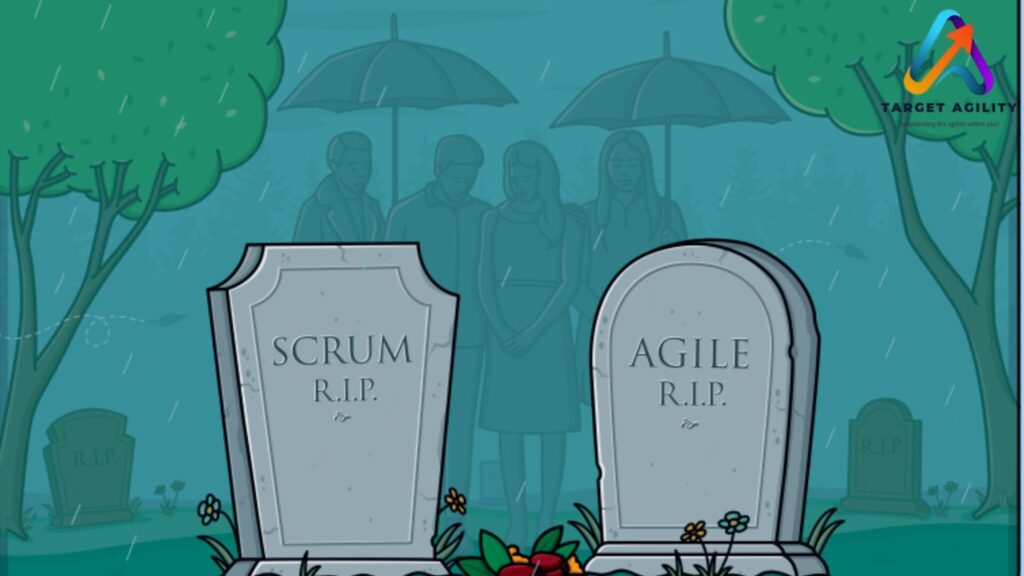
Let’s stop pretending the Daily Scrum is sacred. The Daily Scrum wasn’t killed by AI.AI simply exposed how pointless most Daily Scrums had already become. What was meant to be a 15-minute planning and inspection event has turned into a ritualized status meeting where nothing changes and no real decisions are made. AI didn’t disrupt this — it held up a mirror. The Original Purpose vs Today’s Reality The Daily Scrum was designed to: What it actually looks like in most teams: If your Daily Scrum could be replaced by reading Jira updates, it already should be. What AI Does Better Than Daily Scrums This is where it gets uncomfortable. AI can already: AI doesn’t need 15 people to speak for 15 minutes to know what’s going on.It knows continuously. If the only value your Daily Scrum provides is “visibility,” AI just made it obsolete. Why Teams Still Defend the Daily Scrum Teams don’t defend the Daily Scrum because it’s effective.They defend it because it’s familiar and safe. Daily Scrums: AI strips away that comfort. It replaces ritual with reality. What Actually Needs to Die (And What Doesn’t) Let’s be precise. What should die: What should survive: AI doesn’t kill collaboration.It kills forced, low-value collaboration. The Shift: From Daily Scrum to Continuous Alignment High-performing teams are already moving away from rigid Daily Scrums toward continuous, AI-supported alignment. What this looks like: This is not “less Agile.”This is Agile without theater. Why Scrum Masters Feel Threatened (And Why They Shouldn’t) Scrum Masters who defined their value as “running ceremonies” are panicking — understandably. But strong Scrum Masters aren’t afraid of AI killing the Daily Scrum.They’re relieved. Because it frees them to: If removing the Daily Scrum removes your role, the role was already empty. Final Truth The Daily Scrum isn’t dead because of AI. It’s dead because: AI just proved what many teams already knew but didn’t want to admit: If your Daily Scrum can be automated, it never deserved to exist. The future belongs to teams that: Daily Scrum as a ritual is dying.Daily alignment as a capability is not.
Agile Isn’t Slow – Humans Are. AI Proves It.
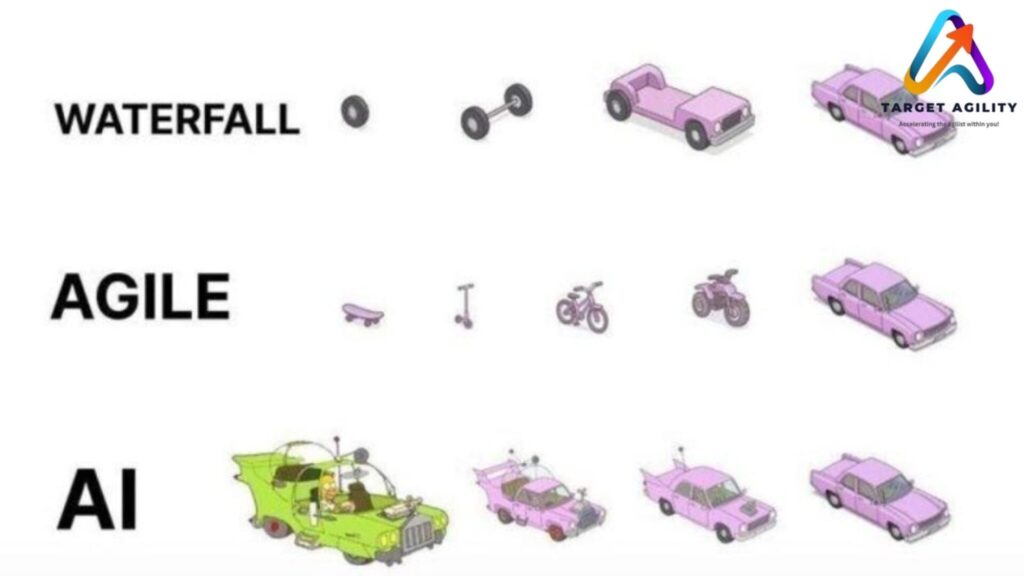
“Agile is too slow.” That complaint shows up in boardrooms, retrospectives, and leadership decks everywhere. But it’s the wrong diagnosis. Agile isn’t slow. Humans are. And AI has now proven it beyond reasonable doubt. When teams remove human hesitation, bias, and ritualized inefficiency from the system, flow improves dramatically — without changing the Agile framework at all. The problem was never Agile. It was how people behaved inside it. Where “Agile Is Slow” Really Comes From Let’s break the illusion. Agile feels slow because: None of these are Agile principles.They are human limitations tolerated by process. Agile exposes friction. It doesn’t create it. What AI Does That Humans Consistently Fail At AI doesn’t get tired.AI doesn’t protect ego.AI doesn’t delay decisions to avoid conflict. That’s why AI accelerates Agile without changing its core values. AI can: When this happens, the “Agile is slow” narrative collapses. Because suddenly, the same team delivers faster — with fewer meetings. The Human Bottlenecks AI Exposes AI doesn’t just speed things up. It reveals uncomfortable truths. 1. Decision ParalysisHumans delay decisions to seek consensus or avoid blame. AI presents clear options with consequences. Delay becomes a choice, not an excuse. 2. Estimation TheaterStory points debates feel productive but rarely improve accuracy. AI uses historical data to show realistic capacity. The argument disappears. 3. Over-CollaborationNot every decision needs a room full of people. AI filters signal from noise so humans collaborate only where judgment matters. 4. Cognitive OverloadHumans cannot track dozens of work items, risks, and dependencies at once. AI can — continuously. Agile didn’t slow teams down. Human limits did. Why This Makes People Uncomfortable AI forces a hard reckoning. When AI speeds up delivery: That’s why some teams resist AI in Agile environments. Not because it breaks Agile — but because it removes excuses. Agile + AI: What Actually Changes Here’s what doesn’t change: Here’s what does: AI doesn’t replace Agile thinking.It compresses the time between insight and action. The Real Future of Agile Teams High-performing Agile teams in the next few years will look different: This is not “post-Agile.”This is Agile without human drag. Final Truth Agile was never slow. It just relied on humans to: AI does all of that better. So when someone says “Agile doesn’t scale” or “Agile is too slow,” what they really mean is: Human-only Agile doesn’t scale anymore. AI didn’t break Agile.It proved what Agile always needed.
Scaling Agile with AI + SAFe / Large-Scale Scrum

Every large organization dreams of being “Agile at scale.” Frameworks like SAFe (Scaled Agile Framework) and LeSS (Large-Scale Scrum) promise coordination, faster feedback, and more alignment across teams. But anyone who has lived inside a large Agile transformation knows the truth — scaling isn’t just about syncing standups or adding more ceremonies. It’s about connecting strategy to execution across dozens of moving parts. That’s where AI is now stepping in. Artificial Intelligence can process sprint data from hundreds of teams, highlight risks, map dependencies, and even forecast delivery timelines with eerie accuracy. It sounds like the missing piece of the Agile puzzle — until you realize most organizations aren’t ready for the cultural and leadership shifts AI demands. The Promise: Clarity at Scale In SAFe and LeSS, visibility is the hardest thing to maintain. Leaders need to see patterns across multiple Agile Release Trains, not just isolated sprints. AI finally makes that possible. New enterprise platforms — like Jira Align, Rally Software, and Planview — now use AI to: Used well, these AI insights can help leaders act earlier, align strategy with delivery, and prevent last-minute chaos.Instead of spending hours gathering reports, leadership can finally focus on decisions that matter. The Trap: More Automation, Less Awareness But here’s the danger — when AI shows you more data, it also tempts you to stop thinking. Many enterprises start relying too heavily on dashboards and metrics. They forget that data without context is noise. AI may flag a risk, but it doesn’t understand the hidden cause — maybe a toxic dependency, unclear leadership, or an overworked team. When leaders take AI outputs as absolute truth, they start managing numbers instead of people. Teams stop questioning results because “the system already knows.” That’s how real agility quietly turns into bureaucracy — just with fancier charts. AI is a spotlight, not a steering wheel. It helps you see, but it doesn’t tell you where to go. The Real Transformation: Leadership Mindset To make AI work in scaled Agile systems, leadership must evolve — not just processes. When leaders understand this, AI becomes an amplifier of judgment — not a replacement for it. The Future of Scaled Agile with AI AI will keep transforming how large enterprises scale Agile. It will handle the data-heavy work — tracking dependencies, predicting risk, and connecting patterns that humans might miss. But leadership will still decide what those patterns mean. The difference between success and stagnation won’t come from technology — it’ll come from how wisely people use it. The next generation of Agile leaders will need not just technical awareness but epistemic humility — the wisdom to know when data reveals truth, and when it merely reflects bias.
Product Owner + AI: Automating Prioritization
AI is no longer a futuristic buzzword — it’s now creeping into Agile practice, reshaping how Product Owners manage backlogs, interpret data, and make decisions.Every major platform — from Jira’s Atlassian Intelligence to Notion AI — promises to automate the grind of backlog refinement and feature prioritization. That sounds efficient, but here’s the uncomfortable truth: when Product Owners start outsourcing thinking to AI, they risk losing the very skills that make their role strategic in the first place. When AI Becomes Your Backlog Co-Pilot A Product Owner’s day is filled with chaos — juggling customer requests, stakeholder demands, and sprint capacity while keeping the product vision intact.Until recently, backlog refinement and prioritization required endless manual effort and subjective judgment. AI has started to change that game. It can: Done right, AI becomes a powerful assistant. It frees Product Owners from low-value work, giving them time to focus on vision, market alignment, and stakeholder communication. But this only works when you treat AI as a partner, not a substitute for judgment. The Risk: When Product Owners Stop Thinking AI can process data, but it can’t understand context. It finds correlation, not causation. And that distinction matters. If a Product Owner simply accepts AI-driven suggestions without challenge, they’re setting themselves up for bad calls.A few examples: The danger isn’t that AI is wrong — it’s that it can sound confident even when it’s wrong. Blindly trusting its output is the fastest way to lose the critical thinking edge that defines strong Product Ownership. When you let AI decide for you, you’re no longer leading the product — you’re just following an algorithm. The Smarter Approach: Use AI to Ask Better Questions The best Product Owners don’t use AI to make decisions. They use it to discover insights and ask sharper questions. Here’s how to do it right: In short: let AI handle the noise so you can focus on the signal. The Future Product Owner: Human + Machine Intelligence AI isn’t coming for Product Owners — it’s coming to elevate them. But only if they evolve.Tomorrow’s Product Owner must: AI will change how you work — but not why you work. The heart of Product Ownership remains the same: creating value through understanding people, not just processing data. Let AI help you move faster — but never let it think for you.
DevSecOps: Building Security Into Development from the Start

For years, teams treated security like a finishing touch — something to check only after the product was ready to ship. That mindset doesn’t work anymore. With constant updates, rapid deployments, and complex cloud systems, waiting until the end to think about security is a disaster waiting to happen. That’s why modern teams are adopting DevSecOps — short for Development, Security, and Operations. The idea is to make security a natural part of every step of software development, not an afterthought. This shift is often called “Shift-Left Security”, meaning security starts earlier in the process, or “left” on the timeline. Why Security Needs to Start Early The logic is straightforward — fixing problems early is always cheaper, faster, and safer.If you find a vulnerability while coding, you can patch it in minutes. But if it’s discovered after deployment, it could cost thousands, damage your reputation, or even expose sensitive data. Shift-left security ensures that everyone shares responsibility for security, not just the security team. Developers use automated tools to detect vulnerabilities as they code. Security policies are baked into pipelines. And operations teams ensure that production stays safe and monitored. It’s a collaborative effort across the entire DevOps cycle. What DevSecOps Actually Means DevSecOps isn’t just another buzzword — it’s a way of working where: The result? Faster releases, fewer last-minute surprises, and better coordination between teams who used to work in silos. Core Practices That Make DevSecOps Work Why DevSecOps Makes a Difference DevSecOps turns security into part of the development DNA — not a separate department that slows things down. Common Challenges (and How to Avoid Them) Like any major shift, DevSecOps isn’t plug-and-play. Success depends on finding balance — between automation and awareness, speed and caution, flexibility and governance. The Bottom Line DevSecOps is the future of secure software delivery. It’s not about slowing teams down — it’s about removing the need for emergency fixes later. By building security into code, tests, and pipelines from day one, teams create safer systems and more confident releases. In a world where every second counts and every vulnerability can be exploited, shifting security left isn’t optional — it’s survival. When done right, DevSecOps turns security from a bottleneck into a competitive advantage.
Platform Engineering: Making DevOps Simpler, Faster, and Smarter

Modern development teams face the same headache again and again — every time they start a new project, they waste hours setting up infrastructure, configuring environments, and fixing pipeline issues. Instead of building features, they end up fighting the system. Platform Engineering and Internal Developer Platforms (IDPs) are solving this problem. The idea is simple: build an internal platform that gives developers everything they need — ready to use — so they don’t have to handle infrastructure or configurations manually. Why Platform Engineering Matters Today’s tech stacks are huge and complicated. You’ve got Kubernetes clusters, CI/CD tools, cloud services, monitoring dashboards, and security checks — all working together. When every developer sets these up differently, it quickly becomes messy, slow, and error-prone. Platform Engineering brings order to this chaos. It centralizes the complexity and provides a common platform that everyone can use. Instead of each team building its own deployment process, a central team creates shared tools, templates, and automation pipelines. Think of it as DevOps turned into a product — one that’s built for internal use. The platform team treats developers as its customers, constantly improving their experience and removing friction from daily workflows. What Is an Internal Developer Platform (IDP)? An Internal Developer Platform is the practical outcome of this approach. It’s a unified, self-service system that gives developers access to everything they need to build, test, and deploy applications safely. A good IDP includes: The real trick is balance — standardization without killing flexibility. Developers should still have room to customize, but within a framework that keeps everything stable and consistent. How It Changes the Developer Experience When done right, Platform Engineering completely transforms how teams work. For the organization, this means faster delivery, fewer production issues, and happier engineers who actually enjoy building things again. Building a Platform That Works The worst mistake companies make is building a platform for developers instead of with them. The platform team needs to collaborate closely with its users — collecting feedback, fixing pain points, and improving continuously. The best internal platforms are: An IDP isn’t something you build once and forget — it’s a living product that grows and adapts as your teams and technologies evolve. Where Platform Engineering Is Heading Platform Engineering is quickly becoming a core part of DevOps. As systems get more distributed and complex, internal platforms are no longer optional — they’re essential. Companies that invest early see faster releases, tighter governance, and stronger collaboration between developers and operations. Those that ignore it end up with tool chaos, repeated setup work, and burnout. Conclusion Platform Engineering isn’t about adding more tools — it’s about simplifying the mess we already have. It gives developers freedom through structure: they can build and deploy quickly without worrying about what’s happening behind the curtain. A great platform fades into the background. Developers don’t have to think about pipelines, servers, or configs — they just write code, deploy, and move on. That’s the promise of Platform Engineering: turning complex DevOps systems into smooth, reliable, and developer-friendly experiences that help teams ship better software — faster and with far less pain.
AI-Augmented DevOps: How AIOps Is Changing Software Delivery

DevOps was created to make software development faster and smoother. But as systems grow more complex, it’s becoming impossible for humans to manage everything manually. There are too many logs, servers, and microservices to monitor. That’s where AI-Augmented DevOps, often called AIOps, comes in. AIOps uses artificial intelligence (AI) and machine learning (ML) to detect unusual behavior, predict failures, fix issues automatically, and optimize development pipelines. It’s the next step beyond automation — it’s about making systems intelligent enough to adapt and learn. From Basic Automation to Smart Operations Traditional DevOps automation is rule-based: “if X happens, do Y.” But AI doesn’t just follow rules — it learns from data and past incidents. Instead of simply reacting to failures, AIOps can spot early warning signs and take preventive action. Imagine your deployment pipeline having a built-in AI assistant. When performance drops, it doesn’t just send an alert — it finds the cause, decides whether to roll back the deployment, and can even apply fixes automatically. This is the core idea behind emerging frameworks like Copilot4DevOps, where intelligent agents are embedded inside CI/CD pipelines to make real-time decisions. How AI Improves DevOps AI is already transforming DevOps in several powerful ways: These improvements don’t just save time — they improve stability and make systems more reliable with each release. Smarter Decision Points in CI/CD A growing trend in research and engineering is embedding AI decision points directly into CI/CD pipelines. These are checkpoints where an AI agent evaluates what should happen next. If a build fails, the AI can decide: This kind of intelligent pipeline behaves less like a static script and more like a living system — one that learns, adapts, and improves with every deployment. The Real Benefits When applied correctly, AIOps can deliver major results: In short, AIOps helps DevOps teams focus on building great products instead of constantly reacting to outages and system issues. The Risks You Can’t Ignore AI brings power, but also danger. Models can make wrong assumptions, misread signals, or trigger the wrong responses. An AI that acts without proper checks could roll back healthy deployments or hide critical issues. That’s why trust, transparency, and human oversight are essential. AI should assist humans — not replace them. Teams must ensure that AI actions are logged, decisions are explainable, and models are retrained regularly to stay accurate. The Bottom Line AIOps isn’t a passing trend. It’s the logical next step for modern DevOps teams dealing with high complexity and large-scale systems. But it’s not a “set it and forget it” solution. Used wisely, AIOps can make your pipelines smarter, your systems more stable, and your teams more efficient. Used blindly, it can cause chaos faster than any manual error. The future of DevOps is intelligent, adaptive, and data-driven — but it still needs humans in control.AI can enhance automation, but judgment and accountability must stay with people. That’s how you make DevOps truly evolve — not just faster, but smarter.
The Dark Side of AI in Agile: Over-Reliance and Groupthink

AI is now everywhere in Agile. It helps with sprint planning, retros, backlog grooming, and even daily stand-ups. Teams like it because it saves time and feels efficient. But here’s the danger: leaning too much on AI can quietly destroy what makes Agile work. The issue isn’t the technology—it’s how teams use it. Instead of supporting collaboration, AI can make people dependent and push everyone to think the same way. The two biggest risks are over-reliance and groupthink. Over-Reliance: Depending Too Much on AI AI is great at spotting patterns, crunching numbers, and making suggestions. But many teams in 2025 are treating its output as unquestionable. The problem? People stop thinking critically. Instead of inspecting and adapting, teams just accept whatever the tool says. That’s not Agile—it’s autopilot. Groupthink: When Everyone Follows the Tool Agile works best when people bring different opinions and debate ideas. But AI often pushes everyone in the same direction. This is groupthink—when people stop questioning because they think the answer is already obvious. But real Agile needs disagreement, different angles, and open conversations. If AI becomes the loudest voice, teams lose that. The Hidden Cost The biggest cost of overusing AI is team disengagement. When people feel decisions are already made by a machine, they stop caring. Over time: That’s not Agile—it’s just automation pretending to be Agile. How to Use AI Without Losing Agile AI can be useful, but it should stay in a support role, not take charge. Here’s how to keep it in check: Final Word AI can make Agile faster and smarter, but it also has a dark side. Over-reliance makes teams passive. Groupthink kills creativity. If you don’t guard against it, you’ll lose the collaboration and ownership that Agile depends on. The future isn’t AI replacing Agile—it’s AI helping Agile. Use it for grunt work and insights, but don’t let it take over decision-making. Because once your team stops thinking for themselves, you’re not Agile anymore—you’re just following a bot.
Agile and AI: What’s Really Happening in 2025?

In 2025, everyone’s talking about Agile and AI. Some people claim AI will replace Scrum Masters, write user stories, or even make Agile pointless. Let’s cut the drama. Agile isn’t going anywhere. Teams still need collaboration, feedback, and adaptability. What’s changing is that AI is slipping into Agile workflows in specific, useful ways. Here’s what’s actually trending this year. 1. AI Helps, It Doesn’t Replace AI isn’t stealing jobs—it’s acting like a co-pilot. The pattern is clear: AI makes roles easier, but people still make the real decisions. 2. Backlog Management Gets Smarter Backlogs often become a dumping ground. AI now helps by: It doesn’t know your business better than you, but it cuts down on clutter so POs can focus on strategy. 3. Faster Sprint Planning Planning meetings used to drag. AI tools now handle: This means teams spend less time crunching numbers and more time making decisions together. 4. Better Retrospectives Instead of relying only on memory or sticky notes, AI tools track patterns across sprints. That way, teams can focus their retro talk on real problems—not vague guesses. 5. Real-Time Metrics Agile reporting is faster now. AI can auto-build: Scrum Masters don’t need to spend hours updating spreadsheets. They can use that time coaching and supporting the team. 6. The Danger of Overusing AI Some teams are going too far—letting AI write user stories, create retro actions, or even suggest sprint goals without checking. That’s lazy, and it weakens Agile. The top teams in 2025 keep a balance: AI handles the busywork, but humans handle judgment, decisions, and conversations. 7. People Still Come First Here’s the bottom line: AI can’t fix a broken culture. If a team avoids tough conversations or lacks trust, AI just makes the dysfunction faster. But if the culture is strong, AI helps it grow. Agile is still about people. AI just removes some friction. Final Word The trend in 2025 isn’t “AI replaces Agile.” It’s AI supports Agile. The best teams use AI to save time, find patterns, and bring data into the room—while keeping collaboration and trust at the center. So before chasing every new AI tool, ask: Will this help my team focus on teamwork and improvement? If yes, use it. If no, skip it. Agile and AI aren’t enemies—they’re strongest when they work side by side.
RetroAI++ and the Future of Sprint Planning & Retrospectives

Agile teams are always under pressure to work faster, deliver more, and keep improving. That’s where RetroAI++ comes in—an AI tool built to help with Sprint Planning and Retrospectives. It promises smarter insights, quicker prep, and better follow-ups. But the big question is: is RetroAI++ a real game-changer, or just another shiny tool? What Is RetroAI++? RetroAI++ uses AI to help Scrum teams with their key ceremonies. It can: Basically, it’s like an assistant that organizes data and throws out suggestions. Sounds helpful, especially for busy Scrum Masters. But let’s break down where it works—and where it doesn’t. Where RetroAI++ Helps 1. Sprint Planning Prep It can highlight top backlog items, flag dependencies, and suggest team capacity. That means the team spends less time warming up and more time deciding. 2. Retro Pattern Spotting Instead of digging through notes, RetroAI++ can find repeated issues—like delays, blockers, or morale dips—and bring them up quickly. 3. Action Item Tracking Too often, retro action items get forgotten. RetroAI++ can remind teams and check whether changes are actually happening. 4. Less Admin Work Scrum Masters often waste time setting up boards or writing summaries. RetroAI++ can handle that, letting them focus on coaching and people instead of paperwork. Where RetroAI++ Fails But let’s be real—AI can’t replace people talking honestly. Here’s the danger zone: What the Future Looks Like RetroAI++ is just the start. More AI tools will show up in Agile rituals—spotting patterns, writing summaries, and nudging teams. That’s fine, but let’s not fool ourselves. AI can say, “Your velocity is dropping.” But only people can say, “We’re tired and need to slow down.”AI can flag testing delays. But only people can decide, “Let’s cross-train and fix this together.” Agile is about people, not patterns. How to Use RetroAI++ the Right Way Final Word RetroAI++ is useful—it cuts busywork, finds trends, and keeps action items on track. But if you treat it like a replacement for real discussion, you’re missing the point of Scrum. The future of Sprint Planning and Retrospectives isn’t about AI running the show. It’s about AI clearing the noise so humans can do the hard, meaningful work: trusting each other, speaking openly, and always improving. So go ahead and use RetroAI++. Just remember: AI can support Agile—but only people make it Agile.
Use Cases for Agile AI Agents: Are They Tools or Replacements?
AI agents are the new buzz in Agile. They can write backlog items, check sprint metrics, and even suggest improvements. Sounds powerful, right? But here’s the big question: are these agents just helpful tools, or are we pretending they can replace real team members? What Are Agile AI Agents? Unlike normal chatbots, AI agents don’t just answer questions. They can take actions, connect to tools, and automate tasks. In Agile teams, they’re being used to: At first glance, it feels like Scrum Masters and Product Owners just got an upgrade. But the truth is, AI agents are useful in some areas—and risky in others. Where AI Agents Help 1. Tidying Up the Backlog AI can suggest clearer acceptance criteria, spot duplicates, and group related stories. This saves Product Owners time. But— only humans know the customer’s real problems and company goals. AI doesn’t have that context. 2. Looking at Sprint Data AI is good at flagging numbers: slowing velocity, recurring spillover, or missed goals. It’s like having an extra analyst. But— numbers don’t explain why. AI doesn’t know about sick days, broken builds, or last-minute requests. 3. Retrospective Insights AI can scan surveys and say things like, “Collaboration came up in 40% of responses.” That’s useful as a starting point. But— retros are about people being honest and owning problems. AI can’t replace that conversation. 4. Knowledge Sharing AI can summarize past sprints, pull links to related tickets, or give new teammates quick background. Handy for onboarding. But— summaries leave out nuance. They’re shortcuts, not replacements for real experience. Where AI Becomes Dangerous The risk? Teams hide behind AI decisions. When results go bad, no one is accountable. That kills Agile. Tools, Not Replacements Here’s the blunt truth: Agile AI agents are tools—nothing else. They’re great for grunt work like cleanup, summaries, or data crunching. But they can’t replace human vision, judgment, or responsibility. Scrum Masters, Product Owners, and developers aren’t going anywhere. If you think AI can take their role, you’ve misunderstood both Scrum and AI. How to Use AI Agents the Right Way Final Word AI agents can save time and reduce busywork. But they’re not teammates. Agile depends on trust, discussion, and adaptability—things AI simply doesn’t have. So yes, use AI agents. Let them do the boring stuff. But keep the important thinking, decisions, and accountability where they belong: with humans. Tools, not replacements. Always.
AI in Scrum: Help or Harm?

AI is showing up everywhere in Scrum and Agile teams right now. People use ChatGPT to write user stories, generate acceptance criteria, or even run retrospectives. At first glance, it feels smart and efficient. But here’s the truth: most of the time, you’re just letting a statistical parrot into your team—and it’s quietly messing things up. What’s a “Statistical Parrot”? Big AI tools like ChatGPT don’t actually think. They don’t understand your customer, your business, or your sprint goal. They just predict the next word in a sentence, based on patterns in data. In short: they repeat things that sound right but often miss the real meaning. Scrum, however, is built on thinking, learning, and adapting. If your team starts leaning on AI to make choices, you’re swapping real insight for random predictions. That’s not agility—it’s fake speed. How AI Goes Wrong in Scrum 1. Bad Backlogs, Quickly Made Product Owners often use AI to write user stories. The backlog looks full and professional, but it’s usually shallow, repetitive, and disconnected from real customer needs. A backlog full of AI fluff only creates confusion and wasted sprints. 2. Empty Retrospectives Some teams let AI summarize feedback or suggest action items. But retrospectives are supposed to be about honesty, teamwork, and tough conversations. If you let a bot decide what matters, the team avoids reflection—and the chance to actually improve. 3. Fast but Pointless Work AI helps you write tasks, test cases, and documents faster. But if you’re rushing in the wrong direction, speed is useless. Scrum isn’t about how fast you work—it’s about creating real value. 4. Losing Human Skills Negotiating priorities, handling conflict, and thinking creatively are human skills. If you outsource too much of that to AI, your team gets weaker. Over time, you’ll lose the ability to think critically and work through problems together. Where AI Can Help I’m not saying AI has no place in Scrum. It does—but as a helper, not as a team member. It can save time by drafting templates, analyzing data, or suggesting options. But the real decisions, discussions, and accountability must come from humans. The Scrum Guide makes it clear: Scrum Teams are made of people. AI can assist, but it cannot replace teamwork, trust, or judgment. What Teams Should Do Instead Here’s the no-BS advice: Don’t Let the Parrot Lead Scrum works because of teamwork, courage, and real learning. A statistical AI parrot can’t do any of that—it just repeats patterns. If your team starts letting AI replace tough conversations and clear thinking, you’re not becoming “AI-powered.” You’re just covering up weak agility with shiny tech. Use AI, sure—but keep it in its place. Humans lead. Parrots repeat. Don’t confuse the two.
Ethical and Practical Implications of AI in Agile Roles

AI isn’t just a future idea—it’s already here, working in Agile teams every day. From organizing backlogs to generating sprint reports, tools like ChatGPT, Jira automation, and AI analytics are making work faster and more data-driven. But there’s a common misunderstanding: If AI can do all this, do we still need Product Owners or Scrum Masters? The truth is, yes, we do. AI can process information faster than any person, but it can’t replace human creativity, empathy, or ethical judgment. These human skills are still essential for Agile leadership. AI is great at practical tasks. It can rank backlog items based on value and risk, predict team speed using past work, create automated progress updates, and spot risks early. This is useful because it removes repetitive work, allowing people to focus on strategy and relationships. But deciding why a feature should be built, how it should change with the market, or how to solve a conflict still needs human thinking. For Product Owners, the role is more than keeping a list of features. They are the voice of the customer and the vision for the product. AI can suggest features, predict returns, and even write user stories, but it cannot truly understand human needs, balance competing demands, or make moral decisions. For example, AI might suggest a feature that keeps users on an app longer but takes advantage of addictive behavior. A human Product Owner can reject it because it goes against company values—AI has no moral compass unless we design it, and even then, ethics depend on the situation. For Scrum Masters, their role isn’t just running meetings. They lead by serving the team, protecting their well-being, and helping them improve. AI can look at data from past sprints, suggest process changes, and track workloads. But it can’t see when someone is stressed but staying quiet, help solve personal disagreements, or change its style based on the team’s emotions. Agile is about people, and that human connection is something AI can’t copy. As AI becomes a normal part of Agile, ethical responsibility becomes more important. Product Owners and Scrum Masters need to check AI’s recommendations for bias, make sure decisions can be explained, and keep control in human hands. Without human oversight, Agile risks becoming a system that values speed over sustainability and profit over people. The future isn’t about AI replacing humans—it’s about working together. AI should handle repetitive, data-heavy tasks, while humans focus on creativity, vision, and ethical choices. Agile leaders should also understand how AI works, not to build it, but to challenge and guide its results. AI will change Agile, but it won’t replace the people who make it human. Product Owners and Scrum Masters are still the moral guide, the creative driver, and the emotional support for their teams. Remove them, and you risk building the wrong product for the wrong reasons in a way that damages trust. Keep them, supported by AI, and you get both speed and heart.
AI Can Prioritize Product Backlogs Better Than Humans – Prove Me Wrong

Let’s be honest — most product backlogs are a mess. They’re filled with random ideas, old tasks no one remembers, tech debt, and pressure from different stakeholders. And somehow, the Product Owner is expected to sort it all out and decide what comes next. It’s a tough job. But now, AI tools are stepping in and claiming they can do it better — faster, with less bias, and based on real data. So, the big question is: can AI really prioritize better than a human? In many cases, the answer looks like a strong “yes.” Why It’s Hard for Humans to Prioritize Well Product Owners don’t just pick features from a list. They’re constantly pulled in different directions: Even when you use frameworks like RICE or MoSCoW to rank ideas, it often comes down to opinions and politics. People are emotional. Bias creeps in. We give in to pressure. We guess. That’s where AI starts to shine. What AI Can Do That Humans Struggle With AI doesn’t guess. It uses real data to make suggestions. Here’s how it helps prioritize more accurately: So, Is AI Better Than a Product Owner? Not completely. AI doesn’t understand your company’s long-term goals or how important a customer relationship is. It doesn’t know timing or strategy. It can’t take a big risk based on instinct. But here’s the truth: most backlog decisions aren’t about long-term vision. They’re about choosing what to build next. And that’s where AI helps — by removing the noise and giving you clear, data-backed suggestions. Think of it like a smart assistant. You still make the final call. But you’re no longer flying blind. Why Humans Still Lead (For Now) We still value human judgment — and we should. Some decisions go beyond what data can explain. Sometimes you need to take a bold step even if the numbers don’t support it yet. But for everyday decisions — like which bug to fix next or which feature will help most — AI can save hours of guessing and debating. Conclusion: Work Smarter, Not Harder AI isn’t here to replace Product Owners — it’s here to make them better. If you’re trying to manage a long backlog full of noise and pressure, AI can help you cut through the chaos and focus on what really matters. So yes, in many cases, AI can prioritize better than humans — especially when the human is tired, overwhelmed, or guessing. Don’t see it as a threat. See it as your smartest teammate. Still not convinced? Prove me wrong.
Automated Standups: The End of Daily Scrum as We Know It?

Daily Scrum meetings have been part of Agile for years. The goal is simple: help the team stay aligned, spot issues early, and plan the day. But let’s be honest — in many teams, daily standups feel boring, repetitive, or like a waste of time. Now, with AI and automation tools, some teams are skipping live meetings and using bots instead. This raises an important question: Do we still need live Daily Scrums? Or is automation a better option? Why We Have Daily Scrums Originally, the Daily Scrum was created to: It’s meant to be short (15 minutes) and helpful — not a long meeting or a status update for the manager. But in real life, things often go off track. People talk too much. Some stay silent. Others just show up out of habit. What Are Automated Standups? Automated standups use tools like Geekbot, Standuply, or DailyBot to collect daily updates. Team members answer three questions in writing: The tool gathers all answers and posts them in a team chat, like Slack or Teams. Some tools can also spot patterns — like recurring issues or signs of frustration. Benefits of Automated Standups Downsides of Using Bots So, Are Daily Standups Going Away? Not exactly — but they are changing. Automated standups work well for mature, remote teams who know how to stay focused and responsible. These teams don’t need a live meeting to stay in sync. For them, automation saves time and keeps things simple. But for new teams, teams with communication problems, or teams still learning Agile, bots alone won’t cut it. These teams need real interaction to build trust and stay connected. Conclusion Automated standups aren’t killing the Daily Scrum — they’re just changing how it’s done. For some teams, bots are a great way to save time and stay on track. For others, they could lead to silence, confusion, or lack of connection. In the end, it doesn’t matter whether you meet in-person, on Zoom, or through a Slack bot. What matters is that the team stays aligned, solves problems fast, and works toward the same goal. Choose the method that helps your team do that best.
Will AI Replace the Scrum Master? Here’s What the Data Really Tells Us

With artificial intelligence growing fast, a lot of people are asking a tough question: Will AI take over roles like the Scrum Master? It’s a fair concern. After all, many tasks that once needed humans are now done faster and cheaper by machines. But when it comes to Agile teams, things aren’t so simple. To understand the risk, we first need to get clear on what a Scrum Master actually does. This role isn’t just about running meetings or updating Jira boards. A good Scrum Master helps the team stick to Agile practices, guides daily standups, sprint planning, and retrospectives, clears roadblocks that slow progress, protects the team from distractions, and constantly looks for ways to improve how the team works. Some of these tasks are repetitive, structured, and easy to automate — which is exactly where AI is already stepping in. In today’s Agile teams, AI tools are doing a decent job handling things like automated standups, reporting, and backlog suggestions. Tools like Geekbot or Standuply can collect daily updates from team members and point out common blockers. ChatGPT-like systems can write summaries of retrospectives, generate reports, and even help rewrite vague user stories with clearer language and acceptance criteria. That’s not science fiction — it’s already happening. AI is absolutely reducing the manual workload for Scrum Masters. But that doesn’t mean the role is dead. There are still critical things AI can’t do — and probably won’t be able to for a long time. For example, AI can’t resolve team conflicts in a real, human way. It doesn’t understand workplace politics or team emotions. It won’t notice when your developers are burned out but hiding it. And it certainly won’t know how to coach a team that’s just going through the motions without real Agile mindset. If your team is 100% remote, doing repetitive work, and already well-organized, AI might reduce the need for a full-time Scrum Master. But remove the human element altogether? That’s not realistic — unless your Scrum Master is already just checking boxes. Let’s look at the numbers. A 2024 report from Gartner says that AI could handle 30% of Agile documentation and reporting by 2026. That’s a chunk, but it still leaves 70% of the job in human hands. A 2023 Scrum.org survey found that while 80% of Scrum Masters believe AI can help them, only 12% feel it threatens their job. Most see AI as a tool, not a threat. So what’s the real answer? No, AI won’t fully replace the Scrum Master. But yes — it will force Scrum Masters to level up. If all you do is run meetings and push updates, AI can and should replace you. But if you’re someone who leads, mentors, and drives change in your team, AI will actually make you more effective. Conclusion:AI is changing the game, but it’s not removing the players — at least not the ones who bring real value. The Scrum Master role is evolving, and only those who adapt will stay in the game. Learn to use AI, sharpen your people skills, and focus on the parts of the job no machine can do. If you don’t, it won’t be AI that replaces you — it’ll be someone who did both better.
Real-World Scrum Master Interview Questions

In 2025, companies expect Scrum Masters to do more than just follow the Scrum Guide. They want someone who can handle real challenges, guide teams through tough situations, and make Agile work in practice — not just theory. Here are 10 Scrum Master interview questions based on real-world situations. Each one tests how you think, how you act, and how you support your team in everyday work. 1. Your team always finishes sprints on time, but quality is poor. What would you do? This checks whether you focus on speed or quality. A good answer would explain how you encourage the team to improve quality by setting a clear Definition of Done, introducing automated testing, and using retrospectives to find and fix quality issues early. It’s not just about finishing tasks — it’s about doing them well. 2. The Product Owner wants to add a new task mid-sprint, and the team agrees. What’s your role? This tests how well you protect the team’s focus. Your answer should show that you respect team collaboration but remind them that the sprint goal shouldn’t constantly change. Suggest handling the new request in the next sprint unless it’s urgent — and explain how to discuss it during planning or review sessions. 3. One team member talks a lot in meetings while others stay quiet. How do you handle it? This checks your facilitation skills and how you create a safe environment. Talk about using structured methods like going around the room for input, silent brainstorming, or timeboxing speakers. Explain how you coach the team to be more balanced and respectful of everyone’s voice. 4. The team meets sprint goals, but stakeholders are still not happy. What would you do? Here, the focus is on value over output. Your answer should explain how you’d bring stakeholders into the process earlier, through planning, reviews, or backlog discussions. You want to make sure the work meets real customer needs, not just internal goals. 5. The team regularly misses their sprint commitments. How would you help? This question looks at how you support improvement. A good answer includes using retrospectives to find the root causes, adjusting sprint planning techniques, limiting work-in-progress, and improving estimations based on real data. The goal is learning and growing, not blaming. 6. A manager wants daily updates from the team. How would you respond? This checks how you handle pressure from traditional management styles. Explain that Agile provides transparency through tools like dashboards or burndown charts, and that managers can join sprint reviews or stand-ups. Suggest a better way to stay informed without interrupting the team’s flow. 7. The team says retrospectives are a waste of time. What do you do? This shows how you coach teams to find value in continuous improvement. Talk about making retrospectives more engaging, tracking action items, and celebrating what gets better over time. Sometimes all it takes is a new format or fresh perspective to make them useful again. 8. Two teams are working on the same product but aren’t aligned. How would you fix it? This tests how you handle coordination across teams. Share how you’d introduce things like a Scrum of Scrums, shared planning sessions, or cross-team reviews. If you’re familiar with frameworks like SAFe or Nexus, mention how they help align multiple teams. 9. A team member doesn’t follow Scrum practices and refuses to change. How would you handle it? Here, the interviewer wants to see how you manage conflict. A good approach would be to talk privately with the person to understand their concerns. Use one-on-one coaching and bring in team working agreements to rebuild shared expectations. 10. You join a team with a history of failed Agile efforts. What’s your first step? This checks your leadership and change management skills. Talk about observing first, listening to the team, building trust, and identifying small wins. The idea is not to force change, but to guide the team toward improvement at their pace. Want more similar questions ? 👉 Click Here Wrapping Up These interview questions go beyond textbook Scrum. They test how well you deal with real situations — conflicts, confusion, change, and pressure. To stand out in interviews, focus on your own experiences. Share real examples, explain what you did, what happened, and what you learned. Show that you’re not just a facilitator, but a coach, a listener, and a guide who helps teams get better every day.
SAFe in Government and Regulated Industries

Agile practices like Scrum are becoming more common in government offices and highly regulated industries like healthcare, banking, and defense. But many people still think Agile can’t work in these areas because of strict rules, documentation, and long approval processes. That’s where SAFe (Scaled Agile Framework) helps. SAFe lets large organizations use Agile while still meeting compliance needs, delivering high-quality products, and keeping everyone aligned. In 2025, more and more regulated businesses are realizing that Agile and compliance can work together. Why These Industries Need SAFe Government and regulated industries often rely on old ways of working—long planning cycles, strict approvals, and fixed budgets. This slows down delivery and increases the chance of delivering outdated or low-value solutions. SAFe helps by offering: SAFe modernizes the system without removing control. SAFe Practices That Work Well in Regulated Fields Common Problems and How to Solve Them Problem: “Agile = No Control” Some think Agile means chaos. But SAFe has clear plans, roles, and responsibilities. In fact, it improves visibility for leaders. ✅ Tip: Use SAFe roles like Product Manager or Release Train Engineer to track work and report updates. Use Lean Portfolio Management (LPM) for managing funding and approvals. Problem: “We Need Documentation” Agile avoids over-documenting, but regulated industries must keep records. ✅ Tip: Use Agile tools like Jira Align to keep digital records of everything—requirements, changes, tests, and decisions. This meets documentation rules without wasting time. Problem: “Our People Don’t Want to Change” Government teams and large enterprises may be used to top-down control and fixed plans. ✅ Tip: Start small with a pilot Agile Release Train (ART), show the results, and train leaders. Change becomes easier when people see the benefits. Real-Life Example A national health department wanted to upgrade its tech systems while meeting strict health data laws. Using SAFe, they delivered working updates every 8 weeks instead of waiting a full year. Compliance was tracked in real time using Agile tools, and feedback was gathered early. This saved time, reduced risk, and met legal needs—all while delivering faster. Tips for Success in Regulated Settings Final Thoughts SAFe helps regulated industries become faster and more flexible while still following the rules. It gives teams the tools they need to build, test, and deliver valuable work without skipping important steps like compliance, audit, and reporting. With the right setup, even government and tightly regulated industries can become Agile—not by ignoring the rules, but by working smarter within them.
Top Scrum Master Interview Questions – Fresh, Real-World Scenarios to Expect

In 2025, the role of a Scrum Master goes far beyond managing stand-ups or tracking velocity. Companies now expect Scrum Masters to act as team coaches, change leaders, and business partners. But most blogs still list the same old interview questions year after year. If you’re preparing for a Scrum Master interview this year, it’s time to focus on what’s really being asked in the real world—questions that reflect today’s hybrid work setups, evolving Agile practices, and the growing push for business results over process checklists. Here are 10 thoughtful and up-to-date questions you’re more likely to hear in a 2025 Scrum Master interview—along with why they matter and how to think about your answers. 1. How do you help a team stay Agile while also meeting compliance rules or audit needs? Why it’s important: Many industries (like finance or healthcare) have strict rules. Teams need to be flexible and still follow them. What to say: Talk about helping teams document the right things (like Definition of Done) and work closely with compliance teams without slowing down their delivery. Share how you found balance between following rules and staying Agile. 2. Tell me about a time you had to simplify a scaled Agile setup because it wasn’t working. Why it’s important: Companies often jump into SAFe or other frameworks too early, which can create more problems than it solves. What to say: Share a story where things got too complicated and you helped reduce overhead—maybe by focusing on smaller team coordination or cutting out extra ceremonies. Show that you can tailor Agile, not just follow it. 3. How do you recognize signs of burnout in a team, and how do you respond? Why it’s important: Well-being matters more than ever, especially in remote or high-pressure environments. What to say: Mention signs like low engagement, repeated missed goals, or team tension. Talk about how you create space for open conversation and promote a healthy work rhythm. 4. What would you do if a Product Owner keeps changing priorities during the sprint? Why it’s important: Teams need focus to deliver. Constant changes hurt that. What to say: Talk about coaching the PO on respecting the sprint plan and educating stakeholders on the cost of switching. Mention how you work with the team and PO to build trust and improve planning. 5. How do you encourage accountability without just relying on numbers like velocity? Why it’s important: Teams need to take ownership, but not feel like they’re being judged by data alone. What to say: Share how you encourage team-owned commitments, promote shared responsibility, and focus on continuous improvement. Mention retrospectives, working agreements, or visual tools like Kanban boards. 6. How do you run Agile meetings differently for remote, hybrid, or in-person teams? Why it’s important: Most teams are no longer working from the same location. What to say: Explain how you use digital tools, vary your facilitation style, and ensure everyone’s voice is heard. Talk about being flexible with formats to keep meetings engaging and useful. 7. Have you ever used storytelling to help a team or stakeholder understand something better? Why it’s important: People remember stories more than charts or rules. What to say: Give an example of when you used a story, analogy, or real-life situation to explain Agile or influence a decision. Show that you can connect with people, not just process. 8. How do you make sure your team’s work aligns with company goals or OKRs? Why it’s important: Teams need to see how their work supports the bigger picture. What to say: Talk about involving the team in PI planning, reviewing OKRs during backlog grooming, or creating sprint goals tied to outcomes. Show how you help the team focus on value. 9. Have you worked with Agile teams outside of IT, like in HR or marketing? What did you learn? Why it’s important: Agile is spreading to all parts of the business. What to say: Share how you helped non-tech teams get started with Agile principles. Maybe you introduced simple Kanban boards, daily stand-ups, or retrospectives. Emphasize how you adjusted your style for their unique needs. 10. If your team meets all sprint goals, but stakeholders still aren’t happy—what would you do? Why it’s important: Delivering everything planned doesn’t always mean you delivered the right thing. What to say: Talk about how you’d improve communication with stakeholders, ensure the backlog reflects real value, and use reviews or demos to gather better feedback. Show that you care about customer satisfaction, not just internal metrics. Why These Questions Matter in 2025 Scrum Master interviews today are about more than the Scrum Guide. Employers want someone who can: If you’re preparing, go beyond the basics. Reflect on real stories from your experience, your approach to tough situations, and how you help teams succeed—not just follow process. Want more similar question 👉 Click here Conclusion Being a Scrum Master in 2025 means wearing many hats: coach, guide, facilitator, problem-solver, and change agent. Interviewers want to know how you think, support people, and bring real value to the organization. So practice answering questions like these with stories from your work. Focus on how you solve problems, guide teams, and grow as a leader. That’s how you’ll stand out and show you’re ready for the future of Agile.
Agile in Non-Tech Areas – Marketing, HR, and Education

When people hear the word “Agile,” they often think of software teams. But Agile is much more than that. It’s a way of working that helps teams move faster, stay flexible, and improve over time. That’s why more non-tech teams in areas like marketing, human resources (HR), and education are starting to use Agile too. Here’s how Agile is being used in these fields and why it works so well. Agile in Marketing – Working Fast and Smart Marketing teams today need to move quickly, try new ideas, and learn from data. Agile helps them do exactly that. Instead of planning big campaigns that take months, marketing teams work in short cycles called “sprints.” In each sprint, they might test new ads, launch social media posts, or write blog articles. After the sprint, they review what worked and what didn’t, then adjust their plans. Marketing teams often use tools like task boards to organize their work and have quick daily check-ins to stay on the same page. This helps them stay focused and respond quickly when things change. Example: A team may run a 1-week sprint to test two different email subject lines. They check the results, see which one performed better, and use that to shape their next campaign. Agile in HR – Making People Processes Better HR teams handle things like hiring, onboarding, and employee performance. These processes can be slow or unclear. Agile makes HR more people-focused and responsive. In an Agile HR setup, teams work together to improve hiring steps, use boards to track open roles and onboarding tasks, and gather feedback from employees more often. Instead of waiting until the end of the year for performance reviews, they hold shorter check-ins regularly. Example: An HR team wants to improve onboarding for new employees. Every two weeks, they collect feedback from recent hires and make small changes to improve the experience. Agile in Education – Flexible Learning Teachers and educators are also using Agile methods to improve learning in schools, colleges, and training programs. In an Agile classroom, lessons are broken into small chunks, like sprints. Teachers gather feedback from students often and adjust their lessons based on what’s working. Students may also work in teams, share tasks, and reflect on what they’ve learned. Example: A teacher creates a two-week unit on science. After the unit, students give feedback. The teacher uses this input to change the next unit, making sure everyone stays engaged and understands the material. Why Agile Works Outside of Tech Agile helps all kinds of teams work better by: You don’t need to follow Agile exactly as software teams do. The key is to take the parts that work for your team and your goals. Conclusion Agile isn’t just for developers anymore. It’s a powerful way of working that fits well in marketing, HR, education, and many other fields. By staying flexible, focusing on what matters, and improving step by step, teams in any area can achieve better results—and enjoy the process too.
Decoding SAFe Roles: RTE, STE, and ART

As companies grow and use Agile across multiple teams, they often turn to the Scaled Agile Framework (SAFe) to stay organized. SAFe introduces some new roles and structures, including the Release Train Engineer (RTE), Solution Train Engineer (STE), and the Agile Release Train (ART). These roles help large teams deliver value more effectively. Let’s take a closer look at what these roles mean, what they’re responsible for, and what they look like in real life. What is an Agile Release Train (ART)? An Agile Release Train, or ART, is a group of Agile teams (usually 5 to 12 teams, or about 50 to 125 people) that work together to deliver value. All the teams in an ART are aligned to a shared product goal and work on the same timeline. Main responsibilities: In the real world, ARTs can be tricky to manage. Teams might work at different speeds, use different tools, or have different priorities. The challenge is keeping everyone aligned and moving forward together. What does a Release Train Engineer (RTE) do? The Release Train Engineer, or RTE, acts like the lead Scrum Master for the ART. Their job is to help teams work together, remove obstacles, and keep everything running smoothly. Main responsibilities: In reality, many RTEs are pulled into project management tasks—like tracking deadlines and managing expectations. While that’s part of the role, the best RTEs focus on supporting teams and guiding them to work better, not just faster. What does a Solution Train Engineer (STE) do? The Solution Train Engineer, or STE, supports several ARTs that are working on a bigger solution—such as a large software system or platform. Main responsibilities: In real life, this role can be challenging. It requires a mix of technical understanding, leadership skills, and the ability to keep lots of moving parts aligned. STEs often deal with more strategic decisions and must balance business needs, customer expectations, and technical complexity. Tips for Working in These SAFe Roles Conclusion The roles of RTE, STE, and ART are key parts of SAFe and are essential for scaling Agile across large organizations. While the framework gives a solid structure, success comes from how these roles are used in practice. It’s not just about following steps—it’s about collaboration, clear communication, and staying focused on delivering value. Whether you are stepping into one of these roles or working closely with someone who is, understanding both the responsibilities and the day-to-day realities will help you succeed in a scaled Agile environment.
PO’s KPI Dashboard: What Should You Really Measure?

As a Product Owner (PO), your job isn’t just to manage the backlog or talk to developers. Your main goal is to make sure your product brings value to the customers and the business. But how do you know if your product is doing well? That’s where KPIs (Key Performance Indicators) come in. A good PO keeps track of the right numbers—not just to show progress, but to make better decisions. Let’s look at the most important things you should measure as a Product Owner. ✅ 1. Customer Satisfaction (CSAT or NPS) This tells you if your users are happy with your product. Why it matters: If users aren’t happy, they’ll leave—no matter how many features you deliver. Tip: Ask for feedback often, especially after big releases. ✅ 2. Business Value Delivered This shows if the work you deliver is actually helping the business. For example: Why it matters: You want to work on what makes the most impact—not just what’s easy to build. ✅ 3. Sprint Goal Success Rate Did the team meet the goal for the sprint? Why it matters: It helps you understand if the planning is realistic and if the team is focused. Tip: Track this regularly. If the team misses goals often, something needs to change. ✅ 4. Time to Market (TTM) This means how long it takes to deliver something new, from idea to release. Why it matters: The faster you can deliver value, the more your team can respond to customer needs. Watch for: Long wait times between idea and delivery. Shorter is usually better. ✅ 5. Feature Adoption Rate You launched a feature—but is anyone using it? Why it matters: Just building something isn’t enough. If users don’t use it, the effort is wasted. How to track: Use analytics tools to see how often people use the new feature. ✅ 6. Bug Rate (Defects After Release) This tracks how many bugs or issues users find after a release. Why it matters: Quality is just as important as speed. Too many bugs can hurt user trust. Tip: Aim for fewer bugs while still delivering quickly. ✅ 7. Stakeholder Satisfaction It’s also important to know how happy your internal teams are—like marketing, sales, or leadership. Why it matters: A great PO works well with other teams and keeps everyone aligned. How to track: Ask for feedback during demos or review meetings. 📊 How to Use Your KPI Dashboard Wisely Conclusion Being a Product Owner isn’t just about building features. It’s about making sure your work helps users and supports the business. A clear KPI dashboard helps you stay focused, make smart choices, and show your impact. Start with the basics, and improve your dashboard as your product grows. Remember: what you measure guides how you work—so measure the things that truly matter.
How Product Owners Can Thrive in Multi-Product Environments

Being a Product Owner (PO) is already a busy job. But when you’re working with more than one product, things get even more challenging. You may have several teams, multiple backlogs, and many stakeholders asking for updates. It can feel like a lot to handle. So, how can a Product Owner stay in control—and even do well—in a multi-product environment? Let’s look at some simple and practical tips. ✅ 1. Focus on Results, Not Just Features If you’re managing more than one product, don’t just focus on writing and managing user stories. Instead, think about the problems you’re solving for customers. Ask yourself: When you focus on outcomes, it’s easier to decide what’s most important. ✅ 2. Be Clear About Priorities When you have many products, it’s easy to get lost in tasks. That’s why it’s important to set clear priorities. Try this: A great Product Owner knows where to focus—and helps others stay focused too. ✅ 3. Work Well with Everyone As a Product Owner, you don’t work alone. You connect with: When you manage more than one product, good communication is key. Make sure everyone understands what’s happening and why. Weekly meetings and shared documents can help everyone stay in sync. ✅ 4. Use the Right Tools Managing multiple products by memory (or sticky notes!) doesn’t work. Use tools that give you clear visibility across teams and projects. Helpful tools: Good tools save time and reduce confusion. ✅ 5. Keep Talking to Customers When you’re busy managing many products, it’s easy to forget about the users. But to build the right things, you need to keep listening to customers. Here’s how: The more you understand your users, the better your decisions will be. ✅ 6. Don’t Try to Do Everything Alone You can’t manage everything by yourself—and that’s okay. A smart PO knows how to delegate tasks while staying in charge of the overall direction. You can ask team members (like a business analyst or tech lead) to help with things like: This gives you time to focus on strategy and customer needs. Conclusion Being a Product Owner for more than one product is not easy—but it can be very rewarding. You get to make a big impact across different areas. The secret to success is to stay focused on goals, communicate clearly, and build a system that works for you and your teams. Remember: it’s not about doing everything—it’s about doing the right things that bring value to users and the business.
Top Scrum Master Interview Questions in 2025 (With Tips)

The role of a Scrum Master has grown significantly in recent years. It’s no longer just about running stand-ups or facilitating retrospectives. In 2025, organizations expect Scrum Masters to guide teams, influence leadership, drive agile transformation, and sometimes even understand AI-driven workflows. If you’re preparing for a Scrum Master interview, it’s essential to go beyond textbook answers. Here are the top Scrum Master interview questions being asked in 2025 — and what interviewers are really looking for. 🔹 1. How do you handle resistance to Agile from senior leadership? Why they ask: Companies still struggle with top-down resistance to Agile. Interviewers want to know if you can communicate value to leadership without creating conflict. Pro Tip: Share real-life examples, and talk about how you used metrics, workshops, or pilot teams to earn buy-in. 🔹 2. What metrics do you use to measure team performance in Scrum? Why they ask: Velocity alone is no longer enough. Modern teams focus on value, predictability, and team health. Answer Tip: Mention cycle time, lead time, escaped defects, team happiness, and sprint goal success. Explain why you choose specific metrics based on the team’s maturity. 🔹 3. How do you coach a team that’s doing Scrum only in name (ScrumBut)? Why they ask: Many teams adopt Scrum ceremonies without embracing Agile principles. Pro Tip: Talk about helping teams understand the “why” behind Scrum, running workshops, or improving cross-functional collaboration. 🔹 4. How do you facilitate remote or hybrid sprint events effectively? Why they ask: Remote work is still the norm in many industries in 2025. What to include: Tools (like Miro, Zoom, Mural, or Slack), time-boxing, rotating facilitators, and strategies for inclusive participation. 🔹 5. What’s the biggest mistake you made as a Scrum Master, and what did you learn? Why they ask: Self-awareness and growth mindset are critical. Answer Tip: Be honest. Reflect on what went wrong and how you handled it. This shows maturity and continuous improvement. 🔹 6. How do you handle a Product Owner who micromanages the team? Why they ask: Collaboration between PO and team can make or break productivity. What to say: Talk about facilitating boundary-setting conversations, clarifying roles, and encouraging trust-based collaboration. 🔹 7. How do you support a team that is consistently missing sprint goals? Why they ask: They want to see your coaching and problem-solving skills. Best approach: Explain how you might explore root causes (overcommitment, unclear stories, lack of focus), facilitate retrospectives, and help the team recalibrate expectations. 🔹 8. What’s your approach to handling team conflict? Why they ask: Conflict is normal. Interviewers want to know if you can manage it constructively. Answer Tip: Mention active listening, 1-on-1s, root cause analysis, and creating psychologically safe environments. 🔹 9. How do you balance servant leadership with delivery pressure from stakeholders? Why they ask: This question tests your leadership style and stakeholder management. What to say: Show that you protect the team’s focus, manage stakeholder expectations, and act as a bridge—not a barrier—between delivery and agility. 🔹 10. How do you stay up-to-date with Agile trends and practices? Why they ask: Continuous learning is key for any good Scrum Master. Pro Tip: Mention following thought leaders on LinkedIn, attending meetups, reading blogs (like Scrum.org, Agile Alliance), or completing certifications like PSM II or SAFe. Conclusion In 2025, being a Scrum Master is about more than frameworks and rituals. It’s about agile leadership, emotional intelligence, communication, and adaptability. Employers look for real-world experience, the ability to coach teams, and a mindset focused on continuous improvement. If you’re preparing for an interview, don’t just memorize answers — reflect on your real experiences. Interviewers want authenticity, not theory. Want more questions <<click here>>
SAFe 6.0 Updates in 2025 – What’s New and What’s Old

The Scaled Agile Framework (SAFe) helps large companies manage their agile practices across many teams. In 2025, SAFe 6.0 has been updated with new ideas to match today’s fast-changing world. With AI, changing markets, and remote work, SAFe has made some big changes. Let’s look at what’s new and what’s no longer recommended. ✅ What’s New in SAFe 6.0 (2025) 1. Using AI to Help Make Decisions SAFe now supports using artificial intelligence (AI) and data tools to make better and faster decisions. This includes things like automatically prioritizing work and predicting delays. What this means: Teams can use tools like dashboards and AI to plan more effectively. 2. More Focus on the Customer SAFe is encouraging teams to stay closer to their customers. This includes using design thinking, empathy mapping, and gathering feedback regularly. What this means: Product Owners and team leads should spend more time talking to customers and understanding their needs. 3. Teams Make More Decisions SAFe now promotes team-level decision-making, instead of waiting for approvals from top management. What this means: Agile Release Trains (ARTs) can make faster decisions and respond more quickly to change. 4. Flexible Budgets Instead of setting a yearly budget, SAFe supports dynamic funding. This means money can be moved based on progress and changing needs. What this means: Leaders need to be ready to adjust funding regularly instead of sticking to a fixed plan. 5. New Skill: Agile Resilience A new skill called Agile Resilience has been added. This focuses on helping teams stay strong and flexible during tough times or big changes. What this means: Leaders should now support both productivity and emotional well-being. 🗑️ What’s Outdated or Less Useful Now ❌ 1. Too Many Fixed Roles Earlier versions of SAFe gave strict definitions to roles like Scrum Master or RTE. Now, SAFe says it’s better to adjust roles to fit your company’s needs. Why this changed: Too many rigid roles slowed teams down and caused confusion. ❌ 2. Strict Portfolio Control Older SAFe versions required tight control at the top levels. The 2025 update supports lean governance, where teams are trusted to make decisions. Why this changed: Too much control reduced speed and team motivation. ❌ 3. Annual Planning Events SAFe is moving away from once-a-year PI planning. Instead, it encourages shorter and more frequent planning, sometimes done online or in small sessions. Why this changed: In today’s fast-paced world, yearly plans become outdated quickly. 👉 What Should You Do Now? If you’re using SAFe in your organization, this is a good time to: SAFe 6.0 in 2025 is more than a framework. It’s a guide to running modern, flexible, and customer-focused organizations. Conclusion Agile isn’t just a set of steps anymore—it’s a mindset. The 2025 updates to SAFe 6.0 push companies to be more flexible, customer-focused, and tech-savvy. The teams that adapt to these changes will lead the way in their industries.
Agile Coaching vs Scrum Mastering – Simple Roles, Big Impact

In Agile teams, two roles are often talked about a lot: the Scrum Master and the Agile Coach. Both help teams work better, deliver value faster, and improve over time. But they do different things, and understanding how they work can really help your team and company succeed. Let’s look at what each role does, how they are different, and how they can work together to create real change. What is a Scrum Master? A Scrum Master helps a team follow the Scrum process. They make sure the team understands Agile values and uses Scrum the right way. Here’s what a Scrum Master usually does: The Scrum Master doesn’t “boss” the team around. Instead, they serve the team — helping them grow, solve problems, and deliver better work. That’s why this role is called a servant leader. What is an Agile Coach? An Agile Coach works at a bigger level. Instead of helping just one team, they help many teams or even the whole company. Agile Coaches: Agile Coaches are like mentors or guides who help a company truly become Agile—not just follow the rules, but change how they think and work. Key Differences Area Scrum Master Agile Coach Focus One team Many teams or whole company Goal Help the team follow Scrum Help the company become more Agile Type of Leader Servant leader Change leader Main Job Day-to-day team support Coaching, training, and big-picture guidance Tools Scrum events and team help Workshops, training, coaching leaders When Should You Use Each? Sometimes, Scrum Masters grow into Agile Coaches as they gain more experience and start working with more teams. How They Work Together The best results come when Scrum Masters and Agile Coaches work as a team. Together, they bring both strong teamwork and big-picture change to the organization. Conclusion Scrum Masters and Agile Coaches are both important. They don’t replace each other — they support each other. Scrum Masters focus on helping teams work better. Agile Coaches focus on helping the whole organization grow and adapt. Both roles help create a work culture where teams can learn, improve, and succeed. By understanding their roles and working together, companies can go beyond just “doing Agile” — and start truly living Agile every day.
Outcome Over Output – Focus on Value, Not Just Delivery

In today’s world, many companies are trying to move faster. Teams build and release new features, apps, or services more quickly than ever before. But here’s a key question: Are we actually making things better for the users or the business? That’s where the idea of “outcome over output” becomes important. What’s the Difference Between Output and Outcome? Output means the things a team creates or delivers — like a new website feature, a mobile app update, or a report. These are the actual products or tasks completed. Outcome means the results or impact of those outputs. In other words, what changed because of what we delivered? For example, if a team adds a new search feature to a website, that’s an output. But if that new feature helps users find products faster and increases sales, that’s the outcome. So, outputs are about doing, and outcomes are about achieving. Why Is Outcome More Important? When teams focus only on outputs, they may keep building things without checking if they’re useful or helpful. This can turn them into a “feature factory,” just adding more features without knowing if users actually need them. Focusing on outcomes helps teams: This leads to more meaningful work and better results. A Real-Life Example Imagine a team builds a chatbot to reduce customer support calls. They release the chatbot — that’s an output. But after a few weeks, they find out customers still call support because the chatbot is confusing. In this case, even though the team delivered something, it didn’t help reduce calls — the outcome was not achieved. This shows why simply delivering something isn’t enough. What truly matters is the result it creates. How to Focus on Outcomes To shift from output-focused to outcome-focused work, try these steps: Common Challenges Switching to outcome-based thinking isn’t always easy. Many teams are used to being measured by how much they do — like how many tasks they complete or how fast they work. Changing this mindset takes time and support from leaders. Teams also need the right tools and time to track outcomes and talk to users. In the beginning, it might feel slower. But in the long run, this approach helps teams build things that truly matter. Conclusion Today, speed is important — but value is even more important. Delivering a lot of features doesn’t mean much if they don’t help users or improve the business. By focusing on outcomes over outputs, teams can make sure they’re not just working hard, but also working smart. It’s about creating real impact, not just checking off tasks. Remember: Don’t just build more. Build what matters.
Introduction to Kanban: Visualize Your Workflow

Many teams today have too much work and not enough clarity. Tasks pile up, deadlines are missed, and no one knows what’s being done or what’s next. That’s where Kanban can help. Kanban is a simple tool that helps teams organize their work, stay on track, and get things done faster. It lets you see your work clearly and helps avoid confusion and delays. Let’s explore what Kanban is, how it works, and why it’s helpful for any team. What is Kanban? Kanban started in Japan at Toyota’s factories. Workers used cards to show when parts were needed. Over time, people started using this idea in other kinds of work too — like software, marketing, HR, and more. Today, Kanban is used to manage tasks visually. You write each task on a card and move it across a board as it progresses. This gives everyone a clear view of what’s happening. What is a Kanban Board? A Kanban board is the main tool used in Kanban. You can make one on a wall using sticky notes or use an app like Trello, Jira, or ClickUp. A basic Kanban board has 3 main columns: You move cards from one column to the next as the task moves forward. This way, everyone can see the progress without needing to ask. Key Ideas Behind Kanban Here are some simple rules that make Kanban work well: 1. Show Your Work Don’t keep tasks hidden in emails or heads. Put everything on the board so it’s easy to see. 2. Don’t Do Too Much at Once If people work on too many things at once, nothing gets done. Kanban asks you to limit how many tasks are in progress. This helps you focus and finish faster. 3. Watch the Flow Keep an eye on how tasks move across the board. Are they getting stuck? Are things moving smoothly? This helps find and fix problems early. 4. Make Rules Clear Everyone should understand how the board works. For example, when is a task considered “done”? What does “in progress” mean? 5. Keep Getting Better Kanban encourages regular improvement. Look at what’s working and what’s not, then make small changes to improve. Why Should You Use Kanban? Kanban is helpful because it: Kanban is also very flexible. You don’t need to follow strict rules or change your team setup. You can start small and grow from there. Conclusion Kanban is a simple but powerful way to manage work. It helps teams stay organized, work better together, and get more done without stress. Whether you use sticky notes on a wall or a digital board, Kanban helps you see what needs to be done, track progress, and keep improving. If your team is struggling with too much work or not enough clarity, Kanban might be just what you need to get things under control — one card at a time.
The Role of Leadership in Agile Adoption (Made Simple)

Agile is more than just a process or a set of meetings. It’s a way of thinking and working that helps teams deliver better results, faster. But for Agile to really work, it needs support from the top. That’s why leadership plays such an important role in Agile adoption. In this blog, let’s look at how leaders help teams succeed with Agile — and what can go wrong if leadership isn’t involved. Why Leaders Are Important in Agile When a company decides to “go Agile,” it usually means changing how teams work. But these changes don’t just happen on their own. Teams need support, guidance, and encouragement. That’s where leaders come in. Without strong leadership, Agile can easily turn into just a buzzword. Teams may go through the motions, like holding stand-up meetings, but never truly see the benefits of Agile — such as faster feedback, better teamwork, or happier customers. What Great Agile Leaders Do 1. Share a Clear Goal Good leaders explain why the company is adopting Agile. Is it to deliver faster? Improve quality? Respond quickly to market changes? When teams understand the purpose, they feel more motivated and focused. 2. Show Agile Behaviors Themselves Leaders must lead by example. That means: When leaders act this way, teams are more likely to follow and build trust. 3. Make Teams Feel Safe Agile teams need to feel safe to try new things, ask questions, and make mistakes. Great leaders create a safe environment where learning is more important than blame. This helps teams grow and improve. 4. Remove Problems That Block Progress Sometimes, teams want to work in an Agile way but face issues — like outdated rules, long approval processes, or too many meetings. Agile leaders step in and help solve these problems. They don’t just tell teams to go faster — they remove the things slowing them down. 5. Support Learning and Growth Agile is a journey. Teams need time, training, and support to get better. Good leaders: When leaders invest in people, teams become stronger and more confident. What Happens If Leadership Is Missing? When leaders don’t support Agile properly, a lot can go wrong: In short, without leadership, Agile doesn’t last. Conclusion Adopting Agile isn’t just a team-level change — it’s an organization-wide shift. And that shift has to start with leadership. Leaders must do more than just say, “Let’s be Agile.” They must act in Agile ways, support their teams, remove barriers, and create a culture where learning and improvement are welcome. When leaders take an active role, Agile has a much better chance of working — and teams can truly thrive. If you’re a leader thinking about Agile, remember: you don’t need to know everything. But you do need to care, support your teams, and keep learning along the way.
What Makes a Great Scrum Master (and What Doesn’t)

In Agile teams, the Scrum Master plays an important role. They help the team follow the Scrum process and make sure things run smoothly. But being a great Scrum Master is about much more than just organizing meetings. So, what makes someone truly great at this role? And what should they avoid? Let’s break it down. What Makes a Great Scrum Master 1. They Put the Team First A great Scrum Master is a servant leader. That means they don’t act like a boss. Instead, they support the team, help remove obstacles, and make sure everyone can do their best work. They focus on what the team needs — not what they want to control. 2. They Know Scrum Well (and Use It Wisely) A good Scrum Master understands the rules of Scrum — like how to run stand-ups, sprint planning, and retrospectives. But they also know that Scrum is just a tool. They use it in a smart way that fits the team, rather than following the rules blindly. 3. They Help Meetings Run Smoothly Instead of talking all the time or telling others what to do, a great Scrum Master facilitates meetings. That means they make sure everyone has a voice, the meetings stay focused, and the team gets the most out of each discussion. 4. They Protect the Team Outside distractions can slow a team down — like last-minute tasks from managers or interruptions during sprints. A great Scrum Master keeps those distractions away so the team can stay focused and finish what they planned. 5. They Coach and Guide The best Scrum Masters are also coaches. They help team members grow, teach Agile practices, support the Product Owner, and even help other departments understand how Scrum works. They make the whole organization better. What Doesn’t Make a Great Scrum Master 1. Being a Micromanager If a Scrum Master tries to control every detail or tells people how to do their jobs, it’s a problem. Scrum teams should organize their own work. A controlling Scrum Master slows the team down and lowers motivation. 2. Being a Rule Enforcer Some Scrum Masters focus only on rules and processes. They act like “Scrum police.” This doesn’t help teams grow or improve. A great Scrum Master explains why Scrum practices matter and helps the team use them in a helpful way. 3. Using the Same Approach for Every Team Every team is different. What works for one might not work for another. A great Scrum Master listens to the team and adjusts their style based on what the team needs. A one-size-fits-all approach doesn’t work in Agile. 4. Ignoring Stakeholders While focusing on the team is important, a Scrum Master also needs to work with others — like Product Owners, managers, and customers. A great Scrum Master builds good relationships outside the team to support communication and collaboration. 5. Not Growing or Learning Agile is all about learning and improving. A Scrum Master who isn’t learning new things or reflecting on how to improve may fall behind. Great Scrum Masters read, take courses, talk to other Agile professionals, and keep growing. In Conclusion A great Scrum Master supports the team, understands Scrum, handles problems quietly, and helps the team and organization grow. They don’t control the team — they empower them. They don’t just follow rules — they guide the team with purpose. A not-so-great Scrum Master might do too much, follow rules without thinking, or forget that people come first. If you’ve worked with a great Scrum Master, you know how valuable they are. If not — now you know what to look for.
Building Psychological Safety in Scrum Teams

In Scrum teams, success isn’t just about using the right tools or following the right steps. It’s also about making sure everyone on the team feels safe to share their thoughts, ideas, and even their mistakes. This feeling of safety is called psychological safety. When a team has it, everyone can do their best work. So, how can you build psychological safety in your Scrum team? Let’s break it down. What is Psychological Safety? Psychological safety means that team members feel okay speaking up. They don’t worry about being blamed, judged, or embarrassed if they share their opinions or if they make a mistake. This is really important for Scrum teams because Scrum is all about teamwork, talking openly, and learning from mistakes. If people feel unsafe to speak up, problems go unnoticed, and great ideas stay hidden. Why It’s Important in Scrum Scrum teams need to adapt and work together fast. Here’s why psychological safety helps: ✅ Better teamwork: Everyone can share what they know, so the team makes smarter choices.✅ Learning faster: Mistakes are seen as lessons, not failures.✅ More ownership: When people feel safe, they care more about the team’s success.✅ Happier teams: A safe, supportive environment makes people feel good about their work. Steps to Build Psychological Safety Here are simple things you can do to make your team feel safe: 1️⃣ Be a Role Model If you’re a Scrum Master, Product Owner, or team lead, show that it’s okay to not have all the answers. If you make a mistake or don’t know something, say so! This shows everyone that it’s normal to be honest and open. 2️⃣ Encourage Everyone to Speak In Scrum meetings like Sprint Planning, Daily Stand-ups, Reviews, and Retrospectives, make sure everyone has a chance to talk. Ask: This shows that everyone’s input matters. 3️⃣ Be Curious, Not Critical When someone shares an idea or concern, don’t jump in to judge or shut it down. Instead, ask questions to learn more: This way, people feel safe to keep sharing. 4️⃣ Celebrate Ideas and Learn from Mistakes Thank people when they share ideas, even if they’re small. Celebrate little successes, too. And if there’s a mistake, talk about what you learned from it—not who’s to blame. For example, in Retrospectives, ask “What can we learn from this?” instead of “Who made the mistake?” 5️⃣ Keep Checking In Psychological safety doesn’t happen overnight—it’s something to keep working on. Scrum Masters can ask in Retrospectives: This helps you keep improving as a team. The Scrum Master’s Job The Scrum Master has a big role in building psychological safety. They help protect the team from outside pressure, guide everyone to work together, and make sure all voices are heard. By showing kindness and curiosity, the Scrum Master helps build trust in the team. Conclusion Psychological safety isn’t just something nice—it’s needed for Scrum teams to succeed. When people feel safe to share, they come up with better ideas, help each other out, and make the team stronger. By leading by example, making sure everyone’s voice is heard, and talking about how the team can keep improving, you can build a safe and supportive Scrum team. And when your team feels safe, they’ll be ready to do their best work—together.
How to Move from Traditional Project Management to Agile

For years, project managers have used traditional methods—also known as Waterfall—to plan and run projects. These methods focus on following a step-by-step plan, with everything mapped out in advance. But today, businesses change quickly. That’s why Agile project management, which is more flexible and customer-focused, is becoming so popular. If you’re thinking about making the switch from traditional to Agile, here’s how to do it. 1. Understand the Differences First, it helps to see how the two approaches differ: The main change isn’t just in how you work—it’s in how you think. 2. Adopt an Agile Mindset Agile is more than a set of rules—it’s a new way of thinking: 3. Train Your Team A successful switch to Agile depends on everyone understanding how it works: 4. Start with a Small Project You don’t have to switch everything to Agile at once. Begin with a pilot project: 5. Use the Right Tools Agile uses different tools than traditional methods: 6. Keep Improving Agile isn’t a one-time change—it’s about always looking for ways to do better: 7. Involve Stakeholders Early In traditional projects, you might only talk to stakeholders at big milestones. Agile involves them more often: Conclusion Switching from traditional project management to Agile isn’t something you do overnight. It’s a journey of learning, adapting, and working together in new ways. By starting small, keeping things simple, and staying open to change, you’ll see how Agile can help you deliver better results, faster. In today’s world, that flexibility and focus on the customer can make all the difference.
The Future of Agile in Large Organizations

Agile started as a way for small software teams to move faster and create better products. But now, big companies with thousands of employees are trying to use Agile, too. This isn’t always easy—large organizations have lots of teams, managers, and processes that can slow things down. So, what does the future look like for Agile in these big companies? Let’s take a look. The Challenges of Doing Agile at Scale In smaller teams, Agile can work well because everyone is close and decisions happen quickly. But in big companies, there are many levels of managers and different departments. This can make it harder to bring Agile to life. One challenge is that people don’t always like change. Some managers are used to telling people exactly what to do. Agile, though, is about letting teams organize themselves and work together. This change can feel uncomfortable. That’s why making Agile work in large companies takes more than just new rules—it needs a new way of thinking. Scaling Frameworks: SAFe, LeSS, and More To help big companies use Agile, there are special frameworks designed for large teams: These frameworks can help, but they’re not magic. Each company has to adapt them to fit their own ways of working. Beyond IT: Agile for Everyone Agile isn’t just for software teams anymore. Big companies are using Agile in other departments, too—like marketing and HR. This helps everyone work together better and focus on customers. In the future, we’ll see Agile ideas—like working in small steps and getting feedback fast—spread throughout big companies. This can make the whole company faster and more flexible. Using Data and Technology New technology is also shaping the future of Agile. Tools like Jira or Trello help teams track their work and stay organized. But soon, data will play an even bigger role. For example, teams can look at data about how fast they’re working or where they’re getting stuck. This helps them improve and make better decisions. AI and automation might also help by handling boring tasks and showing where teams can speed up. Changing How Leaders Lead For Agile to really work in big companies, leaders need to change, too. In the past, leaders mostly told people what to do. Now, they need to focus on helping teams succeed—by removing obstacles and building trust. This new style of leadership is called servant leadership. Leaders who do this support their teams and help them do their best work. What’s Next? The future of Agile in big companies isn’t about using one single framework or tool. It’s about creating a culture where teams are always improving and thinking about what customers need. It’s about helping teams work well on their own and making sure everyone is moving in the same direction. Big companies that can truly embrace Agile will be able to move faster, make better products, and stay ahead of the competition. Conclusion Agile’s future in big companies looks promising—but it takes effort. Using the right frameworks, embracing data and technology, and focusing on teamwork and trust will make a real difference. When done well, Agile can become more than a process. It can become part of how the whole company works and grows.
How to Prioritize Backlog Items When Everything Feels Urgent

How to Prioritize Backlog Items When Everything Feels Urgent As a Product Owner, it’s common to feel overwhelmed by a never-ending backlog full of features, bug fixes, and ideas. It can seem like everything is a top priority! But if you try to do it all, you risk getting stuck or working on the wrong things. Here’s a straightforward way to decide what to focus on first. 🟠 Start with Your Product Vision Before sorting your backlog, take a step back and think about your product vision. What are you trying to achieve? If an item doesn’t help you reach your product goals, it’s probably not urgent. Make sure your team and stakeholders know this vision so you’re all on the same page. 🟠 Use a Framework to Make Decisions Instead of guessing, use a simple framework to help you sort priorities. Here are some examples: Using a framework keeps you from relying only on opinions. 🟠 Think About Value vs. Effort Not all tasks are equal. A big idea might be great for users, but if it takes forever to build, it may not be worth it right away. A Value vs. Effort matrix can help: This way, you spend time on the most impactful work. 🟠 Get Input from Stakeholders—But Set Boundaries Stakeholders will always have opinions about what’s most important. Listen to them, but don’t let them take over your prioritization process. Hold regular backlog refinement sessions where you explain your decisions and show data to support them—like customer feedback or usage stats. Being open about how you decide builds trust, even when you can’t do everything they ask for right away. 🟠 Review and Adjust Often Prioritization isn’t just a one-time job. Customer needs, market conditions, and technology all change. That’s why it’s important to review your backlog regularly—ideally once a sprint. Adjust priorities so you’re always working on what matters most. 🟠 Don’t Forget Technical Work It’s tempting to skip technical debt and bug fixes when you’re under pressure. But if you keep ignoring them, they’ll slow down your progress later. So make sure to set aside time for technical improvements alongside new features. 🟠 Be Ready to Say “No” (or “Not Yet”) Sometimes, you have to say “no” or “not yet.” Trying to do everything at once is a fast track to burnout and low-quality work. If you’re clear about why you’re saying no—like focusing on customer value and your product vision—people will understand. Final Thoughts When your backlog is packed and everything feels urgent, take a step back. Remember your product vision, use a simple framework to decide what matters, and involve your team and stakeholders without losing focus. Balance quick wins with strategic investments, keep your tech healthy, and don’t be afraid to say no. This approach will help you cut through the clutter and move your product forward with confidence. As a Product Owner, it’s common to feel overwhelmed by a never-ending backlog full of features, bug fixes, and ideas. It can seem like everything is a top priority! But if you try to do it all, you risk getting stuck or working on the wrong things. Here’s a straightforward way to decide what to focus on first. Start with Your Product Vision Before sorting your backlog, take a step back and think about your product vision. What are you trying to achieve? If an item doesn’t help you reach your product goals, it’s probably not urgent. Make sure your team and stakeholders know this vision so you’re all on the same page. Use a Framework to Make Decisions Instead of guessing, use a simple framework to help you sort priorities. Here are some examples: Using a framework keeps you from relying only on opinions. Think About Value vs. Effort Not all tasks are equal. A big idea might be great for users, but if it takes forever to build, it may not be worth it right away. A Value vs. Effort matrix can help: This way, you spend time on the most impactful work. Get Input from Stakeholders—But Set Boundaries Stakeholders will always have opinions about what’s most important. Listen to them, but don’t let them take over your prioritization process. Hold regular backlog refinement sessions where you explain your decisions and show data to support them—like customer feedback or usage stats. Being open about how you decide builds trust, even when you can’t do everything they ask for right away. Review and Adjust Often Prioritization isn’t just a one-time job. Customer needs, market conditions, and technology all change. That’s why it’s important to review your backlog regularly—ideally once a sprint. Adjust priorities so you’re always working on what matters most. Don’t Forget Technical Work It’s tempting to skip technical debt and bug fixes when you’re under pressure. But if you keep ignoring them, they’ll slow down your progress later. So make sure to set aside time for technical improvements alongside new features. Be Ready to Say “No” (or “Not Yet”) Sometimes, you have to say “no” or “not yet.” Trying to do everything at once is a fast track to burnout and low-quality work. If you’re clear about why you’re saying no—like focusing on customer value and your product vision—people will understand. Conclusion When your backlog is packed and everything feels urgent, take a step back. Remember your product vision, use a simple framework to decide what matters, and involve your team and stakeholders without losing focus. Balance quick wins with strategic investments, keep your tech healthy, and don’t be afraid to say no. This approach will help you cut through the clutter and move your product forward with confidence.
The Changing Role of the Product Owner in 2025

The job of a Product Owner (PO) has always been important in Agile teams. But in 2025, it’s changing fast. Product Owners are doing much more than just writing user stories or managing the product backlog. They’re now helping shape business decisions, work closely with customers, and even use AI tools in their daily work. Let’s break down how this role is growing and what skills Product Owners need today. 1. More Than Just a Backlog Owner In the past, Product Owners mostly focused on tasks like: That still matters, but now, POs are also expected to think about the bigger picture. In 2025, they work with business leaders to: They’re not just building software—they’re helping build the right product that brings real results. 2. Working with AI Tools AI is changing how we build products. And it’s helping Product Owners work faster and smarter. For example: In 2025, POs are not afraid of AI—they’re using it to get more done and make better decisions. 3. Staying Close to the Customer Customer feedback is easier to get than ever. And good Product Owners are always listening. They now: In simple terms, Product Owners are becoming the customer’s voice in the team. 4. Working with More Teams Product Owners used to mainly work with developers. Now they work with almost everyone: This means POs need to be good at communicating and collaborating with people from different departments. 5. Focusing on Results, Not Just Features In the past, success meant finishing lots of features. Today, it’s about getting real results. For example: Product Owners now measure success based on outcomes, not just on how much work was done. Conclusion In 2025, the role of the Product Owner is bigger and more exciting than ever. It’s no longer just about writing user stories or filling the backlog. It’s about being a leader, a problem-solver, and a voice for the customer. To keep up, Product Owners need to keep learning—about technology, teamwork, data, and AI. The more you grow, the more value you can bring to your team and your product. In short: today’s best Product Owners aren’t just following the process—they’re helping shape the future. You can join our tailored Product Owner training program from 👉 here
How AI Can Help You Write Better User Stories

In Agile teams, writing good user stories is a big part of getting things done right. A user story tells the team what the user wants and why. But let’s be honest—writing clear and helpful user stories isn’t always easy. That’s where AI tools like ChatGPT or Jira’s AI assistant can really help. What’s a User Story, Again? A user story is a short sentence that explains a feature from the user’s point of view. For example: As a user, I want to reset my password so that I can log in if I forget it. This simple format helps the team understand what to build and why. Along with the story, we usually write acceptance criteria, which are the rules that tell us when the work is complete. The Problem with Writing Stories Sometimes, people write stories that are too vague or confusing. Some common issues include: These issues can slow down the team and lead to misunderstandings. How AI Can Help AI tools can be used to: Let’s go through a few examples. 1. Writing a New User Story Let’s say you need a story about password reset. You can type a simple request into an AI tool like: Prompt: I want users to reset their passwords through email. AI Output: As a registered user, I want to reset my password through email so that I can access my account if I forget it. Quick and easy! 2. Getting Help with Acceptance Criteria After writing the story, you can ask AI to suggest when the story should be considered “done.” It might return something like: Now your team knows exactly what to build and test. 3. Fixing Old Stories Got stories in your backlog that don’t make sense anymore? Copy them into the AI tool and ask it to rewrite them more clearly. AI can fix the format, simplify the language, and add missing parts. 4. Keeping Things Consistent If your team uses a specific format for stories, AI can help make sure everything stays consistent. It can even remind you to include things like user roles, value, and acceptance rules. A Few Tips AI is helpful, but it’s not perfect. Here are some tips: Conclusion AI tools can make writing user stories faster and easier. They help you stay clear, complete, and consistent—especially when you’re juggling a lot of work. Whether you’re a Product Owner, Scrum Master, or team member, using AI can save time and improve communication. The better your stories, the smoother your sprints—and AI can help you get there.
Scaling Agile: What Is Disciplined Agile Delivery and Why It Matters

Agile is great for helping small teams move fast and work better together. But when companies try to apply Agile to large projects or multiple teams, things can get messy. That’s where Disciplined Agile Delivery (DAD) comes in—it helps organizations grow their Agile practices in a smart, flexible way. What Is Disciplined Agile Delivery? DAD is a toolkit, not a strict set of rules. It was created by Scott Ambler and Mark Lines to help teams deliver better software by combining the best parts of Scrum, Kanban, Lean, SAFe, and other methods. Instead of forcing every team to work the same way, DAD helps them choose what works best for their situation. It supports the entire project journey—from the idea phase, through building the product, all the way to releasing it. Why Do We Need More Than Scrum? Scrum is great for managing small teams, but it doesn’t cover everything you need to deliver a full product at a company level. For example, Scrum doesn’t really talk about big-picture planning, working with other departments, or handling technical decisions across multiple teams. DAD fills in those gaps. It includes more roles, more tools, and guidance on how to work with other parts of the business, like architecture, operations, and compliance teams. Key Ideas Behind DAD Here are some of the main things that make DAD useful: 1. One Size Doesn’t Fit All DAD believes that each team and organization is different. It gives you options and lets you decide what works best, instead of forcing you to follow a single method. 2. Think Beyond Your Team In DAD, you don’t just focus on your team—you also think about how your work affects the rest of the company. This helps with planning, coordination, and delivering real value. 3. People Matter Most DAD puts people first. It encourages teams to choose their tools and ways of working based on their goals, skills, and needs. 4. Agile From Start to Finish DAD looks at the whole project—from the early planning phase to building the product and finally launching it. This helps teams stay flexible and organized the whole way through. How to Start Using DAD If you’re thinking about using DAD, here are a few steps to begin: How Is DAD Different From SAFe or LeSS? DAD is more flexible than other scaling frameworks like SAFe (Scaled Agile Framework) or LeSS (Large Scale Scrum). While SAFe gives you a lot of structure, DAD gives you choices and helps you build your own way of working. That makes it a good fit for companies that want some guidance but don’t want to be boxed in. Conclusion As businesses grow and projects get more complex, it’s important to scale Agile the right way. Disciplined Agile Delivery helps teams deliver better results by being practical, flexible, and people-focused. If you’re already using Scrum or Kanban and need a smarter way to scale across your organization, DAD could be just what you need to go from good to great.
Advanced Roadmaps in Jira: Visual Planning

Managing multiple teams, projects, and timelines in Jira can get messy fast. That’s where Advanced Roadmaps (formerly known as Portfolio for Jira) comes in. It’s a powerful tool from Atlassian that helps Agile teams plan work across teams, track progress visually, and make better long-term decisions. Whether you’re a product manager, Scrum Master, or program lead, this tool can bring clarity to your planning and delivery process. Let’s break down what Advanced Roadmaps is and how it helps you plan smarter. What is Advanced Roadmaps in Jira? Advanced Roadmaps is an advanced planning tool in Jira Software Premium. It allows teams to: It takes the chaos out of multi-team planning and helps teams stay aligned, even as priorities change. Key Features of Advanced Roadmaps 1. Timeline View (Gantt-style Planning) Advanced Roadmaps gives you a visual timeline of all your work items. You can see Epics, Stories, and Initiatives across sprints or longer timeframes. Drag-and-drop functionality makes it easy to adjust plans and shift dates when needed. 2. Multi-Team Support You can bring in multiple Jira boards and projects into one roadmap. This is ideal for programs or initiatives that involve more than one team working toward a shared goal. 3. Capacity Planning You can view each team’s availability per sprint and make sure you’re not overloading anyone. This helps balance workloads and ensures realistic delivery dates. 4. Dependency Tracking You can link tasks across teams and see how one delay can affect other work. These dependencies are clearly marked on the roadmap, helping teams coordinate better. 5. Scenarios for What-If Planning Need to adjust plans quickly? Use the Scenario Planner to try different approaches without affecting your live roadmap. This is perfect for responding to changes or testing new priorities. 6. Custom Hierarchies Unlike standard Jira, Advanced Roadmaps lets you define your own issue hierarchies (e.g., Initiative > Epic > Story). This gives you more control over how you plan and track work. Why Use Advanced Roadmaps? ✅ Better Visibility You get a big-picture view of what all your teams are working on, when it’s expected to be delivered, and how the work connects. ✅ Stronger Alignment When teams can see how their work contributes to larger goals, collaboration improves. Advanced Roadmaps helps connect daily tasks to business outcomes. ✅ More Flexibility With real-time editing, drag-and-drop features, and what-if scenarios, you can adapt quickly when things change (because they always do in Agile). ✅ Risk Management With dependency tracking and team capacity info, you can spot problems before they grow. That’s key for hitting deadlines and staying on track. Who Should Use It? Getting Started Tips Final Thoughts Advanced Roadmaps is a great tool for scaling Agile in Jira. It brings structure, visibility, and flexibility to large, complex environments. If you’re dealing with multiple teams, changing priorities, and big goals, this tool can help you stay aligned and deliver with confidence.
Scrum Master Mistakes to Avoid: Common Anti-Patterns

Being a Scrum Master isn’t always easy. Even experienced Scrum Masters can fall into habits that seem helpful but actually hold the team back. These habits are called anti-patterns—they go against the purpose of Scrum. Let’s take a look at some common Scrum Master mistakes and how you can avoid them. 1. Being the Team’s Secretary What Happens:You end up scheduling meetings, writing notes, and updating task boards—all the time. Why It’s a Problem:The team becomes dependent on you and doesn’t learn to manage themselves. What to Do Instead:Let the team take ownership. Encourage them to update Jira and run parts of meetings. You’re there to guide, not to do everything. 2. Talking Too Much in Meetings What Happens:You lead every meeting, answer all questions, and fill every pause with your own input. Why It’s a Problem:Team members stop sharing ideas or speaking up. What to Do Instead:Ask open questions and let others lead. Stay quiet sometimes—give space for the team to think and talk. 3. Not Protecting the Team What Happens:Stakeholders interrupt the team, or urgent work gets pushed into the sprint at the last minute. Why It’s a Problem:The team loses focus and trust in the sprint plan. What to Do Instead:Say no to interruptions. Help the Product Owner push work to the next sprint. Explain why focus matters. 4. Micromanaging Like a Project Manager What Happens:You assign tasks or track who’s doing what. Why It’s a Problem:The team stops taking responsibility and starts waiting for direction. What to Do Instead:Let the team choose how to do their work. You support them by removing blockers and improving the process. 5. Ignoring Company-Wide Problems What Happens:You only focus on your team and don’t try to fix bigger issues. Why It’s a Problem:Bigger blockers like poor tools or cross-team delays slow down progress. What to Do Instead:Help fix problems beyond the team. Connect with other teams, raise issues, and push for system improvements. 6. Skipping Retrospectives What Happens:You cancel or rush retrospectives when the team is busy. Why It’s a Problem:The team misses chances to improve. What to Do Instead:Make retrospectives a priority. Use them to reflect, learn, and plan real changes—even small ones. 7. Staying the Same While the Team Grows What Happens:You do the same things each sprint, even when the team doesn’t need as much help. Why It’s a Problem:You stop adding value, and the team might outgrow your support. What to Do Instead:Adapt your role. Focus on coaching, mentoring, and helping other teams or the wider organization. Final Thoughts The Scrum Master’s job is to help the team grow, improve, and deliver value. But sometimes, doing too much—or not enough—can slow things down. By avoiding these common mistakes, you’ll become a better guide, coach, and leader. Keep learning, stay curious, and most importantly—listen to your team.
Data-Driven Product Ownership

In today’s fast-moving digital world, building a successful product isn’t just about adding new features. It’s about building the right features—those that truly help users and support your business goals. That’s why more and more Product Owners are turning to data to guide their decisions. A Product Owner (PO) today needs to do more than just manage the backlog. They need to use data—especially user behavior and business metrics—to decide what to build next. This approach is called data-driven product ownership. Let’s look at how using user analytics and business KPIs (key performance indicators) can help Product Owners make better prioritization choices. Why Data Matters in Product Decisions Without data, product teams often rely on guesses, opinions, or stakeholder pressure when deciding what to build. While experience and instinct are still important, they shouldn’t be the only things guiding your decisions. Using data helps you: Using User Analytics to Understand What Matters User analytics show you how real people use your product. Tools like Mixpanel, Amplitude, Google Analytics, and Hotjar can give you useful insights into what’s working and what’s not. Here are some helpful metrics to track: Looking at this kind of data helps Product Owners spot problems, find opportunities, and make better decisions about what to improve or build next. Aligning with Business Goals Through KPIs While user data shows how people interact with your product, business KPIs show how your product affects the company’s success. Some useful KPIs for Product Owners include: For example, if your company wants to reduce churn, your backlog should focus on improving user onboarding or fixing pain points that are driving people away. These changes are more valuable than building a flashy new feature that doesn’t solve a real problem. How to Prioritize with the Help of Data There are frameworks that help Product Owners prioritize work in a structured way. Some popular ones include: These tools help you combine data with estimates of business value and effort so you can focus on what truly matters. Tools That Can Help There are lots of tools that make it easier to be a data-driven Product Owner: When these tools are part of your workflow, prioritization becomes a regular habit, not just something you do once every few months. Conclusion Being a data-driven Product Owner doesn’t mean ignoring your instincts. It means using both your experience and solid data to guide decisions. By understanding your users and tracking business impact, you can build products that make a real difference—for your customers and your company. Data won’t make the decisions for you, but it will help you make better ones.